6 Best Free Avatar Maker Tools for Any Style
2025. 12. 1.
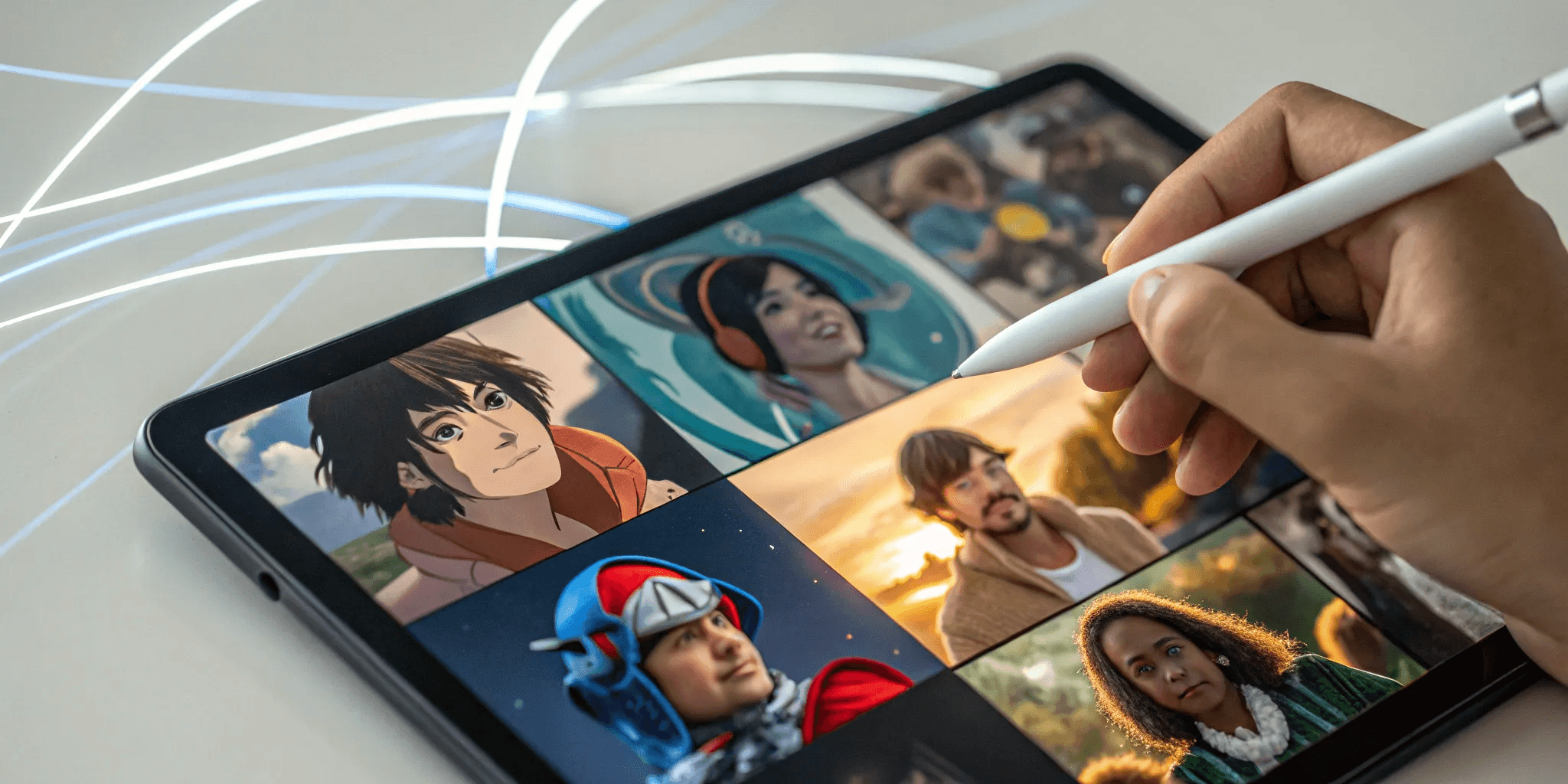
Avatars have come a long way from the pixelated icons of early internet forums. Today, they are evolving into dynamic, interactive extensions of our digital selves. While a simple cartoon profile picture is still fun, the most exciting tools are pushing the boundaries of what an avatar can be. They can be animated, react to your voice, and even exist as AI-powered companions across different digital worlds. This guide will cover the full spectrum, from the best simple tools for a quick PFP to the more advanced platforms. We'll help you find a free avatar maker that matches your ambition, whether you're creating a static image or building your future digital twin.
Key Takeaways
Start with Your End Goal in Mind: Your purpose dictates the perfect tool. A simple cartoon for a profile picture has different needs than an animated character for a video or an interactive AI companion, so choose a platform whose features align with your creative vision.
Check the Technicals and the Terms: A great design is only useful if you can actually use it. Before you invest time, confirm you can export in high-quality formats like PNG and read the fine print to ensure you have the right usage permissions, especially for commercial projects.
Recognize the Limits of Free Tools: Free avatar makers are excellent for casual use, but they typically come with trade-offs like watermarks, limited features, and personal-use-only licenses. When your project requires professional quality or advanced capabilities, it's a sign you need a more robust platform.
What Makes a Great Free Avatar Maker?
With so many free avatar makers out there, it can be tough to figure out which one is worth your time. They all promise to help you create a cool digital version of yourself, but the experience and the final product can vary wildly. A great tool makes the process fun and gives you a high-quality avatar you’re excited to use everywhere. Before you jump into designing, it helps to know what features separate the best from the rest. Thinking about customization, ease of use, export options, and usage rights will help you pick the perfect tool for your creative vision.
Look for Deep Customization Options
The whole point of an avatar is to represent you, so the more control you have, the better. A top-tier avatar maker gives you a ton of options to play with. Look for tools that let you choose from different art styles, like realistic, anime, or comic book. From there, you should be able to fine-tune every detail—face shape, eye color, hairstyle, and accessories like glasses or jewelry. The best platforms also offer a wide selection of clothing and backgrounds to perfectly capture your digital identity. The goal is to create something that feels uniquely yours, not like a generic character from a template.
Prioritize an Easy-to-Use Interface
Creating an avatar should be an enjoyable experience, not a technical challenge. The best tools are designed to be intuitive and straightforward for everyone, regardless of your tech skills. You should be able to easily find all the customization options and see your changes in real-time without getting lost in confusing menus. A clean, user-friendly interface lets you focus on the creative side of things, allowing you to experiment and design your perfect profile picture for social media or gaming without any friction. If you have to read a manual to get started, it’s probably not the right tool.
Check Your Export Quality and Formats
An amazing avatar isn’t much good if you can’t use it where you want. Before you spend time perfecting your design, check what kind of export options the tool offers. A great avatar maker will let you download your creation in high-quality formats. Look for options like PNG, which is perfect for web use because it supports transparent backgrounds, or even SVG for a scalable vector graphic that will look sharp at any size. Having different size options, like 200px for a small icon and 400px for a larger profile image, ensures your avatar looks crisp and professional on any platform.
Understand the Usage Rights
This is a big one that’s easy to overlook. "Free" doesn't always mean you can do whatever you want with your creation. Many free avatar makers have licensing terms that restrict commercial use, meaning you can’t legally use the avatar for your business, brand, or anything that makes money. It’s crucial to read the fine print before you start. Some platforms, however, do provide you with full ownership of your avatar, allowing you to use it for both personal and professional projects. Understanding the creative commons licenses or terms of service will save you from potential legal headaches down the road.
6 Free Avatar Makers to Try
Ready to find the perfect tool for your next digital creation? I’ve rounded up six of the best free avatar makers out there, each with its own unique strengths. Whether you’re looking for a simple cartoon profile picture or a dynamic, AI-powered digital twin, this list has something for you. We’ll look at what makes each platform stand out, from deep customization and animation to interoperability across different digital worlds. Let's find the right fit for your creative vision.
Genies: Create AI-Powered Avatars with True Interoperability
Genies is at the forefront of avatar technology, offering a platform where you can create more than just a static image. Here, you build an AI-powered avatar that can be your digital twin, complete with customizable fashion, props, and even unique experiences. The key differentiator is true interoperability; Genies allows you to create customizable avatars that can be used across various platforms. This means your digital identity isn't locked into one ecosystem. You can also create AI companions and other interactive elements, making it a powerful tool for creators who want to build a dynamic and portable digital presence. If you're interested in shaping the future of digital identity, you can apply for beta access to start creating.
Adobe Express Character Creator
If you want to bring your avatar to life with animation, the Adobe Express Character Creator is an excellent choice. This free online tool lets you create animated characters that can talk, gesture, and express a range of emotions. You can start with professionally designed templates or build a character from scratch, customizing everything from their hairstyle to their outfit. The platform is incredibly user-friendly—you can even record your own voice and watch the character lip-sync to it in real time. It’s a fantastic tool for creating engaging content for social media, presentations, or short videos without needing any animation skills.
Canva Avatar Maker
For those who already live and breathe Canva for their design projects, the platform’s built-in Avatar Maker is a seamless addition to your workflow. It provides a free tool that allows you to create personalized avatars with a solid range of customization options. You can mix and match facial features, hairstyles, and accessories to create a character that reflects your style. The biggest advantage is its integration within the Canva ecosystem. Once you’ve created your avatar, you can easily drop it into any of your designs, from social media posts and presentations to business cards and marketing materials, ensuring brand consistency across all your creative work.
Cartoonify
Sometimes, you just want a quick, classic cartoon version of yourself without any fuss. That’s where Cartoonify shines. This free online avatar maker is incredibly straightforward, letting you create your own cartoon, character, and even anime-style avatars in minutes. The interface is simple: you select from over 300 graphical parts to build your character’s face, hair, clothes, and background. It’s a no-frills tool that focuses on one thing and does it well. If your goal is to create a simple, fun cartoon avatar for a profile picture or a forum signature, Cartoonify is a fast and easy option that gets the job done.
Bitmoji
If you spend a lot of time on messaging apps and social media, you’re probably already familiar with Bitmoji. This app lets you create a personalized cartoon avatar that becomes the star of a massive library of expressive stickers. Bitmoji allows users to create avatars that can be used in various messaging apps, most notably Snapchat and iMessage. The fun comes from seeing your digital self react to different situations, from celebrating a birthday to complaining about Monday mornings. It’s less about creating a high-fidelity digital twin and more about adding a personal, expressive touch to your daily digital conversations with friends and family.
Picrew
Picrew is a unique avatar maker that’s more of a platform than a single tool. It allows users to create unique avatars using a huge variety of styles because it’s built on user-generated content. Artists from all over the world create and upload their own "image makers," each with a distinct aesthetic, ranging from cute chibi styles to detailed, painterly looks. This means you have an almost endless selection of art styles to choose from. It’s especially popular among users who love anime and manga aesthetics. If you’re looking for a highly stylized and artistic avatar that stands out from the crowd, browsing through Picrew’s library is a fantastic way to find a look you love.
How Do These Free Avatar Makers Compare?
Not all free avatar makers are created equal. While they all promise a digital version of you, the experience and the final product can vary wildly. When you’re trying to pick the right one, it helps to break down what each tool actually offers. Some are perfect for a quick, fun profile picture, while others provide the foundation for a more complex digital identity.
The biggest differences usually come down to four key areas: the quality of the graphics, the depth of customization, how easy the tool is to use, and whether you can bring your avatar to life with animation or interactive features. A tool that excels in one area might fall short in another. For example, an incredibly easy-to-use app might offer limited creative control. Thinking about what matters most to you will help you sort through the options and find the perfect fit for your project, whether you’re making a simple emoji or building an AI-powered companion.
A Look at Graphics and Quality
The visual style and quality of your avatar are the first things anyone will notice. Free tools offer a wide spectrum here. Some rely on pre-made templates that can feel a bit dated, while others use advanced graphics to create stunning, high-resolution results. The "best" style is completely up to you—you might be looking for a cute, cartoonish vibe for your social media or a more realistic, polished look for a professional presentation. Pay attention to the output options. Can you export a high-quality PNG with a transparent background, or are you stuck with a low-resolution JPG? The quality of the final asset will determine where and how you can use it effectively.
How Deep Can You Customize?
Customization is where you get to infuse your personality into your avatar. Some free makers keep it simple: you pick a template and change the hair and eye color. Others give you granular control, letting you tweak everything from the shape of your nose to the arch of your eyebrows. The best tools offer a wide range of features, clothing, and accessories to truly reflect your style. This level of control is key to creating a digital identity that feels authentic. It’s the difference between using a generic character and designing a true digital twin that represents you across different platforms.
Which Tool is Easiest to Use?
A powerful tool isn’t much good if you can’t figure out how to use it. Many free avatar makers prioritize a simple, intuitive interface, allowing you to create something cool in just a few clicks without even needing to sign up. This is perfect if you need an avatar fast. However, tools with more advanced features, like those with animation or 3D modeling capabilities, might have a slightly steeper learning curve. The ideal tool strikes a balance, offering a straightforward creative process that doesn’t sacrifice powerful features. Look for a clean layout, clear instructions, and a user experience that feels fun, not frustrating.
Comparing Animation and Interactive Features
A static profile picture is great, but what if your avatar could move, talk, and interact? This is where the most innovative tools stand out. Some platforms, like Adobe Express, let you upload audio to animate your character’s mouth and movements, bringing it to life. More advanced systems are exploring AI to create dynamic companions that can react and communicate. This is the next frontier for avatars—transforming them from simple images into interactive beings. When you’re choosing a tool, consider your long-term goals. If you want an avatar that can grow with you, look for a platform focused on interoperability and AI-driven experiences.
What Are the Limitations of Free Avatar Makers?
"Free" is a magic word, but when it comes to creative tools, it often comes with a few strings attached. While free avatar makers are fantastic for experimenting and casual fun, it’s smart to go in with your eyes open. Understanding the common limitations can save you a lot of frustration down the line and help you figure out if a free tool truly meets your needs or if you might need something more powerful. Think of it less as a dealbreaker and more as a guide to help you pick the right platform for your project.
Expect Feature and Quality Caps
This is probably the most common trade-off. Free versions of avatar makers often give you a limited sandbox to play in. You might find that the library of hairstyles, outfits, and accessories is much smaller than what’s available to paying users. The styles can sometimes feel a bit dated, and the overall graphic quality might not be as sharp or detailed. These tools are designed to give you a taste of the platform's potential, hoping you'll upgrade for full access. For creators who want limitless possibilities, this can feel restrictive. It's why platforms focused on user-generated content, like Genies, emphasize a different approach by providing a robust Avatar Framework from the start.
Watch Out for Watermarks
Nothing says "I made this with a free tool" quite like a big, distracting watermark. Many free avatar creators will place their logo or name directly on your final image. While this is understandable from their perspective—it’s free advertising—it can seriously detract from your creation. If you’re planning to use your avatar for a professional profile, a branding project, or even just a polished social media presence, a watermark can make it look unprofessional. Always check a tool’s policy on watermarks before you spend time perfecting your avatar, as removing them usually requires upgrading to a paid plan.
Consider Account and Privacy Policies
In the digital world, the price of "free" is often your personal data. Most avatar makers will require you to create an account to save and export your creations. This is a good time to put on your detective hat and take a quick look at their privacy policy. What information are they collecting? How are they using it? Are they sharing it with third parties? Understanding a platform's data privacy practices is crucial, especially when you're crafting a digital identity that’s closely tied to you. It’s a small step that can give you peace of mind about how your information is being handled.
Check the Rules for Commercial Use
This is a big one for anyone thinking of using an avatar for business. Most free avatar makers come with a license that is strictly for personal, non-commercial use. That means you can use your creation for your personal social media profile, but you likely can't use it as a brand mascot, in advertisements, or on merchandise you intend to sell. Using a free avatar for business purposes could lead to legal trouble. Always read the terms of service to understand the rules for commercial use. If your project has any business angle, you may need to use a paid tool or one that explicitly grants commercial rights.
Learn from Common User Complaints
Before you get too invested in a new tool, it’s always a good idea to see what other users are saying. Free avatar generators can sometimes be plagued with technical issues that disrupt the creative flow. You might run into slow rendering times, a clunky interface, or frustrating bugs that cause the app to crash right when you’re about to finish your masterpiece. A quick search on Reddit or other community forums can reveal these common user frustrations. This feedback can help you sidestep tools known for being unreliable and find one that offers a smoother, more enjoyable experience from the get-go.
How to Pick the Right Free Avatar Maker
With so many options out there, choosing the right avatar maker can feel like a big decision. The best approach is to think about your end goal first. Are you creating a simple profile picture, a character for a story, or a dynamic digital identity that can travel across different platforms? Your answer will point you toward the perfect tool. By matching the features to your creative vision, you can find a free avatar maker that not only gets the job done but also makes the creation process fun and intuitive.
Match the Tool to Your Creative Goal
The first step is to define what you want to do with your avatar. Different tools are designed for different purposes. If you just need a static image for your social media profile, a straightforward tool that lets you create your own cartoon and download it as a PNG will work perfectly. These are great for getting a unique look online without a steep learning curve.
However, if your goal is to build a more complex digital identity or an AI companion, you'll need a platform with deeper capabilities. Think about whether you need your avatar to be animated, to interact with digital environments, or to have its own personality. For projects like these, you’ll want to look for a tool that’s part of a larger ecosystem, like the AI avatar framework we’re building at Genies.
Know When a Free Tool is Enough
Free avatar makers are fantastic for personal projects, experimenting with different styles, or just having some fun. If you’re creating an avatar for your personal social accounts, a gaming profile, or a forum, a free tool is likely all you need. Many are designed to be incredibly easy and quick for anyone to use, even if you have zero design experience.
These tools are perfect for testing the waters. You can try out different aesthetics and see what resonates with you before committing to a more advanced platform. As long as you don't need high-resolution files, commercial usage rights, or extensive customization, a free plan can be the perfect fit. They give you the creative freedom to play around without any financial pressure.
Spot the Signs You Need a Paid Alternative
You’ll start to notice the limitations of free tools when your avatar becomes a more serious part of your online presence. One of the biggest signs is the need for a commercial license. Most free plans restrict commercial use, meaning you can't legally use the avatar for business purposes, like on a company website or in marketing materials.
Another sign is when the feature caps start to slow you down. If you’re creating content regularly, things like watermarks, limited export options, and a smaller library of assets become genuine productivity killers. When you find yourself wishing for more control, better quality, or the ability to use your creation professionally, it’s a clear signal that you’ve outgrown the free options and are ready for a more powerful, integrated platform.
Related Articles
Frequently Asked Questions
What's the real difference between a basic avatar maker and an AI-powered one? Think of it this way: a basic avatar maker gives you a static image, like a digital sticker of yourself. It’s great for a profile picture. An AI-powered platform helps you create a dynamic digital twin. It’s not just a picture; it’s an interactive being that can have its own personality, experiences, and can be used across different digital worlds.
Can I use an avatar from a free maker for my business or brand? This is a crucial point to consider. Most of the time, the answer is no. Free tools usually come with a license that is strictly for personal use. If you use that avatar for anything that makes money, like on your company's social media or in an ad, you could run into legal issues. Always read the terms of service before you make a free avatar your brand's public face.
Do I need any design skills to create a good avatar? Absolutely not! The best avatar makers are designed for everyone, not just artists. They have intuitive interfaces that let you click through options for hair, eyes, and clothes, and you see the changes happen right away. The whole point is to make it a fun, creative process, not a technical test.
What if I want my avatar to do more than just be a profile picture? That’s when you start looking at the more advanced tools. If you want your avatar to move, talk, or express emotions, you'll want a platform that offers animation features. If you're thinking even bigger, like creating an AI companion that can interact with you, you're moving into the territory of platforms built for creating dynamic, interactive digital beings.
Why is it important that my avatar can be used on different platforms? This is all about having a consistent digital identity. When an avatar is "interoperable," it means you aren't stuck using it in just one app or game. You can take your unique digital self with you across different online spaces. It ensures your avatar is truly yours, giving you the freedom to show up as the same recognizable you, no matter where you are online.