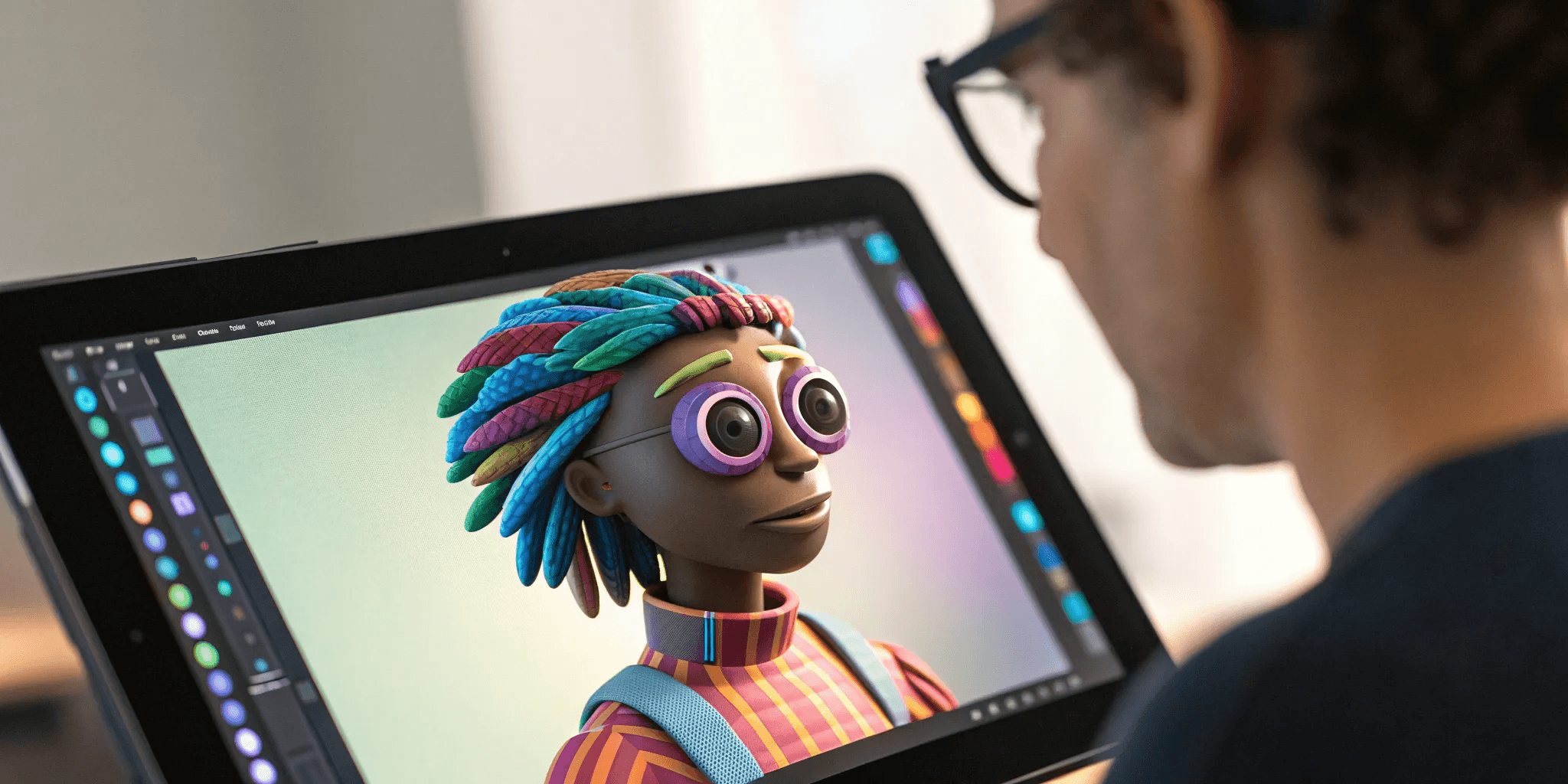
How to Create a 3D Stylized Avatar You'll Love
2025. 12. 22.
We spend so much time curating our digital lives, yet we often have little control over how we actually appear in them. We’re limited by the presets and options that platforms give us. Creating your own avatar changes that. It puts the creative power back in your hands, giving you a blank canvas to design a character that truly represents you. You get to be the artist, deciding on everything from facial features and body type to a unique fashion style that shows off your personality. This guide is your complete roadmap for how to create a 3d stylized avatar, giving you the tools and knowledge to take full control of your digital identity and build a character from the ground up.
Key Takeaways
Start with your 'why': Before choosing a tool, clarify your avatar's main purpose. An avatar for gaming requires different features than one for a social media profile, and knowing its job from the start helps you make smarter design choices.
Match the tool to your goals: You have options for every skill level and budget. Choose an AI-powered generator for a quick, personalized result, or use a template-based editor for deep customization without the steep learning curve of professional software.
Prioritize performance for a better experience: A great avatar works seamlessly everywhere. Pay attention to technical details like file size and platform compatibility to ensure your creation looks polished and runs smoothly, whether it's in a game or another virtual space.
What is a 3D Stylized Avatar?
Think of a 3D stylized avatar as your digital self, but with a creative twist. It’s a personalized, three-dimensional character that represents you in digital spaces, from games to social platforms. Unlike a photorealistic digital double, a stylized avatar embraces a specific artistic direction. It’s designed to be expressive, allowing you to craft a unique digital identity that captures your personality.
With the right tools, you can customize everything from appearance and clothing to accessories, giving you full control over how you show up online. These aren't just static profile pictures; they are dynamic characters that can interact, emote, and evolve. The goal is to create a digital persona that feels authentically you, whether it mirrors your real-world look or explores a more imaginative side of your personality. This is your chance to build a character that can travel with you across different digital experiences, creating a consistent and recognizable presence wherever you go.
What makes an avatar "stylized"?
The "stylized" part is all about artistic interpretation. It means your avatar intentionally moves away from realism to adopt a distinct visual style, much like a character from an animated film or a graphic novel. This is achieved through specific design choices like unique body types, custom color palettes, and features that blend reality with artistic flair.
This approach makes avatars more visually engaging and memorable. Instead of just replicating a person, stylization focuses on capturing a mood, a personality, or a vibe. It’s the difference between a digital photograph and a painted portrait. The result is a high-quality, expressive character that has a unified and polished look, making it feel both personal and professional.
Why create your own avatar?
Creating your own avatar is an incredible form of self-expression. It gives you a space to play with your identity and present yourself to the world in a way that feels right for you. While building 3D models from scratch once required a lot of technical skill and time, modern tools have made the process much more accessible for everyone.
Many platforms now let you start with a simple photo, generating a base model that you can then tweak and personalize. This makes it easier to craft a unique avatar that still feels connected to your real-world appearance. It’s a rewarding process that lets you build a digital persona from the ground up, giving you a character you can truly call your own.
The Best Tools for Creating 3D Avatars
Finding the right tool to build your digital self is the first big step. The platform you choose will shape everything from your avatar’s look to where you can use it. Some tools are built for hyper-realism, others excel at specific artistic styles, and some prioritize making your avatar usable across many different apps and games. Let’s look at a few of the best options out there so you can find the perfect fit for your creative vision.
Genies Avatar Framework
If you’re looking for deep customization and a way to build a truly personal digital identity, the Genies Avatar Framework is a fantastic place to start. This platform is all about giving you the power to create expressive, personalized 3D avatars that reflect who you are. You get a massive amount of control over your avatar’s appearance, from facial features to unique clothing and accessories. The goal is to let you express your individuality and carry that identity with you across different digital spaces. It’s a powerful tool for creators who want to design not just an avatar, but an entire digital persona with its own fashion and flair.
Ready Player Me
For gamers and creators who wanted a single avatar that could move across multiple virtual worlds, Ready Player Me once stood out as a leading option. Its core strength was interoperability. The platform helped developers quickly integrate avatar creation into their games, allowing users to create one character and use it across many compatible apps and experiences. Instead of starting from scratch each time, players could carry a consistent digital identity with them.
With Ready Player Me now winding down as an independent platform, that vision remains influential—but no longer practical for new projects. Today, it serves as a reminder of why universal, game-ready avatars matter, while highlighting the need for alternatives that can deliver the same cross-world continuity with long-term support, stability, and future development in mind.
VRoid Studio
If you love the anime aesthetic, you absolutely have to check out VRoid Studio. It’s a free 3D character creation tool specifically designed for making anime-style avatars. The interface is known for being very user-friendly, even for beginners, and it offers a surprising amount of depth. You can customize everything from hairstyles and facial features to clothing, all within that distinct, beloved art style. It’s an amazing resource for aspiring VTubers, artists, or anyone who wants to create a beautiful anime character from scratch without needing a big budget or years of 3D modeling experience.
Avatar SDK
Imagine creating a detailed 3D model of yourself from a single selfie. That’s exactly what Avatar SDK does. Using AI, this tool lets you create an avatar with AI that can be either realistic or more stylized and cartoonish. Once the base model is generated from your photo, you have full control to customize it further. You can tweak facial features, change body types, and experiment with different outfits and hairstyles. This approach is perfect if you want an avatar that looks like you but don’t want to spend hours sculpting a face from scratch. It’s a great shortcut to a high-quality, personalized avatar.
Avaturn
Similar to Avatar SDK, Avaturn specializes in creating realistic 3D avatars from a single selfie. It’s designed to be fast and easy, generating a lifelike version of you in moments. From there, you can get into the customization options. Avaturn offers a wide selection of body types, hairstyles, clothing, and accessories to help you perfect your digital look. The focus here is on realism and providing a high-fidelity model that can be used in various applications. If your goal is to create a true digital twin, Avaturn’s realistic avatar creator is an excellent and accessible option to explore.
How Do the Top Avatar Tools Compare?
You've seen the big names, but how do you actually choose the right one for you? The best tool really comes down to what you want to create, how much you want to spend, and how much time you want to put into learning the ropes. Some platforms are all about quick, fun creations you can share in minutes, while others are more like complex digital art studios that offer endless possibilities. It’s not about finding the single best tool on the market, but about finding the one that fits your vision and workflow. Let's break down the key differences so you can find your perfect match without the guesswork and get straight to the creative part.
Comparing features and customization
This is where the fun begins. The level of customization can range from basic presets to granular control over every single feature. Tools like Genies focus on creating personalized, expressive 3D avatars you can use for your digital identity across different platforms. You’ll find extensive options for appearance, clothing, and accessories that let you show off your unique style. Other platforms might specialize in hyper-realism or a specific anime aesthetic, so think about the look you’re going for. A key feature to look for is interoperability—can your avatar exist in more than one place? For developers, the Genies Avatar SDK even lets you integrate these avatars directly into games and virtual worlds.
Pricing and free options
You don’t need a huge budget to create a fantastic avatar. In fact, many of the best free full body character creator tools are completely free to use, which is perfect for experimenting without any commitment. When you're looking at free options, pay attention to the details. The best tools offer a user-friendly interface and let you download your creation in high-quality, versatile formats without a distracting watermark. Paid tools often unlock more advanced features, exclusive assets, or commercial usage rights. The pricing models vary widely—some use a subscription, others charge a one-time fee, and some have marketplaces where you can buy individual items. Just be sure to read the fine print so you know exactly what you’re getting.
Ease of use and learning curve
Your technical skill level is a huge factor in choosing the right tool. Some platforms are designed to be incredibly intuitive. The Genies editor, for example, gives you a massive range of customization options in a straightforward interface, making it easy to create a unique avatar in minutes. On the other end of the spectrum, professional 3D modeling software offers infinite control but comes with a steep learning curve. Creating 3D models from scratch requires specialized skills that take time to develop. Think about your goals: are you looking for a fun, creative outlet or are you aiming to become a professional 3D artist? Your answer will point you toward the right kind of tool.
What Customization Options Can You Expect?
Creating a 3D avatar is your chance to build a digital identity from the ground up. Gone are the days of picking from a handful of generic presets. Today’s top tools give you a level of control that lets you craft a character that’s truly yours, whether it’s a mirror image of you or a completely new persona. The goal is to create a high-quality, expressive avatar that feels authentic and ready for any digital world. This isn't just about making a cartoon version of yourself; it's about exploring different facets of your personality and style in a new medium.
Think of it like being a character designer for your own life. You get to decide on every detail, from the subtle curve of a smile to the exact shade of a favorite jacket. This process is where the magic happens, turning a blank slate into a vibrant, personality-filled digital being. The best platforms provide a unified structure that makes customization intuitive, allowing you to tweak and refine until you’re happy with the result. With Genies' Avatar Framework, for example, the underlying technology is designed to support deep personalization, ensuring your creations are both unique and versatile across different experiences. Let’s look at the key areas you’ll be able to customize.
Facial features and expressions
The face is the heart of your avatar’s identity, and modern tools give you incredible control over it. You can sculpt everything from the shape of the eyes and the bridge of the nose to the fullness of the lips and the definition of the jawline. Many platforms use blendshape-driven customization, which is a fancy way of saying you can use simple sliders to fine-tune each feature with precision. But a great avatar is more than just a static portrait. It’s about expression. The ability to make your avatar smile, frown, or show surprise is what brings it to life and allows you to form a genuine digital identity.
Body types and proportions
Your avatar’s body is just as important as its face for creating a complete character. You can move beyond a single, standard body model and choose from multiple body types to find a base that fits your vision. From there, you can adjust proportions like height, shoulder width, and limb length to create a truly custom silhouette. Whether you’re aiming for a realistic human form or something more stylized and imaginative, these tools give you the flexibility to build a high-fidelity character. This level of control helps ensure your avatar feels grounded and believable, no matter what digital environment it inhabits.
Clothing, accessories, and styling
This is where you can really let your personal style shine. Most avatar creators come with a virtual closet packed with clothing, from everyday basics to high-fashion pieces. You can mix and match items to create endless outfits that reflect your personality or the character you’re building. Platforms are constantly updating their digital wardrobes with new wearables and accessories like hats, glasses, and jewelry. Even better, tools like those from Genies are opening the door for user-generated content, allowing you to design and share your own unique fashion creations with the world. This turns your avatar into a dynamic canvas for self-expression.
Hair, colors, and textures
The finishing touches are what pull your entire look together. You’ll find a huge library of hairstyles to choose from, ranging from classic cuts to bold, imaginative styles. Beyond the shape, you have full control over color. You can customize the exact shade of your avatar’s hair, skin tone, and eyes, and even adjust the colors of your clothing. Advanced tools also let you play with textures, which adds another layer of realism and quality. This makes surfaces look and feel more authentic—whether it’s the soft weave of a sweater, the smooth finish of leather, or the natural look of skin.
Create Your Avatar: A Step-by-Step Guide
Ready to bring your digital self to life? Creating a 3D stylized avatar is an exciting process that blends technology with personal expression. Whether you're building a character for a game, a virtual world, or just for fun, this guide will walk you through the essential steps. Think of it as your roadmap from a simple idea to a fully realized digital identity. We'll cover everything from choosing the right tools to adding the final touches that make your avatar uniquely you. Let's get started.
Choose your creation method
First things first, you need to decide how you want to build your avatar. Different tools offer different paths. Some platforms, like the Avatar SDK, use advanced AI to generate a 3D model from a single selfie, giving you the choice between a realistic or more cartoonish style. Other methods might involve more hands-on sculpting and design. Think about your skill level and how much control you want over the final look. If you're aiming for speed and ease, an AI-powered generator is a fantastic starting point for anyone new to the space.
Upload your reference image
If you've chosen an AI-powered method, your next step is to provide a reference photo. This is where the magic begins. Tools like Avaturn are designed to create realistic 3D avatars from one selfie, making the process incredibly straightforward even for total beginners. For the best results, use a clear, well-lit photo where your face is looking directly at the camera. This image will serve as the primary blueprint for the AI to construct your avatar’s facial structure, ensuring the final model captures your likeness.
Set up your base avatar
Once your image is uploaded, the platform will generate a base model. This is the foundational version of your avatar before you start fine-tuning the details. Our own Avatar Framework is built to produce expressive, personalized 3D avatars that serve as a starting point for your digital identity. This initial model is a critical step, as it creates the canvas for all your future customizations. It’s the raw clay from which you’ll sculpt your final masterpiece, so take a moment to see how well it matches your reference.
Customize your look
Now for the fun part: making the avatar truly yours. Customization is where you can let your personality shine. The Genies editor, for example, gives you a wide range of options to ensure every avatar is one-of-a-kind. You can adjust facial features, tweak proportions, experiment with different hairstyles, and select skin tones. This is your chance to either create a faithful digital twin or design a completely new persona. Don’t be afraid to play around with the sliders and options until you land on a look you absolutely love.
Add clothing and accessories
An avatar’s style is a huge part of its identity. Once you’re happy with the base features, it’s time to dress it up. Many platforms have a digital closet filled with clothing, accessories, and other wearables. At Genies, we frequently update our digital fashion items to offer deep customization options right in the Avatar Editor. You can mix and match outfits, try on different shoes, and add accessories like glasses or hats. This step lets you define your avatar’s personal style and express yourself through fashion.
Export and optimize your avatar
After you’ve perfected your avatar’s look, the final step is to export it for use in other applications. Depending on where you plan to use your avatar—be it a game, a social platform, or an animation—you may need to optimize the model. As experts at Alpha3D note, this can involve adjusting the file to meet specific technical requirements. This ensures your avatar looks great and performs smoothly, no matter the environment. Pay attention to file formats and polygon counts to guarantee compatibility with your intended platform.
Which Creation Method Is Right for You?
Choosing how to create your avatar comes down to three things: how much time you have, what skills you’re working with, and how much creative control you want. There’s no single “best” way—it’s all about finding the right fit for your vision. Maybe you want a digital twin you can start using today, or perhaps you’re excited by the idea of building a character completely from scratch. The good news is that there's a creation path that will get you there.
Think of it like this: you could use a photo booth, paint a self-portrait, or create a collage. Each method results in a picture of you, but the process and the final style are completely different. The same goes for avatar creation. Some methods are incredibly fast and deliver great results with minimal effort, while others offer a blank canvas for you to express your artistic side. Understanding the main approaches will help you pick the tool that feels less like a chore and more like a creative playground. Let’s look at the three most common methods so you can decide which one makes the most sense for you.
AI-powered photo generation
If you want a personalized avatar without a steep learning curve, AI-powered tools are your best friend. These platforms use a single selfie to generate a 3D model of you in minutes. It’s a fast and surprisingly accurate way to get a base model that you can then tweak. Tools like Avaturn specialize in creating realistic 3D avatars from a photo, giving you a digital twin with just a few clicks. This method is perfect if your goal is to get a great-looking, personalized avatar quickly, without needing any prior design or 3D modeling experience. It’s all about speed and convenience.
Manual design tools
For those who love getting hands-on and want complete creative freedom, manual design is the way to go. Using powerful software like Blender, you can create a 3D model from the ground up. This process involves shaping, sculpting, and texturing every detail yourself, giving you total control over the final look. While it requires more time and a willingness to learn the software, the payoff is a truly unique avatar that is 100% your own creation. This path is ideal for artists, designers, or anyone who enjoys the process of building something from scratch and wants to fine-tune every last detail.
Template-based customization
Template-based platforms offer a fantastic middle ground, blending ease of use with deep customization. You start with a high-quality base model and then make it your own with an extensive library of features, clothing, and accessories. This approach removes the technical hurdles of manual design while still giving you tons of creative control. The Genies Avatar Framework, for example, lets you craft a highly expressive and personalized avatar with endless options for styling. It’s the perfect choice if you want to express your unique identity and have a lot of fun doing it, without having to build everything from zero.
How Much Should You Budget for Avatar Creation?
Let's talk about money. Creating a 3D avatar doesn't have to break the bank, but it's smart to have a budget in mind. The cost can range from completely free to several thousand dollars, depending on the tools you use and the level of detail you want. The good news is that you have options at every price point. Your budget will guide you toward the right creation method, whether that’s a free app for a quick profile picture or a professional service for a high-fidelity digital double. Understanding the costs will help you make the best choice.
Free vs. paid tools: What to consider
When you're starting out, it’s tempting to stick with free tools, and for many, that’s a great option. The key question is: what is this avatar for? If you just need a cool, static image for social media, you can find plenty of free avatar generators that let you mix and match features. However, if you plan to use your avatar in more dynamic ways—like for streaming or gaming—it’s worth looking into paid tools. These platforms often provide advanced features like AI-powered generation, better animation, and higher-quality exports, giving you a more polished result.
How much do professional services cost?
If you have a specific vision or need a hyper-realistic avatar, consider hiring an expert. Professional 3D scanning services use high-tech equipment like laser scanners to create an incredibly detailed model of a person. This quality comes at a price, with costs ranging from $100 for a basic scan to over $3,000 for a complex, animation-ready model. This option is best for commercial projects or anyone who needs a top-tier digital identity and has the budget for it. For most personal projects, a DIY tool is more than enough.
Subscription vs. one-time costs
As you explore avatar platforms, you’ll see two common pricing models: a one-time payment or a recurring subscription. A one-time purchase might grant you lifetime access to software or assets, which is great if you only plan on creating one or two avatars. On the other hand, many modern platforms use a subscription model. This gives you ongoing access to the latest features and new content. Innovative platforms like Genies often provide a robust free experience, with premium subscriptions for exclusive items and advanced tools. A subscription is ideal if you see your avatar as an evolving part of your digital identity.
Common Challenges to Prepare For
Creating your first 3D avatar is an exciting process, but like any new skill, it comes with a few common hurdles. Thinking about these challenges ahead of time can save you frustration and help you create an avatar you love. These are things every creator works through, so let's walk through what to expect so you can feel prepared as you bring your digital self to life.
Nailing your artistic style
Finding your unique artistic style is one of the most rewarding parts of creating an avatar. It’s about more than just picking features; it’s about creating a cohesive look that expresses a personality. This requires blending your creative vision with the technical side of 3D modeling. Don't be afraid to experiment with different aesthetics, from cartoonish to hyper-realistic, until you land on something that feels right. Developing a distinct style takes practice, so give yourself time to play and discover what resonates with you and your intended audience.
Balancing quality and performance
You want your avatar to look amazing, with detailed textures and intricate accessories. But every detail adds to the model's complexity, which can slow down performance. A big challenge is finding the right balance between visual quality and efficiency. An ultra-high-polygon model might look stunning in a still image but could cause lag in an interactive environment. You'll need to think about managing complex geometry and optimizing textures to ensure your avatar not only looks great but also runs smoothly wherever you use it.
Handling file sizes and compatibility
The more complex your avatar, the larger its file size. This might not seem like a big deal, but large files can lead to long loading times and compatibility issues with certain apps. Some platforms have limits on file size or polygon counts, so it’s a good idea to be mindful of this from the start. The process of creating 3D models can be time-consuming, and running into file size problems late in the game is a real setback. Keeping your design efficient makes your avatar more versatile and easier to use across different digital spaces.
Working within platform limits
Where will your avatar live? The answer will shape your design process. Each platform, from gaming worlds to social apps, has its own technical specifications. An avatar designed for one game might not work in another, which can make it hard to move avatars and items between your favorite digital worlds. Before you get too deep into customization, research the requirements of the platforms you plan to use. Designing with these limits in mind from the beginning ensures your avatar will function perfectly in its intended environment and saves you from having to make major changes later.
Tips for a Professional-Quality Avatar
Once you’ve mastered the basics of avatar creation, you can focus on the details that make your digital self look truly polished and professional. It’s not just about picking cool clothes or the right hair color; it’s about making intentional choices that result in a cohesive and versatile final product. Thinking through a few key areas before you finalize your design can make all the difference between an avatar that looks good and one that feels truly alive and ready for any digital world. These tips will help you refine your creation process and build an avatar that you’ll be proud to use everywhere.
Keep your art direction consistent
With so many customization options at your fingertips, it’s easy to get carried away. The secret to a professional-looking avatar is a consistent art direction. Think of it as your avatar's personal brand. Are you going for a bright, cartoonish style or something more sleek and futuristic? Decide on a cohesive color palette, a specific aesthetic, and a general vibe. Genies’ creation tools offer endless ways to express your individuality, but maintaining a clear vision ensures your final avatar feels intentional and harmonious. A consistent style helps your avatar resonate with your intended look and feel, making it instantly recognizable and more impactful.
Optimize for different platforms
Your avatar is your passport to the digital universe, so you want to make sure it looks great everywhere you go. Different platforms, games, and virtual worlds have their own technical specifications, which can affect how your avatar appears and performs. An avatar that looks perfect in one app might look distorted or fail to load in another. Before you export your final design, think about where you plan to use it. Optimizing your avatar for various platforms enhances its accessibility and ensures a smooth user experience. This is where a versatile Avatar Framework becomes essential, ensuring your creation is adaptable and ready for any environment.
Design with animation in mind
A static avatar is one thing, but an avatar that can move, gesture, and express emotion is on another level. If you plan for your avatar to be more than just a profile picture, you need to design it with animation in mind from the very beginning. This means considering how the model is built so it can bend and move naturally without weird stretching or clipping. Thinking about how your avatar will emote or interact in a digital space allows for smoother transitions and much more engaging experiences. A well-designed model is like a perfectly built puppet, ready to be brought to life.
Common Mistakes to Avoid When Creating Your Avatar
Jumping into avatar creation is exciting, but a few common hurdles can trip up even the most enthusiastic creators. Knowing what to look out for ahead of time can save you a lot of frustration and help you build a digital identity you truly connect with. Think of these not as hard rules, but as friendly guideposts to keep your project on track and ensure the final result is something you’re proud to share. By sidestepping these frequent missteps, you can focus more on the fun part: bringing your unique vision to life.
Overcomplicating the design
It’s tempting to want to add every intricate detail right from the start—the perfect stray hair, a complex clothing pattern, or hyper-realistic features. But diving too deep, too soon can make the process overwhelming. The key is to find a balance between detail and simplicity to make sure your avatar is both appealing and manageable. A clean, well-executed design is often more impactful and versatile than one cluttered with too much information. You can always add more complexity later, but starting with a strong, simple foundation makes everything from posing to animation much easier to handle.
Ignoring technical requirements
An avatar that looks amazing in a modeling program but causes lag in a virtual world isn't very useful. Technical performance is just as important as artistic style. Things like managing complex geometry and optimizing textures are crucial for a smooth experience. Before you get too far, consider where you’ll use your avatar. Different platforms have different limitations on file size, polygon count, and texture resolution. Keeping these technical specs in mind ensures your avatar will look great and perform well wherever you take it, which is a core part of the Genies framework.
Forgetting your avatar's purpose
Before you customize a single feature, ask yourself: What is this avatar for? The answer will shape every decision you make. As we’ve covered on our blog, a simple mix-and-match tool is perfect for a static profile picture, but you'll want a generator with more robust features for gaming or interactive virtual worlds. If your avatar is meant for social VR, expressive facial animations are a must. If it’s for a portfolio, high-resolution textures might be the priority. Defining the primary use case from the outset provides a clear direction and helps you focus your efforts on the features that matter most.
Related Articles
Frequently Asked Questions
Should my avatar look exactly like me? Not at all! While creating a digital twin can be fun, a stylized avatar is your chance to express a different side of your personality. Think of it as a character that represents you. It can be an idealized version, a more creative interpretation, or something completely imaginative. The goal is to create a digital identity that feels authentic to you, whether that means mirroring your real-world appearance or exploring a new look entirely.
I'm a total beginner. Which type of tool is best for me? If you're just starting out, I'd recommend a template-based or AI-powered tool. These platforms do the heavy lifting for you by providing a high-quality base model to work from. This lets you jump straight into the fun parts, like customizing features and styling outfits, without needing any 3D modeling skills. You get a fantastic result with a much gentler learning curve.
Can I really use the same avatar in different games and apps? This depends entirely on the platform you use to create your avatar. Some tools are designed specifically for interoperability, meaning your avatar is built to travel with you across compatible digital worlds. However, many platforms are closed ecosystems, and their avatars won't work elsewhere. If having a consistent identity across multiple experiences is important to you, look for a tool that highlights this as a key feature.
Do I need to be a professional artist or designer to make a good avatar? Absolutely not. While professional skills are necessary for building a 3D model from scratch, most modern avatar creation tools are designed for everyone. They use intuitive interfaces with simple sliders and menus that let you control everything from facial features to clothing. The focus is on your creative vision, not your technical ability.
Once I create my avatar, can I go back and change its look later? Yes, and you should! Your digital identity can evolve just like your personal style does. Most creation platforms save your avatar to your account, allowing you to return to the editor anytime you want a refresh. You can try out a new hairstyle, update your wardrobe with new items, or completely change your look for a different season or event. Your avatar is meant to be a dynamic representation of you.