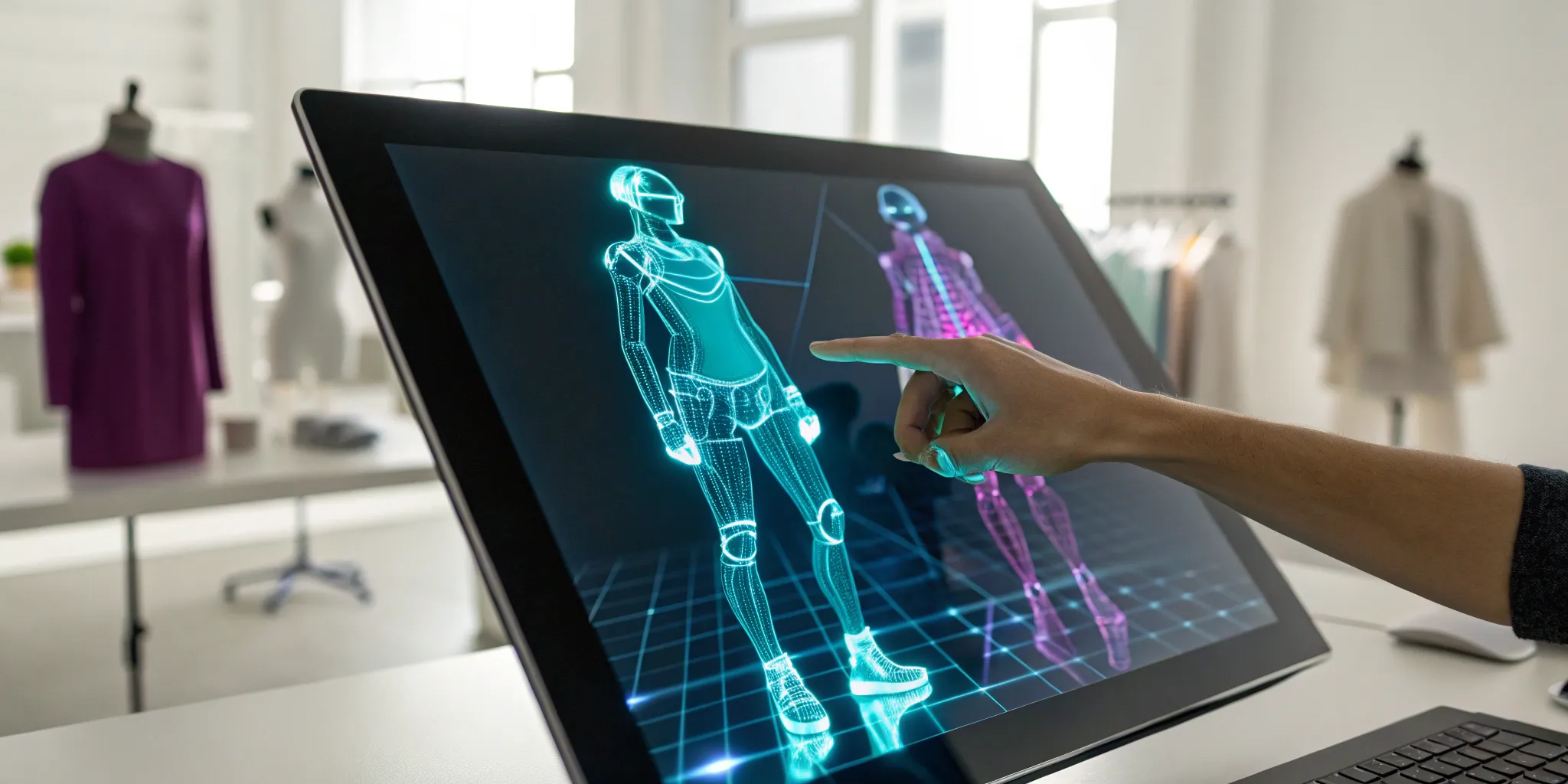
How to Create an AI Generated Avatar: A Quick Guide
2025. 12. 3.
For years, our digital identities have been fragmented. We have a profile picture for social media, a character model for a game, and a different icon for every other platform. AI avatars are changing that. Think of them not as static images, but as living, breathing digital personas that can travel with you across the internet. They can become your creative partner, your AI companion, or the face of your brand. The goal is to have one interoperable identity that works everywhere. If you’re ready to build a more unified and expressive online presence, it’s time to create ai generated avatar that truly represents you.
Key Takeaways
Define Your Digital Identity: An AI avatar is more than a profile picture; it's an intelligent, interactive version of you that can travel across platforms. Use it to create a consistent and expressive presence online.
Match the Tool to the Task: Select an avatar generator based on what you want to achieve. Look for deep customization for a unique style, animation for video content, and transparent privacy policies to keep your data safe.
Use Your Avatar as a Versatile Tool: Move beyond a simple profile picture and use your avatar in practical ways. It can be the face of your brand's content, a training partner for your team, or your unique character in virtual worlds.
What's an AI Avatar (and Why Should You Make One)?
Let's start with the basics. An AI avatar is much more than a digital cartoon of yourself. Think of it as a dynamic, intelligent character that represents you online. It's a digital persona powered by artificial intelligence, which allows it to communicate, show emotion, and interact in ways that feel surprisingly human. Unlike a static profile picture or a simple character model, an AI avatar can evolve, learn, and engage with the digital world around it, making your online interactions more personal and meaningful.
So, why is everyone suddenly talking about them? For starters, AI avatars offer a whole new level of self-expression. You can design one that looks just like you, or you can create a character that embodies a completely different side of your personality. This isn't just about looking cool in a game; it's about building a digital identity that can travel with you across different apps and virtual spaces. They create more engaging experiences, whether you're connecting with friends, exploring new worlds, or interacting with brands.
The real magic happens when these avatars become more than just a visual representation. They can become AI companions you can talk to, creative partners for your projects, or characters in the stories you want to tell. The goal is to have a single, interoperable avatar that acts as your passport to the entire digital ecosystem. At Genies, we're building the technology that makes this possible, giving you the tools to not only create an avatar but to give it a personality, a purpose, and a life of its own.
How Do AI Avatar Generators Work?
So, how does a simple photo or a text prompt transform into a dynamic, digital you? It’s not magic, but it’s close. AI avatar generators are powered by a sophisticated blend of technologies that interpret your input and build a unique character from scratch. They essentially learn what makes a face look and move like a human, then apply that knowledge to your creation. Let's look at what’s happening behind the screen.
Breaking Down the Technology
At its core, an AI avatar generator combines several smart systems. It uses advanced image modeling to understand facial features, voice generation to create speech, and animation tools to bring it all to life. To make an avatar talk realistically, for example, the AI has to master the relationship between phonemes (the sounds we make) and visemes (the mouth shapes that create those sounds). This detailed mapping is what helps AI avatars escape the uncanny valley and appear more natural and believable when they speak. It’s this coordination between different AI components that makes modern avatars so expressive.
How Your Photo Becomes an Avatar
Turning your photo into an avatar is surprisingly straightforward and doesn't require any design skills. Most tools guide you through the process in just a few minutes. You typically start by uploading a clear, forward-facing photo of yourself against a simple background—this helps the AI get the best read on your features. The generator then analyzes the image and creates a digital version in its signature style. Once your base avatar is ready, you can often customize it further, input a script for it to speak, or even use voice cloning features to make it sound just like you. The whole process is designed to be a quick and easy way to convert an image to an AI avatar.
Choosing the Right AI Avatar Generator for You
With so many AI avatar generators available, picking the right one can feel a little overwhelming. The good news is that the "best" tool really just depends on what you want to do. Your goal is the most important factor. Are you a creator looking for a consistent digital persona to use across social media? A business that needs a polished, professional avatar for training videos? Or maybe you're building a unique identity for gaming and virtual worlds. Each of these goals points toward a different set of features.
Some generators are perfect for creating a quick, stylized profile picture in minutes. They’re fun, easy to use, and give you a cool image to share. Other platforms offer a complete ecosystem where your avatar is more than just a picture—it's a dynamic character that can interact, wear digital fashion, and exist across different experiences. Before you get lost comparing features, take a moment to define your "why." Knowing exactly how you plan to use your avatar will make it much easier to spot the generator that’s built for your specific needs. To help you sort through the options, let's focus on three key areas: customization, animation, and security.
Look for Deep Customization and Style Choices
Your avatar is a digital extension of you or your brand, so you’ll want a generator that offers plenty of creative control. The best platforms provide deep customization, letting you fine-tune everything from facial features and hairstyles to outfits and accessories. This level of detail is what makes your final creation feel authentic and truly one-of-a-kind. Beyond the physical traits, look at the variety of artistic styles available. Whether you’re aiming for a photorealistic look, a 3D cartoon character, or something more abstract like a cyberpunk or sketch style, having a wide palette of options lets you perfectly match your avatar to your vision.
Check for Voice and Animation Capabilities
A static image is great, but a moving, talking avatar can bring your projects to life. If you plan to use your avatar in videos, presentations, or interactive experiences, you’ll need a tool with strong animation and voice features. Look for generators that can make your avatar speak, either by typing in text, uploading an audio file, or even cloning your own voice. The most advanced platforms offer realistic lip-syncing, which makes the interaction feel much more natural and engaging. These features are what transform your avatar from a simple picture into a dynamic digital person who can connect with an audience.
Prioritize Your Privacy and Data Security
As you upload photos and personal information to create your avatar, it’s smart to think about your digital safety. The most trustworthy platforms are transparent about how they handle your data and comply with privacy regulations. Before you commit to a tool, take a moment to review its privacy policy. Understand what happens to the photos you upload and how the company uses the information it collects. Using AI avatars can sometimes involve legal risks if a platform uses voice or likeness data without clear consent, so choosing a reputable generator that respects user privacy is a crucial step in protecting your digital identity.
The Best AI Avatar Generators to Try
With so many tools out there, finding the right one can feel like a challenge. The best AI avatar generator for you really depends on what you want to create. Are you looking for a simple profile picture, a realistic video presenter, or a fully interactive digital twin? Each platform has its own strengths. Some are fantastic for quick, stylized creations from a single photo, while others offer deep customization for building a complete digital identity. To help you decide, here’s a look at some of the top contenders and what they do best.
Genies: For a Complete, Interoperable Avatar Ecosystem
If you’re thinking beyond a simple profile picture, Genies is where you want to be. It’s not just about creating a static avatar; it’s about building a dynamic digital identity that can live and interact across different platforms. Genies provides a full ecosystem where you can design your avatar, create custom AI companions, and even develop unique fashion and experiences. The platform is built on powerful tech that ensures your creations have limitless utility. This is the perfect choice for creators who want to build a persistent, evolving digital presence that isn’t locked into a single app or game. It’s less of a generator and more of a gateway to your own digital world.
HeyGen: For Professional Video Avatars
For anyone needing to create video content quickly, HeyGen is a fantastic tool. It specializes in turning scripts into polished videos featuring AI avatars, which is perfect for marketing, corporate training, or social media updates. You can choose from a library of over 1,000 stock avatars or create a custom one that looks just like you. The process is straightforward—you just type your text, and the avatar presents it on screen. This is a huge time-saver for creators who need to produce video content consistently but don’t have the resources for a full video shoot. HeyGen makes it easy to generate professional-looking videos in minutes, no design skills required.
Adobe Firefly: For Creative Suite Integration
If you already work within the Adobe ecosystem, Adobe Firefly is a natural fit. Integrated directly into the Creative Suite, Firefly’s avatar tools are designed to work seamlessly with apps you already know. Its "Text to Avatar" feature is particularly useful for turning written content into engaging videos with lifelike AI presenters. This is ideal for designers and video editors who want to add a human element to their projects without filming a real person. The biggest advantage is the workflow; you can create an AI avatar and incorporate it into your projects without ever leaving your familiar Adobe environment, making the creative process smooth and efficient.
D-ID: For Realistic Speaking Avatars
When realism is your top priority, D-ID stands out. This platform excels at creating photorealistic AI avatars that can speak and interact in a natural, human-like way. Using just a photo and a script, you can generate high-quality videos suitable for everything from corporate onboarding to personalized marketing messages. D-ID is especially powerful for creating content in multiple languages, as it can make your avatar speak fluently in different tongues. This makes it an invaluable tool for global businesses and content creators looking to connect with a wider audience. The focus here is on creating personal AI avatars that are believable and can deliver a message with genuine impact.
Fotor: For User-Friendly Design Tools
For those who are new to AI or just want a quick and easy way to create a cool avatar, Fotor is an excellent starting point. It’s a free, web-based tool that lets you turn your photos into a wide variety of avatar styles with just a few clicks. You don’t need any technical skills to get started—just upload a picture, choose a style, and let the AI do the work. Fotor is perfect for generating unique profile pictures for social media, gaming profiles, or online forums. While it may not have the deep video or ecosystem features of other platforms, its simplicity and accessibility make it a great free AI avatar generator for casual users.
Create Your First AI Avatar: A Step-by-Step Guide
Ready to bring your digital self to life? It’s much easier than you might think. Creating a unique AI avatar doesn't require a degree in graphic design or a complicated software suite. Many of the best tools are designed to be intuitive, guiding you through the process from start to finish. This guide will walk you through the exact steps, from picking the right tool to perfecting your final creation. Whether you want a simple, stylized profile picture or a dynamic, talking avatar for your next project, you can have a finished product in just a few minutes.
Finding Free and Affordable Tools
You don’t have to spend a lot of money to start creating. In fact, some of the most popular tools are free or offer very affordable plans. A great place to start is with a tool like HeyGen, which is perfect if you want to generate an avatar quickly. It has a library of over 1,000 ready-to-use stock avatars, so you can find a base that works for you and customize it from there.
If you’d rather create something from your own photo, Fotor’s free AI avatar generator is another fantastic option. It’s incredibly user-friendly and lets you transform a simple selfie into a unique avatar with just a few clicks. These tools make the technology accessible to everyone, regardless of your technical skill level.
Your Step-by-Step Creation Process
The exact steps will vary slightly depending on the tool you choose, but the general process is quite simple. First, decide if you want a still image or a more dynamic, talking avatar.
For a still avatar, you’ll typically start by uploading a single, clear photo of yourself. From there, the platform will offer a range of styles—from anime and cartoon to photorealistic. Just select the style that fits your vision, click “generate,” and the AI will create your new avatar. Once it’s ready, you can download it and start sharing.
If you want to create a talking avatar, the process starts with a short video. You’ll upload high-quality footage of yourself looking directly at the camera. After the AI generates the avatar, you can input a script for it to speak, effectively bringing your digital creation to life.
Quick Tips for a Standout Avatar
To get the best possible result, a little preparation goes a long way. Think of it as “quality in, quality out.” Start with clear, well-lit photos or videos. A simple, uncluttered background is your best friend here, as it helps the AI focus entirely on you without any distractions.
For talking avatars, make sure you’re looking directly at the camera and speaking clearly in your source video. This helps the AI accurately capture your facial expressions and lip movements. When using a photo-based generator, it’s best to use an image of just one person, facing forward. This simple step helps the AI work more effectively and results in a much more polished and professional-looking avatar.
What to Know Before You Start
Jumping into avatar creation is a blast, but before you go all-in, it’s smart to have a handle on a couple of key things. Think of this as your friendly heads-up. Understanding the current tech landscape and the rules of the road will help you make better choices and create with confidence. It’s not about getting bogged down in technical or legal jargon; it’s about being an informed creator. Knowing what’s possible—and what’s responsible—is the first step to making something truly amazing.
Understanding the Limits of Quality and Realism
Creating a digital person that looks, moves, and speaks like a real human is one of the most complex challenges in AI. While the technology is getting better every day, you might still run into the "uncanny valley," where an avatar is almost perfect but something feels slightly off. This often comes down to tiny details, like how the mouth moves when speaking—a process that requires mapping sounds to facial movements, which is incredibly difficult to perfect. Some platforms also raise ethical concerns with hyper-realistic avatars, so it's good to be mindful of how your creation might be perceived by others.
A Quick Note on Privacy and Legal Rules
When you create an avatar, especially one based on a real person, you're stepping into an area with important privacy considerations. The big questions revolve around transparency, data privacy, and how the avatar will be used. One of the most significant AI avatar legal risks is violating someone's "right of publicity," which is their right to control the commercial use of their own image and likeness. That’s why it’s crucial to use platforms with clear terms of service that respect user rights and data. Always make sure you have permission before creating an avatar of someone else.
Put Your New AI Avatar to Work
Once you’ve created your AI avatar, the fun is just getting started. This digital version of you (or a character you’ve invented) is more than just a profile picture—it’s a versatile tool you can use across different digital spaces. Whether you're a creator, a business owner, or a gamer, your avatar can open up new ways to connect, train, and play. Think of it as your personal representative, ready to step into virtual worlds and make an impact.
For Content Creation and Marketing
Your avatar can become the star of your marketing and content. Instead of using generic stock photos, you can feature your avatar in social media ads, product demonstrations, or explainer videos. This gives your brand a consistent and recognizable face, helping you build a stronger connection with your audience. For creators and brands trying to reach younger audiences, an avatar can deliver the personality and authenticity people are looking for. It’s a way to stand out and make your content instantly memorable.
For Professional Training and Business
In the business world, AI avatars are changing how companies handle training. Imagine being able to practice difficult customer conversations or sales pitches in a stress-free, simulated environment. Avatars can play the role of a customer, allowing employees to refine their skills and prepare for real-world scenarios without any risk. This kind of immersive learning experience is incredibly effective for onboarding new team members and improving the performance of your entire staff, especially in retail and customer service roles.
For Gaming and Virtual Worlds
This is where AI avatars truly shine. In gaming, your avatar is your identity. Instead of being limited to preset characters, you can bring a fully customized version of yourself into your favorite virtual worlds. The technology is quickly evolving beyond simple character models. Soon, your avatar will be able to have real-time, human-like conversations with other players and non-player characters (NPCs), making digital experiences more engaging and believable than ever before. It’s all about creating a more personal and interactive way to play.
Related Articles
Frequently Asked Questions
What’s the real difference between a regular avatar and an AI avatar? Think of it this way: a regular avatar is like a digital drawing or a static profile picture. An AI avatar, on the other hand, is a dynamic character. It's powered by intelligence that allows it to interact, show emotion, and communicate in a way that feels much more alive. It’s less of a static image and more of a digital person who can represent you in videos, virtual worlds, and interactive experiences.
Do I need to be an artist or a tech expert to make one? Not at all. Most modern avatar generators are designed for everyone, regardless of your technical skills. The process is usually very straightforward. You provide an input, like a photo or a text description, and the AI handles all the complex design work. Your job is simply to make creative choices and customize the final result to match your vision.
Can I use the same avatar in different games and apps? This is the ultimate goal, but it depends on the platform you use. Many avatars are created to live only within a single app. However, companies like Genies are focused on building an interoperable ecosystem. This means you can create one core avatar that acts as your consistent digital identity, ready to travel with you across different virtual experiences and platforms.
Is it safe to upload my photo to these generator websites? That’s a smart question to ask. Your digital safety is important, so it’s best to stick with reputable platforms that are transparent about how they handle your data. Before you upload anything, take a moment to look over the company's privacy policy. Trustworthy tools will be clear about what happens to your photos and how they protect your personal information.
Why would I need a talking avatar instead of just a cool profile picture? A great profile picture is a perfect starting point, but a talking avatar opens up a whole new world of possibilities. It transforms your static image into an active communicator. You can use it to star in marketing videos, lead corporate training sessions, or create engaging social media content without ever stepping in front of a camera yourself. It’s a powerful tool for anyone who needs to deliver a message.