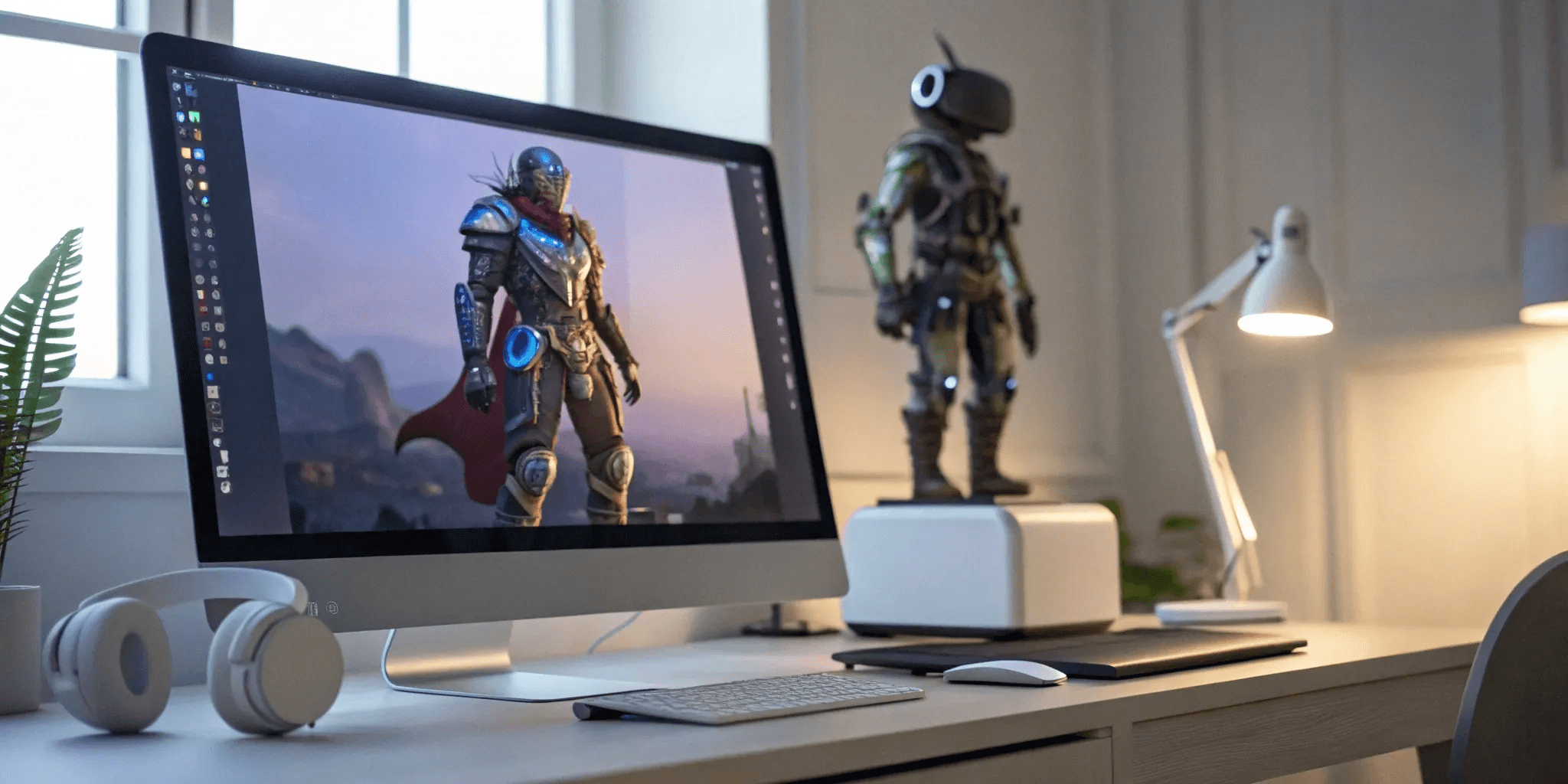
The 6 Best 3D Game Character Creator Tools
2025. 12. 26.
Avatars are no longer just static figures in a single game; they are becoming dynamic identities that can travel with you across a universe of digital experiences. This new reality demands tools that prioritize flexibility and interoperability. A great 3D game character creator isn't just about making a beautiful model—it's about creating a functional, adaptable avatar that can live and evolve. If you're a creator looking to build for this connected future, you need to know which platforms are leading the way. This guide explores the tools that empower you to design unique characters, fashion, and props for a truly interoperable digital world.
Key Takeaways
Focus on Future-Proofing Your Creations: A character’s true potential lies in its ability to travel across different digital worlds. Prioritize tools with strong export options and compatibility with major game engines to ensure your avatars are versatile and have lasting value.
Balance Creative Control with Your Learning Curve: Decide whether you need a tool that’s quick and easy or one that offers deep customization. Be honest about your skill level and the time you're willing to invest to choose software that empowers you instead of frustrating you.
Let Your Project Define the Tool: Before you start comparing features, outline your project's specific needs, from art style to budget. Knowing your goals upfront makes it much easier to select the right software and avoid paying for capabilities you don't need.
What is a 3D Game Character Creator?
A 3D game character creator is a type of software that lets you design and customize digital characters for games, animations, and other virtual experiences. Think of it as a digital workshop for building your ideal avatar from the ground up, without needing a degree in 3D modeling to get started. These tools are built to be accessible, handling much of the technical heavy lifting so you can focus on the creative parts—defining your character's style, features, and personality. They bridge the gap between a creative idea and a fully-realized, usable 3D model.
Whether you're aiming for a hyper-realistic hero for a cinematic game or a stylized, cartoonish creature for an animated short, these platforms provide the foundation. They offer a visual, intuitive way to sculpt, dress, and prepare characters for action. This approach opens up the world of 3D creation to a much wider audience, moving it from a highly specialized skill to something any creator can explore. The main goal is to streamline the process of making unique, high-quality characters that are ready to be dropped into a game engine or animated for a film, saving you countless hours of complex technical work. It's about empowering you to bring your vision to life, faster and more efficiently.
What These Tools Can Do
At their core, these tools are all about giving you creative control without the steep learning curve. You can typically expect a wide range of functionalities that let you fine-tune every aspect of your character. This includes extensive customization options for modifying everything from body proportions and facial features to hairstyles, clothing, and accessories. Many platforms also include advanced features for adding high-definition details, blending different character parts together, and setting up sophisticated facial expressions. One of the biggest time-savers is auto-rigging, which automatically builds the internal "skeleton" a character needs for animation, making it ready for movement right away.
Who Uses Them
The user base for 3D character creators is incredibly diverse, which is a testament to their flexibility. Professional game developers and filmmakers rely on them to populate the worlds they build for games, movies, and virtual productions. But these tools aren't just for big studios. They are also incredibly popular with indie creators, hobbyists, and beginners who want to create 3D models without getting bogged down in complex software. Essentially, they are for anyone who needs a streamlined way to produce custom characters, whether for a personal project, a commercial game, or simply to experiment with digital identity and expression.
Key Features to Look For in a Character Creator
When you start comparing 3D character creators, you’ll quickly see they aren’t all the same. Some are built for hyper-realistic human models, while others excel at stylized, cartoonish figures. The right tool for you depends entirely on your project and your personal workflow. To help you make the right choice, let's break down the essential features. Think of this as your checklist for finding a character creator that not only has the power you need but also feels intuitive to use. Looking out for these key aspects will ensure you pick a tool that helps you create, not one that gets in your way.
Customization and Morphing
This is where the magic really begins. A great character creator gives you the power to shape every detail of your avatar. Look for tools with robust morphing capabilities, which let you use sliders and control points to adjust everything from facial structure to body type. You want the freedom to create characters that are truly unique, whether you’re aiming for photorealism or a distinct artistic style. The goal is to find a platform that lets you bring the specific vision in your head to life without feeling limited by presets. The more granular control you have over the character design, the more original your final creation will be.
Animation and Rigging
A static model is just a digital sculpture; animation is what gives it life. Rigging is the process of creating a digital skeleton for your 3D model so it can be moved and posed. This can be a highly technical and time-consuming task, which is why a character creator with built-in animation tools is a game-changer. Look for features like "auto-rigging," which automatically prepares your character for animation, saving you hours of work. Some platforms even come with libraries of pre-made animations you can apply directly to your model. This makes it incredibly easy to get your character walking, talking, and expressing themselves without needing a degree in 3D animation.
Export Options and Compatibility
Your character doesn't live inside the creation tool forever. Eventually, you'll need to export it for use in a game engine, an animation project, or another digital space. This is where compatibility becomes critical. Before you commit to a tool, check its export options. Does it support common file formats like FBX and OBJ? More importantly, does it offer seamless integration with major platforms like Unreal Engine, Unity, or Blender? The best tools are built with an open ecosystem in mind, ensuring your creations can move freely across different software. This focus on interoperability is key to a flexible and future-proof creative workflow, allowing your avatars to have limitless utility.
User Interface and Ease of Use
The most powerful software in the world is useless if the interface is a nightmare to use. Many creators are looking for a straightforward way to build 3D models without getting bogged down in overly complex software. A good character creator should feel intuitive. Look for a clean, organized user interface (UI) and a workflow that makes sense. Does the tool offer helpful tutorials or clear documentation? A gentle learning curve means you can spend more time creating and less time fighting with the software. You shouldn't need to be a seasoned 3D artist to make something amazing, so find a tool that welcomes creativity at any skill level.
Asset Libraries and Community Support
You don't always have to build every single element from scratch. Many character creators come with extensive asset libraries filled with clothing, hairstyles, accessories, and materials. These libraries can be a huge time-saver and a great source of inspiration. Beyond the official assets, look at the community surrounding the tool. Is there an active user base creating and sharing content? A strong community means more available assets (both free and paid), plus a network of people you can turn to for help. Forums, tutorials, and marketplaces are invaluable resources for troubleshooting problems and discovering new techniques to improve your creations.
Top 3D Character Creators to Know
With so many options out there, finding the right tool can feel like a big task. To help you get started, I’ve put together a list of some of the most popular and powerful 3D character creators available. Each one has its own strengths, whether you're a seasoned pro or just starting to explore the world of digital identity. Let's look at what makes each of these tools stand out.
Genies Avatar Framework
Genies is building an entire ecosystem for digital avatars, and its Avatar Framework is at the core. This tool is designed for deep interoperability, meaning the characters, fashion, and props you create can be used across a wide range of experiences. The focus is on empowering creators with user-generated content tools that are both powerful and accessible. If you're interested in creating dynamic avatars that can live and evolve in a connected digital world, Genies offers a glimpse into the future of digital identity. It’s a great choice for creators who want to be part of a growing, community-driven platform.
Character Creator 4
Character Creator 4 (CC4) from Reallusion is a fantastic all-around tool that serves as a central hub for your character design workflow. It’s built to handle everything from hyper-realistic humans to stylized, cartoonish figures. One of its biggest strengths is how it connects different parts of the creative process, allowing you to make, import, and customize characters with ease. The software is constantly evolving, with updates focused on making digital characters more lifelike and expressive. For artists who need a robust, professional-grade solution, Character Creator is a top-tier option that streamlines the entire pipeline.
Daz 3D
If you want to create stunning, high-quality renders without building everything from scratch, Daz 3D is an excellent starting point. It’s well-known for its massive library of pre-made assets, which lets you mix and match everything from figures and hair to clothing and environments. This makes it incredibly popular with both beginners who appreciate the user-friendly interface and experienced artists who want to speed up their workflow. Daz 3D allows for incredibly detailed customization, giving you the power to tweak every aspect of your character. It’s a go-to for anyone focused on creating beautiful still images or animations with photorealistic quality.
Blender
Blender is the powerhouse of the free and open-source world. It’s a complete 3D creation suite that offers a comprehensive set of tools for modeling, sculpting, animation, and rendering. While it has a steeper learning curve than some other options, the creative freedom it offers is unmatched. The community is massive and incredibly supportive, with endless tutorials and add-ons available to extend its functionality. For character creation specifically, you can use add-ons like Human Generator or MB-Lab to get a head start. If you're on a budget and willing to invest time in learning, Blender provides professional-level capabilities at no cost.
MakeHuman
As the name suggests, MakeHuman is an open-source tool designed specifically for one thing: creating realistic 3D human characters. Its interface is incredibly intuitive, allowing you to adjust a huge range of parameters like age, gender, body shape, and facial features using simple sliders. This makes it a perfect choice for artists, researchers, or designers who need anatomically accurate human models without getting bogged down in complex modeling tools. While it’s more specialized than an all-in-one program like Blender, MakeHuman excels at its core function and can export characters for use in other 3D software.
Ready Player Me
Ready Player Me was designed around the idea of a single avatar that could be used across many different apps, games, and virtual worlds. The platform became popular because of its ease of use—you could generate a custom 3D avatar from a single selfie in just minutes. Its biggest strength was interoperability, supported by a large network of integrated partners that made cross-platform use straightforward for both developers and users.
Today, however, Ready Player Me is no longer positioned as a long-term solution. With the platform winding down as an independent service, it’s best understood as an early leader that helped define cross-platform avatar standards rather than a tool for new projects. While it demonstrated how powerful a portable digital identity could be, creators and developers planning for the future now need alternatives that offer similar interoperability with ongoing support, deeper customization, and long-term platform stability.
Breaking Down the Costs
Figuring out the budget for your project can feel like a huge hurdle, but it doesn’t have to be. The cost of creating a 3D character varies wildly, from completely free to tens of thousands of dollars for a hyper-realistic hero character in a AAA game. It all comes down to the tools you choose, the complexity of your character, and whether you’re building it yourself or hiring an artist. Let’s walk through the different pricing structures you’ll likely encounter.
Free vs. Paid Tools
Getting started with 3D character creation doesn't have to cost a thing. There are some fantastic free tools out there that are perfect for learning the ropes or for projects on a tight budget. For example, Mixamo is a popular free resource for adding animations to your models, while open-source programs like MB-Lab offer a solid foundation for character generation. These tools are great for getting a feel for the process.
Paid tools, on the other hand, typically offer more advanced features, larger asset libraries, and dedicated customer support. You’ll find that they often streamline the creation process, saving you time and effort. The investment can be well worth it if you’re working on a commercial project or need a higher level of detail and customization.
Subscriptions vs. One-Time Purchases
When you move into the world of paid software, you’ll generally find two models: subscriptions and one-time purchases. A subscription gives you access to the software and all its updates for a monthly or annual fee. This is a great option if you want to stay on the cutting edge and spread out the cost over time.
A one-time purchase means you buy a license for a specific version of the software and own it forever. This can be more cost-effective in the long run, but you might have to pay for major upgrades down the line. If you’re commissioning a character from a freelance artist, you’ll be looking at a one-time project fee. A basic 3D character model can start in the low thousands, while a simpler, game-ready asset might be a few hundred dollars.
Special Pricing for Students and Indies
Many software companies are champions of the indie creator community and offer special pricing to help you get started. Before you commit to a purchase, always check the company’s website for an academic or indie license. These versions often provide the full functionality of the software at a fraction of the standard price. It’s a way for developers to support the next generation of creators, so it’s always worth looking into. This can make professional-grade tools much more accessible when you’re just starting out or working on a passion project.
What to Expect from Pricing Models
So, what should you actually expect to pay? The cost to create a game character can range from $100 for a very simple model to over $8,000 for a highly detailed, complex character. The price depends on factors like polygon count, texture complexity, and the intricacy of the rigging needed for animation.
For smaller projects or mid-core games, you can expect to find a quality stylized character in the $2,000 to $5,000 range when commissioning an artist. If you're buying pre-made models from an asset marketplace, prices will be much lower. Understanding these variables will help you set a realistic budget and find the right solution for your creative vision.
Weighing the Pros and Cons
Choosing a 3D character creator isn't about finding a single "best" tool—it's about finding the right tool for you and your project. Every software comes with its own set of trade-offs. A tool that’s incredibly easy to use might not offer the deep customization you need for a unique character. On the other hand, a powerhouse program with every feature imaginable might have a learning curve that slows down your creative process.
The key is to understand these balances before you commit. Think about your own skills, your project's goals, and your budget. Are you a beginner who needs to get a character up and running quickly, or are you a seasoned artist aiming for photorealistic quality? Answering these questions will help you find the perfect fit. Let's break down the most common trade-offs you'll encounter.
Ease of Use vs. Advanced Features
The most immediate trade-off you'll face is simplicity versus control. Tools like Mixamo are fantastic because they let you get started with 3D animated models almost instantly, even with no prior experience. The interface is straightforward, and the workflow is clear. However, that simplicity often comes at the cost of advanced features. You might find yourself limited by the available presets and unable to fine-tune the smaller details of your character’s appearance or rig.
On the other end of the spectrum, software like Blender offers a staggering amount of control. You can sculpt, model, and rig every aspect of your character from scratch. This freedom allows for truly unique creations, but it requires a significant time investment to learn. You have to decide what matters more for your current project: speed and convenience or granular creative control.
Output Quality vs. Learning Curve
Everyone wants their characters to look amazing, but professional-grade quality often requires professional-grade skills. Programs like Maya are industry standards for a reason; their advanced rendering tools can produce stunning, photorealistic characters. The catch is that mastering these tools can take months or even years of dedicated practice. The learning curve is steep, and you’ll need to understand complex concepts like lighting, shading, and texturing to get the most out of them.
Conversely, more accessible tools might help you create a good-looking character in a single afternoon, but you may hit a ceiling on how realistic or detailed it can be. This is a classic time-versus-quality dilemma. Be honest about how much time you can dedicate to learning, and choose a tool that matches your commitment level.
Cost vs. Capabilities
The price of character creation tools ranges from completely free to thousands of dollars. Free software like Blender is incredibly powerful and supported by a massive community, making it a viable option for almost any project. However, "free" doesn't always mean zero cost. You might end up purchasing plugins or assets from third-party marketplaces to speed up your workflow.
Paid tools often justify their price with specialized features, dedicated support, and extensive, high-quality asset libraries that can save you hundreds of hours. When you see a 3D character's cost ranging from a few hundred to several thousand dollars, it often reflects the software, assets, and artist skill involved. Consider whether a one-time purchase or subscription is a worthwhile investment for the time it could save you.
Performance and Technical Limits
A character isn't finished until it works in its final environment, whether that's a game engine or an animation. This is where performance comes in. A highly detailed character with millions of polygons might look incredible in a render, but it could bring a game to a grinding halt. Some character creators are better at producing optimized, game-ready models than others.
When evaluating a tool, look into its technical capabilities. How does it handle polygon reduction (or "decimation")? What are its export options, and are they compatible with your target platform, like Unreal Engine or Unity? Some free tools might require more manual cleanup to get a character running smoothly, while specialized 3D character creation software often includes built-in optimization features to ensure your creation performs well from the start.
How to Choose the Right Tool for You
With so many great options out there, picking the right character creator can feel like a big decision. But it doesn't have to be overwhelming. The best tool for you is simply the one that fits your skills, project, and budget. By thinking through a few key points, you can confidently choose the software that will bring your vision to life without the headache. Let's walk through how to find your perfect match.
Match the Tool to Your Skill Level
Your experience level is the best place to start. If you're new to 3D modeling, look for a tool with a user-friendly interface. For example, Mixamo is a fantastic free option with a huge library of animations and simple controls, making it one of the most approachable pieces of 3D character creation software. For those with more experience, a program like Blender offers incredible depth. You can extend its power with add-ons like Human Generator or MB-Lab to handle more complex designs. The goal is to find a tool that supports your current abilities while giving you room to grow.
Define Your Project Needs and Budget
Before you get lost in features, think about what you need to build and what your budget looks like. The cost of creating a character can vary wildly. A basic, non-rigged model might cost between $100 and $250, while a game-ready character could be $200 to $500. For highly detailed characters, the game character design cost can climb much higher. Knowing your project's scope will help you decide if a free tool will suffice or if it’s worth investing in a paid one.
Test Your Options Before Committing
The best way to know if a tool is right for you is to take it for a spin. Most software offers a free trial, and many powerful creators are free to use. Spend some time experimenting to see which workflow feels most intuitive. You can start with something simple like Mixamo to get a feel for the basics. Checking out community discussions where users compare different character creators can also give you valuable insight into what might work for your specific needs. Find the tool that makes the creative process feel less like work and more like play.
Related Articles
Frequently Asked Questions
Do I need to be an expert 3D artist to use a character creator? Not at all. While a background in art or 3D modeling is certainly helpful, many of these tools are specifically designed to be accessible for beginners. They handle a lot of the complex technical work, like rigging, so you can focus on the creative side of things. The key is to choose a tool that matches your current skill level. If you're just starting, look for software with a simple interface and plenty of tutorials to guide you.
What does "interoperability" mean for my avatar, and why does it matter? Interoperability is the ability for your character to move seamlessly between different games, apps, and virtual experiences. Think of it as a universal passport for your digital identity. It matters because it prevents your creation from being trapped in a single platform. This gives your avatar limitless utility and ensures that the time you spend designing it has lasting value across the entire digital world.
Should I start with a free tool or invest in a paid one right away? There's no single right answer, as it really depends on your goals. Starting with a free tool like Blender or MakeHuman is a fantastic way to learn the fundamentals without any financial pressure. Once you feel more confident or if you're working on a project with a deadline, investing in a paid tool can be a smart move. Paid software often saves you a significant amount of time with streamlined workflows, larger asset libraries, and dedicated support.
What's the main difference between a character made for a game and one for a film? The biggest difference comes down to performance. A character for a video game needs to be optimized to run smoothly in real-time, which means it usually has a lower polygon count and smaller texture sizes. A character for a pre-rendered film or animation doesn't have these constraints, so artists can use millions of polygons to create incredibly high-fidelity details. Many character creators have built-in tools to help you prepare your model for either purpose.
Can I use the characters I create for commercial projects? In most cases, yes, but you must check the license agreement for the specific software you're using. Most character creators, both free and paid, allow you to use your creations commercially. However, the rules can vary, especially if you incorporate assets from a marketplace. Always take a moment to read the terms of service to ensure you have the proper rights before selling your work or using it in a commercial game.