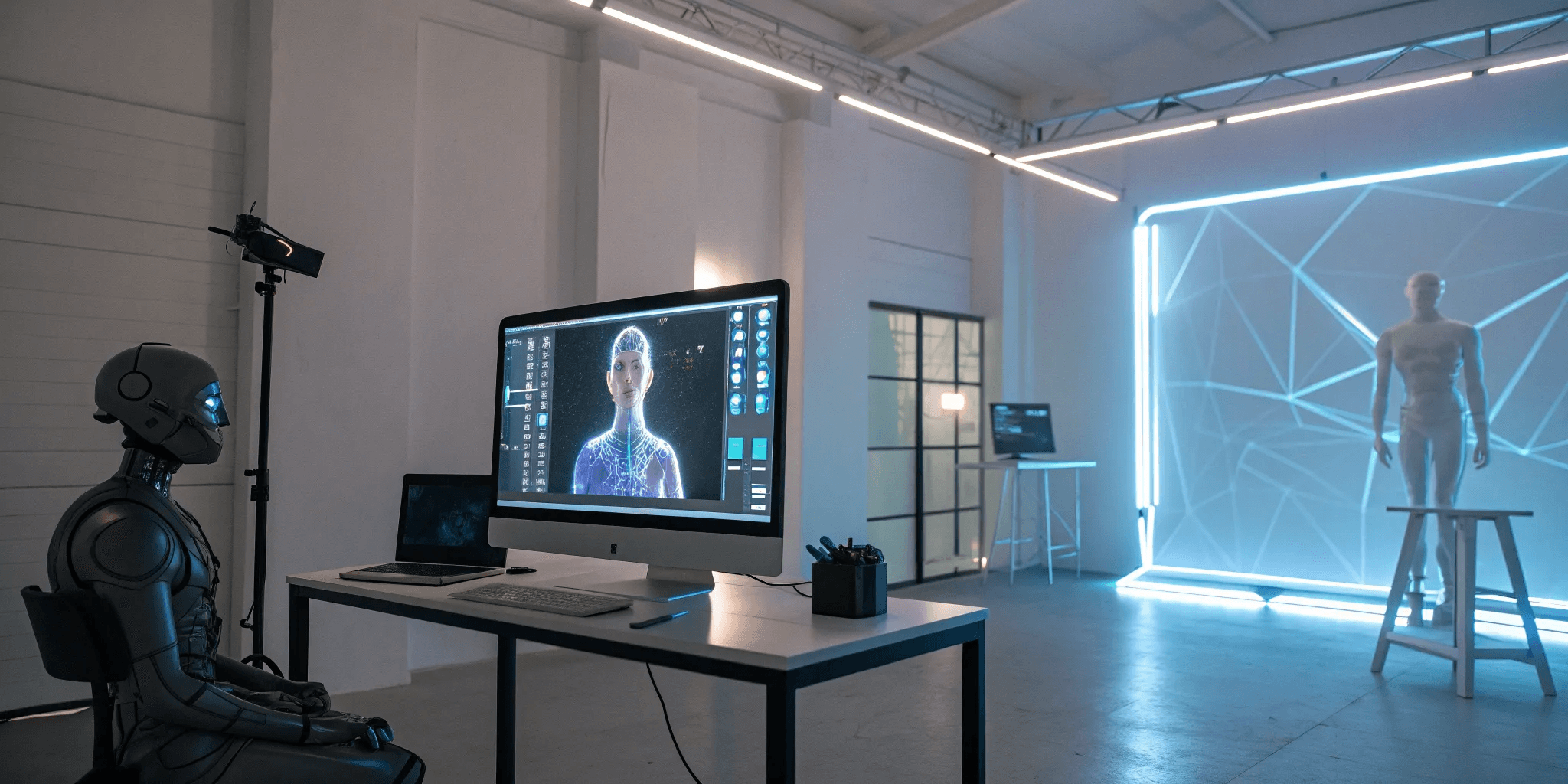
The 7 Best AI Avatar Creator Tools Reviewed
2026/02/03
If you're a content creator, you know the grind is real. The demand for fresh, engaging content is constant, and burnout is a genuine risk. What if you could produce high-quality videos without ever stepping in front of a camera? That’s the promise of an AI avatar creator. These tools are changing the game, offering a way to build a unique brand, protect your privacy, and experiment with a digital persona that captivates your audience. It’s about working smarter, not harder. In this guide, we’ll explore the best platforms that can help you generate a digital twin, saving you time while opening up new creative avenues for your channel.
Key Takeaways
Define Your Goal First: The right tool depends entirely on your needs. If you need polished corporate videos, a tool like Synthesia is a great fit. For a dynamic, interactive avatar you can use across games and virtual worlds, a platform like Genies provides the necessary depth and flexibility.
Look Beyond Basic Creation: The best platforms offer more than just a character generator. Prioritize tools with deep customization options, high-quality voice features, and interoperability, which ensures you can use your avatar across different apps and experiences.
Start with a Free Trial: Nearly every creator offers a free plan or trial period. Use this opportunity to test the platform’s workflow, customization options, and final output quality before committing to a paid subscription.
What is an AI Avatar Creator?
Think of an AI avatar creator as a smart tool that uses artificial intelligence to build a digital character based on your instructions. Instead of needing complex design software or a camera crew, you can generate a unique avatar using a simple photo or even just a text description. These digital personas can then be used everywhere from your social media profiles and marketing videos to virtual worlds, giving you a consistent and creative way to show up online.
The process is usually pretty simple. You start by uploading a clear photo, and the AI gets to work analyzing your facial features to create a digital look-alike. From there, you can choose a specific style—whether you want something photorealistic, cartoonish, or professionally polished. Most tools also let you make an avatar from a photo and then fine-tune the details before you’re ready to download and share it.
What makes these creators so powerful is how they streamline the entire process. Creating a custom digital character traditionally required a lot of time, technical skill, and money. Now, anyone can generate a personalized avatar in minutes. This accessibility opens up new possibilities for self-expression and branding, powered by advanced avatar frameworks that make high-quality digital identity available to everyone.
A Guide to the Best AI Avatar Creators
With so many AI avatar creators out there, finding the right one can feel overwhelming. Each tool offers something a little different, from hyper-realistic video presenters to fully customizable digital characters. To help you decide, I’ve broken down seven of the best options available. Whether you're making content for social media, building a corporate training video, or designing a virtual experience, there’s a tool here for you.
Genies: Your All-in-One Avatar Platform
Genies is more than just a static avatar creator; it’s a full platform for building dynamic, interactive digital versions of yourself. The customization options are incredibly deep, letting you design everything from your avatar's look to its personality. What I love most is that you can use your creations across different platforms, so your avatar isn’t stuck in one place. It’s an all-in-one solution if you want a versatile avatar that can grow and change with you, making it perfect for creators who want to build a consistent digital identity.
HeyGen: For Realistic Video Avatars
If you need to create realistic video avatars quickly, HeyGen is a fantastic choice. You can get a professional-looking video ready in just a few minutes. It has a library of over 1,000 pre-made AI avatars, from corporate presenters to casual influencers, so you don't have to build from scratch unless you want to. The avatars are impressively lifelike, with natural facial expressions and hand gestures that sync perfectly with the audio. It’s a go-to tool for anyone who needs to produce high-quality video content without a camera or a crew. You can explore their avatars to see the quality for yourself.
D-ID: Turn Photos into Video Avatars
Have you ever wanted to bring a photo to life? That’s exactly what D-ID does best. This tool specializes in turning still images into talking video avatars. You just upload a photo, add your text or audio, and it generates a surprisingly lifelike video. It’s a powerful way to create engaging content for social media or personalized marketing campaigns without needing complex animation skills. The platform is known for its high accuracy and real-time video creation, making it a solid choice for anyone looking to animate a portrait with just a few clicks.
Synthesia: For Professional AI Presenters
For anyone in a corporate or professional setting, Synthesia is the gold standard. It’s designed specifically for business use cases like employee training, internal communications, and how-to videos. You can create polished video presentations with AI avatars that deliver your script in over 120 languages. The focus here is on clarity and professionalism, ensuring your message is delivered effectively. While it might not be for casual creators, it’s an invaluable tool for businesses that want to produce engaging video content at scale without the high cost of traditional video production.
Adobe Firefly: For Creative Avatar Generation
Coming from a creative background, I’m naturally drawn to Adobe’s tools, and Firefly doesn’t disappoint. Its "Text to Avatar" feature is a game-changer for turning a simple script into a professional video with a lifelike AI speaker. Because it’s part of the Adobe ecosystem, you can expect a seamless workflow if you’re already using their other products. It’s built to be fast, intuitive, and commercially safe, which gives you peace of mind when creating content for your business. It’s a great option for designers and marketers who want to generate AI avatars within a familiar creative suite.
Loom: For Simple Avatar Videos
Sometimes, you just need something simple that works. Loom is that tool. While it's widely known for screen recording, its avatar features are perfect for creating quick, straightforward videos without a steep learning curve. It’s incredibly user-friendly, making it accessible even if you have zero technical experience. If you need to send a quick video update to your team or create a simple explainer video, Loom gets the job done efficiently. It’s not packed with advanced features, but its ease of use makes it a practical choice for everyday communication and one of the top AI avatar tools for beginners.
Runway ML: For Advanced AI Creation Tools
For the creators who really want to push the creative envelope, there’s Runway ML. This platform is less of a simple avatar generator and more of a full-fledged AI magic toolkit for video. It offers a suite of advanced tools that give you a high degree of control over your final product. You can do everything from generating video clips from text to completely transforming existing footage. It’s the ideal choice for artists, filmmakers, and designers who are comfortable with more complex software and want to experiment with the cutting edge of AI-powered creation. It's one of the best AI generators for those who want maximum creative freedom.
What Makes a Great AI Avatar Creator?
With so many AI avatar creators out there, it can be tough to figure out which one is right for you. While they all promise to create a digital version of you, the quality and features can vary wildly. The best tools go beyond simple character creation; they offer a suite of features that allow for deep personalization, lifelike interaction, and seamless use across different digital spaces.
Think of it like this: a basic tool gives you a puppet, but a great tool gives you a digital twin with its own personality and voice. When you’re looking at different options, it helps to have a checklist of what really matters. Whether you’re a content creator, a marketer, or just building your identity for virtual worlds, these are the key features that separate the truly powerful platforms from the rest.
Deep Customization Options
A great avatar should feel like an extension of you, and that starts with customization. This goes way beyond just picking your hair color and outfit. The best platforms give you granular control over facial features, body types, and personal style, letting you craft a look that’s uniquely yours. It’s about having the freedom to create anything you can imagine, from a realistic digital double to a completely fantastical character. This level of detail is what allows your avatar to serve a wide range of purposes, whether it’s for building a personal brand on social media, representing you in a virtual meeting, or starring in your next gaming stream.
Voice Cloning and Multilingual Capabilities
An avatar’s voice is what truly brings it to life. Top-tier avatar creators understand this, offering extensive voice libraries with hundreds of realistic options across many languages. This is essential for connecting with a global audience. Some platforms take it a step further with voice cloning technology, allowing you to have your avatar speak in your own voice. This feature is a game-changer for creators who want to maintain a consistent and authentic persona across their content. It makes interactions feel more personal and believable, closing the gap between the digital and real worlds.
Real-Time Interaction and Lip-Sync Quality
What makes an avatar feel truly alive is its ability to interact in real time. The best tools produce avatars that can react, emote, and speak with you, creating lifelike conversations that go far beyond pre-recorded messages. A huge part of this is high-quality lip-syncing, where the avatar's mouth movements perfectly match the spoken words. When done right, it makes the interaction feel natural and engaging. Poor lip-syncing, on the other hand, can be distracting and make the experience feel clunky. This attention to detail is crucial for any application where your avatar will be speaking, from customer service bots to virtual presenters.
Seamless Platform Integrations
Your digital identity shouldn't be trapped on one platform. A truly great avatar creator builds for an open digital world, ensuring your avatar is portable and can be used across different games, social apps, and virtual environments. This concept, often called interoperability, is key to building a consistent presence online. The best tools provide easy integrations with popular software for streaming, video editing, and game development, making it simple to place your avatar into your existing creative workflow without any technical headaches. This ensures you can spend more time creating and less time figuring out how to connect your tools.
Speed and Ease of Use
The most advanced features in the world don’t mean much if the tool is impossible to use. A great AI avatar creator should have an intuitive interface that makes the entire process feel effortless, from initial setup to final export. You shouldn’t need a degree in computer graphics to create a stunning, high-quality avatar. The platform should be designed to be fast, generating your character in minutes, not hours. This allows you to experiment freely and make changes on the fly. When a tool is both powerful and easy to use, it empowers you to focus on what really matters: bringing your creative vision to life.
Breaking Down the Costs: How Pricing Works
Figuring out the cost of an AI avatar creator can feel a bit like a maze. You’ll find everything from completely free tools to high-end enterprise plans, and it’s not always clear what you get for your money. The good news is that this variety means there's likely a perfect fit for your budget and your project. To help you make sense of it all, let's break down the most common pricing models you'll run into. Understanding these structures will help you spot the best value and avoid surprise charges. Whether you're just experimenting or building a professional portfolio, knowing how these tools are priced is the first step to choosing the right one for you.
Free Tools vs. Freemium Plans
Many AI avatar creators operate on a freemium model, which is a great way to get started without any financial commitment. Typically, you can generate a few avatars or use basic features for free. For example, some AI avatar creator apps let you create a handful of images before asking you to pay for more unique styles or a wider creative suite. This approach lets you test the platform’s core functionality and see if you like the results before pulling out your wallet. Think of it as a "try before you buy" that lets you experiment with different tools to find the one that clicks with your creative vision.
Understanding Subscription Models
Once you move beyond the free offerings, you’ll find that most platforms use a subscription-based model. These are often broken down into tiers—think Basic, Pro, and Business plans. As you move up the tiers, you gain access to more advanced features, higher-quality outputs, and increased usage limits. The price can vary dramatically depending on the tool's capabilities. While some plans are affordable for individual creators, more powerful, enterprise-level platforms can start at around $500 per month. These tiered structures allow you to select a plan that aligns with your specific needs and budget, so you only pay for the features you’ll actually use.
When to Consider an Enterprise Plan
So, who needs an enterprise plan? These top-tier plans are designed for businesses, marketing teams, and professional creators who need to produce high-quality content at scale. If you’re looking to create polished videos for your brand without cameras or a film crew, an enterprise plan is likely the right choice. These plans often come with perks like advanced customization, priority support, team collaboration features, and seamless integrations with other business tools. Since this is a significant investment, it’s smart to take advantage of any free plans or trials the platform offers. This lets you thoroughly test the features and workflow before committing.
Weighing the Pros and Cons
AI avatar creators are powerful tools, but like any technology, they come with their own set of benefits and drawbacks. Understanding both sides helps you choose the right platform and set realistic expectations for what you can create. It’s all about finding the tool that fits your specific needs without stretching your budget or creative patience too thin. Let's break down what people generally love about these tools and some common hurdles you might encounter along the way.
What People Love
The biggest win for most people is the sheer accessibility. You can generate digital characters from a simple photo or text prompt, which means you don’t need a camera, a studio, or any design skills to get started. This opens up a world of possibilities for creating videos, social media content, or marketing materials. Tools like HeyGen and Adobe Firefly are praised for helping users create professional-looking videos with lifelike AI avatars quickly and easily. It’s this blend of speed and quality that makes these platforms so appealing—you can bring a character to life in minutes, not days, and get a polished result that looks fantastic.
Common Limitations to Watch For
On the flip side, there are a few things to keep in mind. Cost is a big one; while many tools offer free plans, they often come with limitations. You might find that the final avatar is blurry, low-resolution, or watermarked. To get the best features, like higher quality and more unique content, you’ll likely need to pay. Many platforms use a subscription model, and enterprise-level plans can get pricey. It’s also common for apps to require in-app purchases to access its full creative suite, so be sure to read the fine print before you commit.
Finding the Right AI Avatar Creator for You
The best AI avatar creator for you really comes down to what you plan to do with it. A social media influencer has different needs than a corporate training department or a game developer. To help you find the perfect fit, let's look at some top contenders based on your specific goals. Whether you're creating engaging content, professional presentations, or immersive virtual worlds, there’s a tool designed to help you succeed.
For Content Creators and Social Media
If you're creating content for platforms like YouTube, TikTok, or Instagram, you need a tool that’s fast, easy, and produces eye-catching results. AI avatar creators are a game-changer here, letting you produce videos without ever stepping in front of a camera. A great option is HeyGen, which helps you create realistic talking avatars that can deliver a script for marketing videos, explainers, or social posts. This opens up content creation to everyone, removing the barriers of traditional filming and editing. You can generate a digital character in minutes, giving you more time to focus on your message and connect with your audience.
For Businesses and Marketing Teams
For corporate use, your avatar needs to look professional and integrate smoothly into your workflow. Businesses are using AI avatars for everything from employee training to marketing campaigns. Synthesia is a popular choice for creating high-quality video presentations for internal communications and onboarding. Meanwhile, Adobe Firefly offers a feature called "Text to Avatar" that lets marketing teams produce professional-looking videos quickly and safely. These tools are designed to streamline video production, helping you create polished, consistent messaging for your company without the high costs of traditional video shoots.
For Gaming and Virtual Experiences
In gaming and virtual worlds, an avatar is your identity. AI generators are transforming this space by allowing for the rapid creation of unique digital personas, from hyper-realistic characters to imaginative, stylized ones. This level of customization makes virtual experiences more engaging and immersive. For those who want to build dynamic and interactive avatars, Genies is the perfect platform. It allows you to design avatars that can change and evolve, making them ideal for gaming and social interaction. You can even make an avatar from a photo, giving you a starting point for a truly personal digital self that can grow with you.
Creating Your First AI Avatar: A Quick Guide
Ready to create your digital self? It’s easier than you might think. Most avatar creators are designed to be intuitive, guiding you through the process step-by-step. Whether you want to create a digital twin for professional videos or a unique character for virtual worlds, the basic process is quite similar across different platforms. It all starts with giving the AI some information to work with. From there, you can fine-tune the details to get your avatar looking just right. Let's walk through the key decisions and tips to help you get a fantastic result on your first try.
Text or Photo: Which Input Is Best?
Your first choice is how you’ll bring your avatar to life: with a photo or a text description. Using a photo is the most direct way to create an avatar that looks like you. You simply upload a clear picture, and the AI gets to work building your digital likeness. This is perfect for anyone wanting a personal avatar for meetings or content creation. On the other hand, a text prompt gives you complete creative freedom. You can describe any character you can imagine, from their hair color to their clothing style. This method is ideal for building fictional characters for gaming, storytelling, or brand mascots. Many tools let you make an avatar from a photo, giving you a great starting point for customization.
How to Set Up Your Profile
Once you’ve chosen your input method, it’s time to set up your profile and generate your avatar. If you're using a photo, the platform will guide you to upload a clear, front-facing image or even record a short video of yourself. This helps the AI accurately capture your facial features and expressions. The goal is to provide the best possible source material so the generated avatar truly reflects your likeness. Think of it as a digital costume fitting—the better the initial measurements, the better the final result. The underlying avatar technology uses this input to construct a 3D model that you can then customize further.
Tips for Getting the Best Results
A few simple tricks can make a huge difference in the quality of your final avatar. To get the most realistic and expressive result, keep these tips in mind:
Use a high-quality photo. Make sure your face is well-lit and clearly visible. Avoid photos with harsh shadows, sunglasses, or anything covering your face, as this can confuse the AI.
Explore the voice options. Many tools offer a library of realistic AI voices in different languages and accents. Some even let you upload a recording of your own voice for a truly personalized touch that matches your avatar’s appearance.
Pay attention to the details. A great avatar creator will have excellent lip-syncing capabilities, ensuring the mouth movements look natural when the avatar speaks. A clean, intuitive interface also makes the entire creation process smoother and more enjoyable.
How to Find Free Trials and Promotions
You don’t need a big budget to start experimenting with AI avatar creators. Most companies want you to try their tools, so they make it easy to get started without pulling out your credit card. The key is knowing where to look.
A great first step is to explore the free plans and trials that most tools offer. Many top AI avatar services offer free trials that cater to both casual users and professionals, so don't be shy about signing up for a few. Head directly to the pricing page of any platform you’re interested in to see what’s included. A good free tier will let you test the core features, like customization options and export quality, so you can see if the tool is a good fit for your projects before you commit.
If you’ve found a paid tool you love but aren’t ready to commit to the full price, do a quick search for promotions. Many services provide special offers or partner with other sites to share discount codes that can lower the cost of a subscription. You can also keep an eye out for seasonal sales, especially around holidays or Black Friday.
Finally, remember that some excellent tools are completely free to use. While premium platforms often have more advanced features, you can find a free online tool that handles the basics beautifully. These are perfect for quick projects, learning the fundamentals of avatar creation, or just having some fun bringing your ideas to life.
Related Articles
Frequently Asked Questions
With so many options, how do I choose the right tool for my specific project? Think about your end goal. If you need a polished, professional presenter for a corporate training video, a tool like Synthesia is built for that. If you're a content creator who wants to make quick, realistic talking-head videos for social media, HeyGen is a great fit. For those who want a versatile, interactive avatar for gaming or building a consistent digital identity across many platforms, a comprehensive platform like Genies is the way to go. The best choice always comes down to what you plan to do with your avatar once it's made.
Do I need any design or technical skills to create a good-looking avatar? Not at all. That’s the real beauty of these tools. They are designed to be intuitive, so you don't need a background in graphic design or 3D modeling. Most platforms guide you through the process, whether you're uploading a photo or writing a text description. The AI handles the heavy lifting of generating the character, leaving you with the fun part of customizing the details.
What's the difference between a static video avatar and a dynamic, interactive one? A static video avatar is essentially a digital puppet designed to deliver a pre-written script, which is perfect for presentations or marketing videos. A dynamic avatar, on the other hand, is built for real-time interaction. It can be used in virtual worlds, games, and social apps where it can react and change. Think of it as the difference between a character in a movie and a character you can actually control in a video game.
Are the free avatar creators actually useful, or will I eventually have to pay? The free versions are incredibly useful for getting started and experimenting. They let you test a platform's interface and see the quality of the avatars it produces. However, you'll often run into limitations like watermarks, lower-resolution downloads, or fewer customization options. If you need a high-quality avatar for professional or public-facing projects, you will likely find that a paid subscription is a worthwhile investment for the advanced features and cleaner results.
My first avatar didn't turn out quite right. What are the most common mistakes to avoid? The most common issue usually traces back to the source material. If you're using a photo, make sure it's a clear, high-resolution shot with good, even lighting and no obstructions like sunglasses or shadows. If you're using a text prompt, be as specific as possible with your descriptions. Instead of just "brown hair," try describing the style, length, and shade. Providing the AI with clear, detailed input is the single best thing you can do to get a result you love.