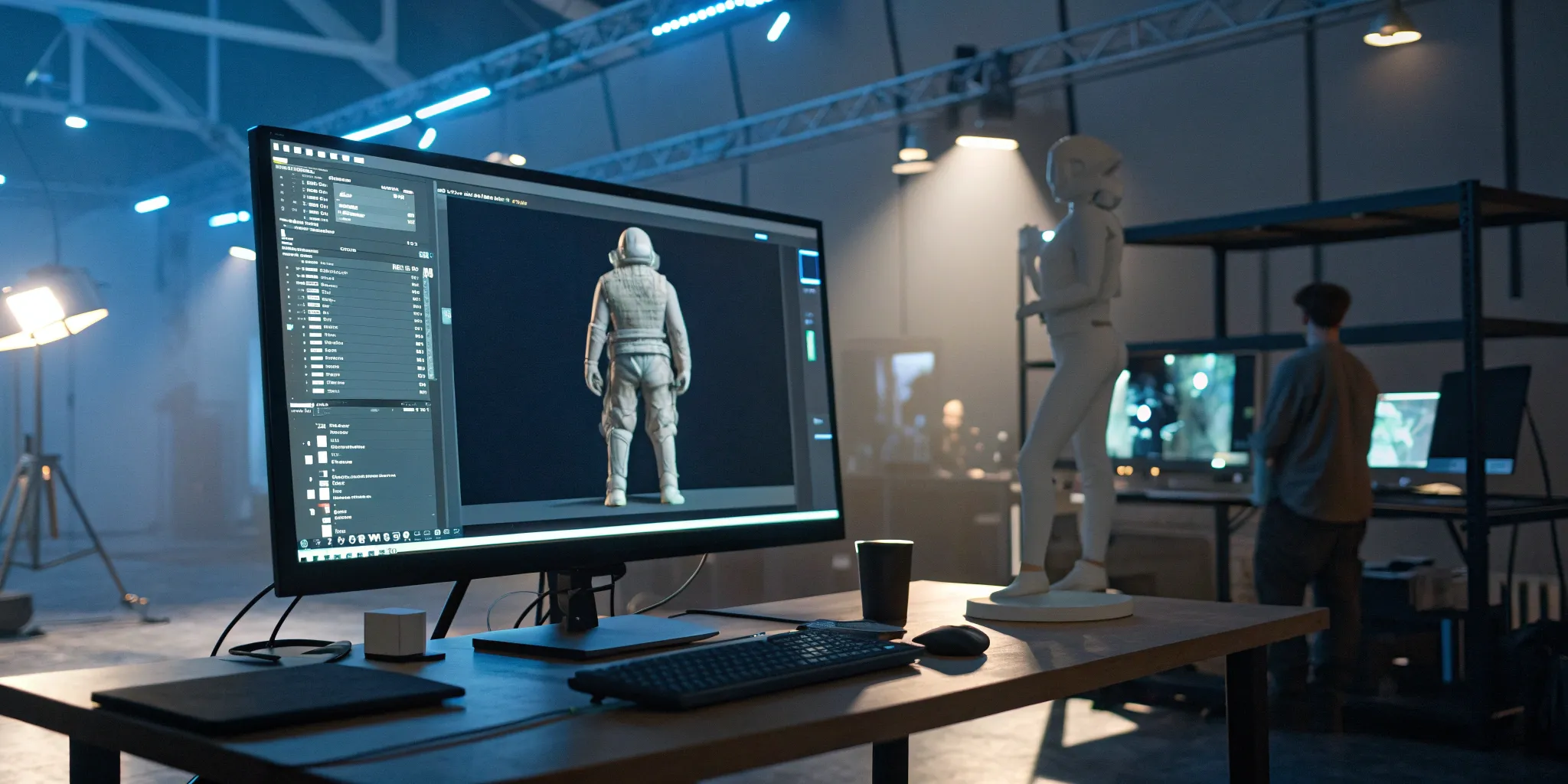
How to Create a 3D Character for a Game Step-by-Step
The process of creating a 3D character is a journey of transformation. You start with nothing more than an idea and end with a digital being ready for action. This transformation requires you to wear two hats: that of an artist and that of a technician. As an artist, you’ll define the character's personality through form, color, and detail. As a technician, you’ll build the underlying structure that allows it to perform smoothly in a game engine. This guide is built to help you master both sides of this craft. We’ll show you how to create a 3D character for a game by balancing creative expression with technical precision, ensuring your final creation not only looks incredible but is also ready for animation.
Key Takeaways
Follow a Structured Workflow: Every 3D character follows a clear path from concept to completion. Start with a strong idea, build a detailed high-poly model, create a clean low-poly version for performance, and then bring it to life with textures and a rig for animation.
Optimize for Performance Without Sacrificing Detail: Your character needs to look amazing and run smoothly in a game. Learn to use retopology and normal map baking to transfer the intricate details from a high-poly sculpt onto a performance-friendly, low-poly model.
Focus on Fundamentals and Free Tools First: You don't need expensive gear to start creating. Master the basics of proportion and anatomy using a simple, low-poly model, and leverage powerful free software like Blender and online tutorials to build your skills from the ground up.
How Do You Create a 3D Game Character?
Bringing a 3D character to life is one of the most rewarding parts of creating a game or digital experience. It’s a process that transforms a simple idea into a fully interactive digital being that players can connect with. Think of it as a journey that blends pure artistic vision with some serious technical know-how. Whether you're designing a heroic knight for an epic RPG or a quirky companion for a virtual world, the fundamental steps are surprisingly similar across the industry. This structured workflow is the secret sauce that ensures your character not only looks amazing but also performs smoothly in a game engine, without causing lag or glitches.
Every detail, from the glint in their eye to the way their clothes move, is the result of a careful, step-by-step creation process. It starts with a spark of imagination and ends with a fully functional digital asset ready for action. At Genies, we're obsessed with this fusion of creativity and technology, building an Avatar Framework that empowers creators to design their own unique digital identities. The path from a doodle on a napkin to a final, animated asset involves several key stages, each building upon the last. Understanding this workflow is the first step to creating characters that feel alive and add depth to any digital world.
A Step-by-Step Workflow
Everything starts with an idea. Before you even open any 3D software, you’ll spend time gathering references and sketching out your character. This concept phase is all about establishing a clear vision. What’s their personality? What’s their backstory? Once you have a solid concept, you’ll move into creating a high-polygon model. This is where you let your creativity run wild, sculpting every intricate detail—like wrinkles, scars, and fabric textures—without worrying about performance limitations. Tools like ZBrush are industry standards for this kind of digital sculpting, allowing you to shape your character like digital clay.
From First Sketch to Final Asset
With your detailed sculpture complete, it’s time to make it game-ready. This involves a process called retopology, where you build a simpler, low-polygon version over your detailed model. Next, you’ll unwrap this new model into a 2D map (UV mapping) so you can apply textures. You then “bake” the details from the high-poly model onto the low-poly one, creating the illusion of high detail without the performance cost. After texturing, you’ll build a digital skeleton, or “rig,” inside the character. This rigging process is what allows an animator to pose and move the character, finally bringing your creation to life.
What Tools Do You Need for 3D Character Design?
Choosing the right tools for 3D character design can feel like the first big hurdle, but it’s more straightforward than you might think. Your ideal setup depends on your budget, your current skill level, and what you ultimately want to create. You don’t need the most expensive gear to make something amazing; some of the best tools out there are completely free. The most important thing is to find software that feels intuitive to you and a computer that can handle your creative ambitions without causing friction. Think of this section as your starter kit for bringing your characters to life. We’ll walk through the main options for software, discuss the best techniques to start with, and cover what kind of hardware you’ll want on your side. By the end, you'll have a clear roadmap for building your personal toolkit and can get back to what really matters: creating.
Free vs. Paid Software
When you're just starting out, you have plenty of incredible software options that won't cost you a dime. I always recommend that beginners download Blender, a powerful and completely free open-source 3D creation suite. It has a massive community and a dizzying number of tutorials available online, so you’re never truly on your own. Because it offers a full range of tools for modeling, sculpting, and texturing, it’s the perfect place to learn the fundamentals. While you’ll hear about industry-standard paid software like Maya and ZBrush, you can create professional-quality characters without spending anything. Start with a free tool, get comfortable with the workflow, and you can always explore paid options later if you feel you need them.
The Best Tools for Beginners
Beyond just the software, it helps to know which techniques to focus on first. Many artists find success by starting with either box modeling, where you build your character from a simple shape like a cube, or digital sculpting, which feels more like working with digital clay. Both are effective ways to create characters and other organic forms. If you want a more guided experience, tools like Character Creator are designed specifically for building characters and offer a free trial. This lets you experiment with its features and see if it fits your style before making any commitment. The key is to find a method that clicks with you and start creating.
What Kind of Computer Do You Need?
The computer you use will definitely affect your 3D modeling experience, but what you need depends on your project's final destination. If you’re designing characters for mobile games, you’ll need to keep your models simple, using fewer polygons and smaller textures to ensure the game runs smoothly. On the other hand, characters for PC and console games can be much more detailed, with higher polygon counts and complex textures, because the hardware is more powerful. A good graphics card (GPU) and at least 16GB of RAM are solid starting points for a smooth experience, but you don’t need a top-of-the-line gaming PC to start learning the basics.
How to Design Your Character Concept
Before you open any software or draw a single polygon, you need a solid concept. This is the blueprint for your character, guiding every decision you’ll make during the modeling, texturing, and rigging stages. A strong concept defines not just what your character looks like, but who they are. What’s their personality? What’s their backstory? Answering these questions first will make the technical work much easier, ensuring you create a character that feels cohesive and believable.
Flesh Out Your Character's Design
Start by brainstorming the core traits of your character. Are they a brave knight, a shy inventor, or a mischievous spirit? Write down a few key adjectives and a short bio. This story will inform their visual design—from their posture and facial expression to the wear and tear on their clothes. Don’t be afraid to sketch out rough ideas, even if you don't consider yourself an artist. The goal is to translate personality into a visual form. It’s also smart to get feedback early and often. As one guide points out, you should "accept constructive criticism early. Use feedback loops to correct mistakes before they compound." Fresh eyes can save you hours of work down the line.
Gather References and Mood Boards
You don’t have to invent everything from scratch. Professional artists rely heavily on reference images to guide their work, and you should too. Create a mood board—a collage of images that captures the feeling, style, and details of your character. Pull references for everything: facial features, hairstyles, clothing textures, color palettes, and even poses. This visual library will be your north star throughout the project. As experts from the Academy of Animated Art suggest, you should "gather pictures and draw your ideas to have a clear plan." Platforms like Pinterest are great for this, allowing you to organize your inspiration and keep your vision focused and consistent.
Match the Game's Art Style
Your character needs to look like they belong in the world they inhabit. Whether you’re aiming for hyper-realism, a stylized cartoon look, or something in between, your design must be consistent with the game’s overall art direction. A photorealistic space marine would look out of place in a vibrant, cel-shaded fantasy world. This decision also influences your technical approach. The tools and techniques for creating a low-poly, pixel-art character are very different from those used for a high-fidelity hero in a AAA title. Analyze the art style of games you admire to understand how their characters fit into the bigger picture and choose your software accordingly.
How to Model Your 3D Character
This is where your 2D concept art begins its transformation into a three-dimensional being. Modeling is the process of creating the actual geometry of your character in 3D software. It can feel intimidating at first, with all the vertices, edges, and faces, but it’s a methodical process that you can absolutely master. Think of it as sculpting, but with a mouse and keyboard instead of clay and chisels.
There are two primary techniques you’ll want to get familiar with: box modeling and digital sculpting. Most artists use a combination of both to get the best results. Box modeling is fantastic for establishing the basic form and structure, while digital sculpting excels at adding organic shapes and intricate details. Alongside these techniques, we’ll cover some foundational principles, like getting proportions right from the start and working efficiently by beginning with a simple shape. Let’s get your character built.
Master Box Modeling
Box modeling is one of the most common and beginner-friendly ways to create a 3D model. Just as the name suggests, you start with a simple primitive shape, usually a cube or a cylinder. From there, you gradually add complexity by extruding, scaling, and moving its different parts—the faces, edges, and vertices. It’s a structured approach that helps you build your character’s form piece by piece.
This method is incredibly effective for blocking out the main shapes of your character’s body, like the torso, limbs, and head. By manipulating a simple box, you can pull out a leg, extrude an arm, and slowly refine the shape until it matches your concept art. Many artists use this technique to create a solid “base mesh” before moving on to more detailed work. It’s a foundational 3D modeling technique that gives you a ton of control over your model’s underlying structure.
Learn Digital Sculpting
If box modeling is like building the skeleton, digital sculpting is like adding the muscles and skin. This technique feels much more like working with virtual clay. Using a pressure-sensitive tablet and specialized brushes, you can push, pull, pinch, and smooth the surface of your model to add organic details. This is how artists create realistic muscle definition, facial expressions, and the subtle folds in clothing.
Popular software for this includes ZBrush, Mudbox, and the built-in sculpting tools in Blender. Digital sculpting allows you to work with millions of polygons, giving you the freedom to add extremely fine details that would be impossible with box modeling alone. It’s a more intuitive and artistic process that lets you really breathe life into your character. You can find tons of great digital sculpting tutorials to help you get started with the basics.
Get the Scale and Proportions Right
Before you get too deep into modeling, take a moment to focus on scale and proportions. Getting this right is crucial for creating a believable character. If the head is too big or the arms are too short, your model will feel “off,” no matter how well-detailed it is. This isn’t just about aesthetics; incorrect scale can cause major technical problems with physics and lighting inside the game engine.
A great way to stay on track is to import your concept art into your 3D software and use it as a reference plane. You can model directly on top of your drawings to ensure every part of your character is the correct size and in the right place. Studying a bit of human anatomy for artists can also be a huge help, even if you’re creating a stylized or cartoonish character.
Start with a Low-Poly Model
When you’re just starting out, it’s tempting to jump right into adding details. However, a much more efficient workflow is to begin with a low-poly version of your character. A low-poly (or low-polygon) model uses a minimal number of faces to define the character’s overall shape and silhouette. This approach allows you to focus on the big picture without getting bogged down by small details too early.
Working with fewer polygons makes it much easier and faster to adjust the core proportions and pose of your character. Once you’re happy with the basic form, you can then add more geometry and begin sculpting the finer details. This process of starting simple and building up complexity is a cornerstone of the game asset pipeline and will save you countless hours of rework down the line.
How to Texture and Detail Your 3D Character
Once your model is built, it’s essentially a blank canvas. The texturing and detailing phase is where you bring it to life, giving it color, personality, and a sense of history. This is where you transform a gray mesh into a believable character with skin, clothing, and unique features. Think of it as painting your sculpture. A great texture can make a simple model look stunning, while a poor one can make even the most complex model fall flat. This process involves a few key steps, from preparing your model for texturing to adding the final, realistic touches that make your character feel like they’ve truly lived in their world. It’s a deeply creative stage where your artistic choices have a huge impact on the final result.
What is UV Mapping?
Before you can start painting, you need to unwrap your 3D model into a 2D flat surface. This process is called UV mapping. Imagine carefully taking apart a cardboard box and laying it flat—that’s exactly what you’re doing to your character model. This 2D "map" allows you to paint textures like skin, fabric patterns, or armor details in a program like Photoshop or Substance Painter and have them wrap correctly around your 3D shape. Getting a clean UV map without stretching or overlapping is crucial for a professional-looking texture. It’s a foundational step that makes the entire texturing process possible and ensures your hard work looks great from every angle.
Apply Colors and Materials
With your UV map ready, it’s time for the fun part: adding color and defining materials. This is where you decide if your character’s jacket is worn leather or shiny vinyl, or if their skin is smooth or weathered. Using texturing software, you’ll apply base colors and define the physical properties of each surface, like how rough or metallic it is. This is a critical step for establishing the character’s visual style and making them fit within their game world. Modern games often use Physically Based Rendering (PBR) workflows, which help create materials that react realistically to light, making your character look more believable.
Bake Details with Normal Maps
So, how do you get all the incredible detail from a high-poly sculpt onto a game-ready, low-poly model? The answer is baking. Specifically, you’ll bake a normal map, which is a special type of texture that fakes the appearance of high-resolution detail on a low-polygon surface. It essentially stores the intricate details—like wrinkles, pores, and fabric weaves—and tells the game engine how light should interact with the model’s surface to create the illusion of depth. A clean normal map bake is essential for making your character look detailed and crisp without slowing down the game’s performance.
Add Realistic Textures and Wear
A character that looks too perfect can feel sterile and lifeless. To make your creation feel authentic, you need to add imperfections. This means layering on details like dirt, scuffs on their boots, frayed edges on their clothes, or small scars. These elements tell a story about who your character is and what they’ve been through. Adding wear and tear grounds your character in their environment and makes them more believable to the player. You can paint these details by hand or use procedural tools to generate realistic effects, giving your character a final layer of polish and personality.
How to Optimize Your Mesh with Retopology
You’ve sculpted a masterpiece, a character brimming with intricate details and personality. But that high-resolution model, with its millions of polygons, would bring any game engine to its knees. This is where retopology comes in. It’s the crucial, and often challenging, step of translating your artistic sculpt into a functional, performance-friendly asset. The process involves creating a simpler, cleaner version of your detailed model. Think of it as building a lightweight, efficient scaffold that perfectly matches the shape of your original sculpt.
This new, optimized mesh is what will actually be used in the game. It’s clean, easy to animate, and won’t cause performance issues. The magic is that you can then "bake" the details from your high-poly sculpt onto this new low-poly mesh using texture maps. This gives you the illusion of high detail on a model that’s easy for a game to run. Often, a highly detailed sculpted model is later simplified to make it run smoothly in a game. Mastering this step is what separates hobbyist models from professional-quality characters that look great and perform beautifully. It’s a technical process, but with the right approach, you can create a clean mesh that sets your character up for success in the later stages of rigging and animation.
Why Games Need Optimized Meshes
Game engines have to render everything you see on screen in real-time, usually aiming for 30 to 60 frames per second. Every polygon in your character model adds to the computational load. A character sculpted with millions of polygons is perfect for a pre-rendered film, but it’s a performance killer in a game. An optimized mesh, often called a "low-poly" model, drastically reduces this load.
The goal is to create a simpler model that is much easier for games to run while retaining the silhouette and form of your original sculpt. This low-poly version serves as the final, game-ready asset. It provides a clean surface for textures and, most importantly, a logical structure for animation. Without this optimization step, your character would cause frame rate drops, making the game choppy and unplayable.
Manual vs. Automated Retopology
When it comes to creating your optimized mesh, you have two main paths: manual or automated. Manual retopology involves placing every new polygon by hand. While it sounds tedious—and it can be—this method gives you absolute control over the topology, or the flow of polygons across the surface. This precision is crucial for characters that need to bend and emote realistically, ensuring joints deform smoothly.
Automated tools, like ZRemesher in ZBrush or addons in Blender, can generate a new mesh in minutes. They are fantastic for quickly creating a base for further refinement or for retopologizing static objects like props and armor. However, they can sometimes struggle with creating the perfect edge flow for complex animation. For your main characters, a hybrid approach often works best: start with an automated pass to save time, then manually refine the critical areas like the face, hands, and joints.
Aim for the Right Polygon Count
So, what’s the magic number for polygons? The honest answer is: it depends. The target polygon count for your character is a balancing act. It’s influenced by the game’s platform (a mobile game has stricter limits than a high-end PC title), the character’s role (a main hero gets more polygons than a background character), and the overall art style. A good starting point for a modern PC or console player character is often between 20,000 and 100,000 triangles.
Your primary goal is to use just enough polygons to define the character’s silhouette and support its animations. Remember, you’ll be baking normal maps from your high-poly sculpt to capture all the fine surface details. A well-planned low-poly mesh is essential for a clean bake; otherwise, you risk getting shading errors and visual artifacts.
Keep Your Topology Clean for Animation
Clean topology is the unsung hero of great character animation. It’s the underlying structure that allows a character to move and express themselves believably. When animators work with a model that has messy or illogical topology, they struggle to create nuanced movements. Facial expressions can fall flat, and the entire character rigging process becomes a frustrating battle against the model’s limitations.
For animation, you want your polygons to flow with the character's anatomy, especially around areas that deform, like the mouth, eyes, elbows, and knees. Using primarily four-sided polygons (quads) and directing edge loops to follow muscle contours will make the rigger’s and animator’s jobs infinitely easier. Investing time in clean topology is investing in your character’s ability to come to life.
How to Get Your Character Game-Ready
Your character is modeled, textured, and retopologized. It looks amazing, but right now, it’s essentially a digital statue. The final step is to breathe life into it and prepare it for its grand entrance into a game engine or virtual world. This stage is all about turning your static mesh into a dynamic, performance-friendly asset that’s ready for action. It involves giving your character a skeleton, teaching its skin how to move, and packaging it all up correctly so it runs smoothly on screen.
Build a Skeleton for Rigging
Think of rigging as digital puppetry. To make your character move, you need to build a skeleton, or "rig," inside of it. This internal framework is made of bones and joints, just like a real skeleton. You’ll place joints at key pivot points—shoulders, elbows, knees, and so on—and connect them with bones. The goal is to create a structure that allows for believable movement. Once the skeleton is in place, you create a hierarchy by parenting bones to each other, so when the shoulder bone moves, the arm and hand follow naturally. This digital skeleton is the foundation for every animation your character will ever perform.
Learn Skinning and Weight Painting
Once you have a skeleton, you need to attach the character’s mesh (its "skin") to it. This process is called skinning. But simply binding the skin to the bones isn’t enough; you have to define exactly how the mesh deforms when the bones move. That’s where weight painting comes in. Using a brush-based tool, you’ll "paint" influence values onto your model's vertices. For example, you’d paint the vertices of the forearm to be 100% influenced by the forearm bone, while the vertices around the elbow would have a shared influence from both the bicep and forearm bones. Getting this right is key to avoiding unnatural stretching and achieving smooth, organic-looking bends. It takes practice, but a good guide to weight painting can make the process much clearer.
Choose the Right Export Settings
With your character rigged and ready to move, the final technical step is exporting it for use in a game engine like Unity or Unreal. This isn't just a simple "Save As" command. You need to choose the right settings to ensure everything transfers correctly. The most common file format for game assets is .FBX because it can package the model, skeleton, textures, and animations all into one file. Before you export, double-check the requirements for your target platform. You’ll need to confirm things like the scale of your model, the axis orientation (Y-up or Z-up), and whether to embed your textures. Getting these export settings right from the start will save you a ton of headaches later.
Optimize for Better Performance
A game-ready character isn't just one that looks good—it's one that performs well. Every polygon and texture pixel takes up memory and processing power. For a game to run smoothly, especially on mobile devices or in VR, assets must be highly optimized. This means keeping your final polygon count as low as possible without sacrificing essential details. It also involves optimizing your textures. Instead of using massive 4K textures for a small prop, you might use a smaller 1K or 2K map. Techniques like creating texture atlases, which combine multiple textures into a single image, can also drastically improve game performance by reducing the number of draw calls the engine has to make.
Common Challenges for Beginners (And How to Beat Them)
Every 3D artist, no matter how skilled, started at square one. Hitting a few bumps along the road is a totally normal part of the process. The key is knowing what to watch out for and how to work through these common hurdles. Think of them not as roadblocks, but as level-ups in your creative journey. Let’s walk through some of the most frequent challenges beginners face and, more importantly, how you can beat them.
Tackle the Software Learning Curve
Jumping into 3D software for the first time can feel like stepping into a spaceship cockpit—buttons and menus everywhere! It’s easy to get overwhelmed by what feels like a daunting workflow full of hidden complexities. Instead of trying to learn everything at once, focus on mastering one core function at a time. Start with basic navigation, then move to creating simple shapes, and then to manipulating them. Our user-generated content tools are designed to make this process more intuitive, but if you're using traditional software, lean on beginner tutorials. Following a simple, step-by-step project is one of the best ways to build confidence and learn the essentials without the frustration.
Nail Anatomy and Proportions
Even the most fantastical, stylized characters need to feel grounded and believable, and that comes down to solid anatomy and proportions. A common mistake is jumping straight into tiny details before the main form is right. To avoid this, always start with a low-poly model. Focus on the overall shape, silhouette, and balance first. A great rule of thumb is: if the model looks bad in low poly, it will only look worse in high poly. Use plenty of anatomical references, even for cartoon characters, to guide your work. This ensures your character’s foundation is strong before you start adding all the fun details.
Clarify the Technical Workflow
It’s incredibly easy to lose a whole afternoon just trying to get software installed and set up correctly. One of the biggest pitfalls for beginners is spending more time troubleshooting technical issues than actually creating. To avoid this, find a clear, current installation guide and follow it precisely. Once you’re set up, try to resist the urge to install dozens of fancy plugins right away. Stick to the default tools as you learn. The goal is to get to the creative part as quickly as possible. Platforms like ours handle much of the technical backend, but understanding a basic 3D modeling workflow will help you organize your process and stay focused on your art.
Avoid These Common Modeling Mistakes
As you get more advanced, you’ll run into more technical challenges, like baking normal maps. This process transfers all the cool, high-resolution detail from your sculpt onto your game-ready, low-poly model. A frequent mistake is trying to bake without a proper high-poly sculpt, which can cause weird shading errors and visual glitches on your final character. Always take the time to create a clean, detailed high-poly version of your model first. This high-poly model acts as the source for all the rich surface detail. Getting this step right is crucial for making your character look polished and professional in the game engine.
Where to Go to Keep Learning
Creating your first 3D character is a huge milestone, but it’s just the beginning. The world of 3D art is always evolving, with new tools and techniques emerging all the time. Staying curious and committed to learning is the best way to grow your skills and develop your unique artistic voice. The good news is, you don’t have to do it alone.
An incredible amount of resources are available online, from step-by-step video guides to supportive communities of fellow artists. The key is to find what works for you and build a routine that mixes learning with doing. By actively seeking out new knowledge, practicing consistently, and learning how to use feedback, you’ll keep moving forward and refining your craft. Let’s look at some of the best places to continue your journey.
Find Helpful Online Tutorials and Courses
When you’re ready to learn a new skill or tackle a specific problem, tutorials are your best friend. You can find a guide for just about anything, whether you want to master realistic texturing or figure out a specific software feature. Platforms like YouTube, ArtStation Learning, and Gnomon Workshop are filled with free and paid content from industry professionals who break down their workflows.
Look for a 3D character creation tutorial that matches your skill level and the software you use. Many instructors walk you through their entire process, from the initial blockout to the final render. Following along with a project-based course is a fantastic way to see how all the steps you’ve learned about fit together in a real-world workflow.
Join 3D Modeling Communities
Learning 3D art can feel isolating at times, but you’re part of a massive global community. Getting involved is one of the best things you can do for your growth and motivation. Websites like ArtStation and Reddit have dedicated forums where you can share your work, ask for help when you’re stuck, and see what other artists are creating.
Engaging with these online art communities provides support, inspiration, and invaluable insights from your peers. You can find answers to technical questions, discover new techniques, and get encouragement when you hit a creative block. Seeing others’ progress can also be a powerful motivator to keep pushing your own boundaries and trying new things.
Sharpen Your Skills with Practice Projects
Watching tutorials will only get you so far; the real learning happens when you apply those concepts yourself. The best way to solidify your skills is through consistent practice. Instead of waiting for the perfect project idea, give yourself small, focused assignments. Try modeling a simple prop, sculpting a face, or texturing a piece of clothing.
To make practice more exciting, consider participating in online art challenges. Events like the weekly challenges on Polycount or the ArtStation Challenges provide a theme or prompt, giving you a clear goal and a deadline. It’s a low-pressure way to build new portfolio pieces, experiment with different styles, and connect with other artists who are participating.
How to Get and Use Feedback
After spending hours working on a character, it’s easy to become blind to its flaws. That’s why fresh eyes are so important. Learning how to receive and apply constructive criticism is a skill that will serve you throughout your entire career. The communities you join are the perfect place to ask for feedback on your work-in-progress.
When you share your work, be specific about the kind of feedback you’re looking for. Instead of just asking, “What do you think?” try something like, “How do the proportions of the face feel?” or “I’m struggling with the fabric folds on the shirt—any suggestions?” This helps others give you targeted, actionable advice. Remember that feedback is about making your art better, so try to accept constructive criticism with an open mind.
Related Articles
Frequently Asked Questions
Do I need to be a great artist to create a 3D character? Not at all. While drawing skills can be helpful for sketching out ideas, they are definitely not a requirement. The most important part of the concept phase is having a clear vision for your character's personality and story. You can build a strong concept using mood boards, reference photos, and written descriptions. Many successful 3D artists focus on their technical modeling and sculpting skills and rely on collaboration or reference to guide their visual design.
What's the single most important skill to focus on when I'm just starting out? Instead of focusing on just one technical skill, I'd recommend focusing on understanding the entire workflow from start to finish. Knowing how concepting leads to modeling, how modeling prepares for texturing, and how texturing sets up rigging will give you context for everything you do. This big-picture view helps you make smarter decisions at each stage and prevents you from creating problems for yourself later on. If you can grasp how all the pieces connect, learning the individual skills becomes much easier.
How long does it typically take to create one game-ready character? This is the classic "it depends" question, but I can give you a realistic range. A simple, stylized character for a mobile game might take a few days to a week for an experienced artist. A complex, high-fidelity hero character for a major console game, however, can take several months of work from an entire team of specialists. As a beginner, your first character will take longer as you learn, so be patient with yourself and focus on finishing the project rather than the clock.
Can you explain the difference between the high-poly and low-poly models again? Think of it this way: your high-poly model is the original, incredibly detailed sculpture. It’s like a masterpiece carved from marble, with every tiny wrinkle and fabric fold visible. It looks amazing, but it's far too heavy to actually move. The low-poly model is a lightweight, functional replica of that sculpture. It has the same basic shape but is made of far fewer polygons so a game engine can handle it. The magic happens when you "bake" the details from the marble sculpture onto the replica using a normal map, creating a perfect illusion of detail on a performance-friendly model.
Do I have to learn every single step, like rigging and animation, just to model a character? Absolutely not. While it's beneficial to understand what riggers and animators need from a model, many artists build entire careers specializing in just one area. You can be a character artist who focuses exclusively on sculpting and texturing, handing off your finished models to a technical artist for rigging. The 3D pipeline is often a team sport, so find the part of the process you love the most and dive deep into it.