
Game-Ready 3D Characters: How AutoRigging Instantly Brings Models to Life
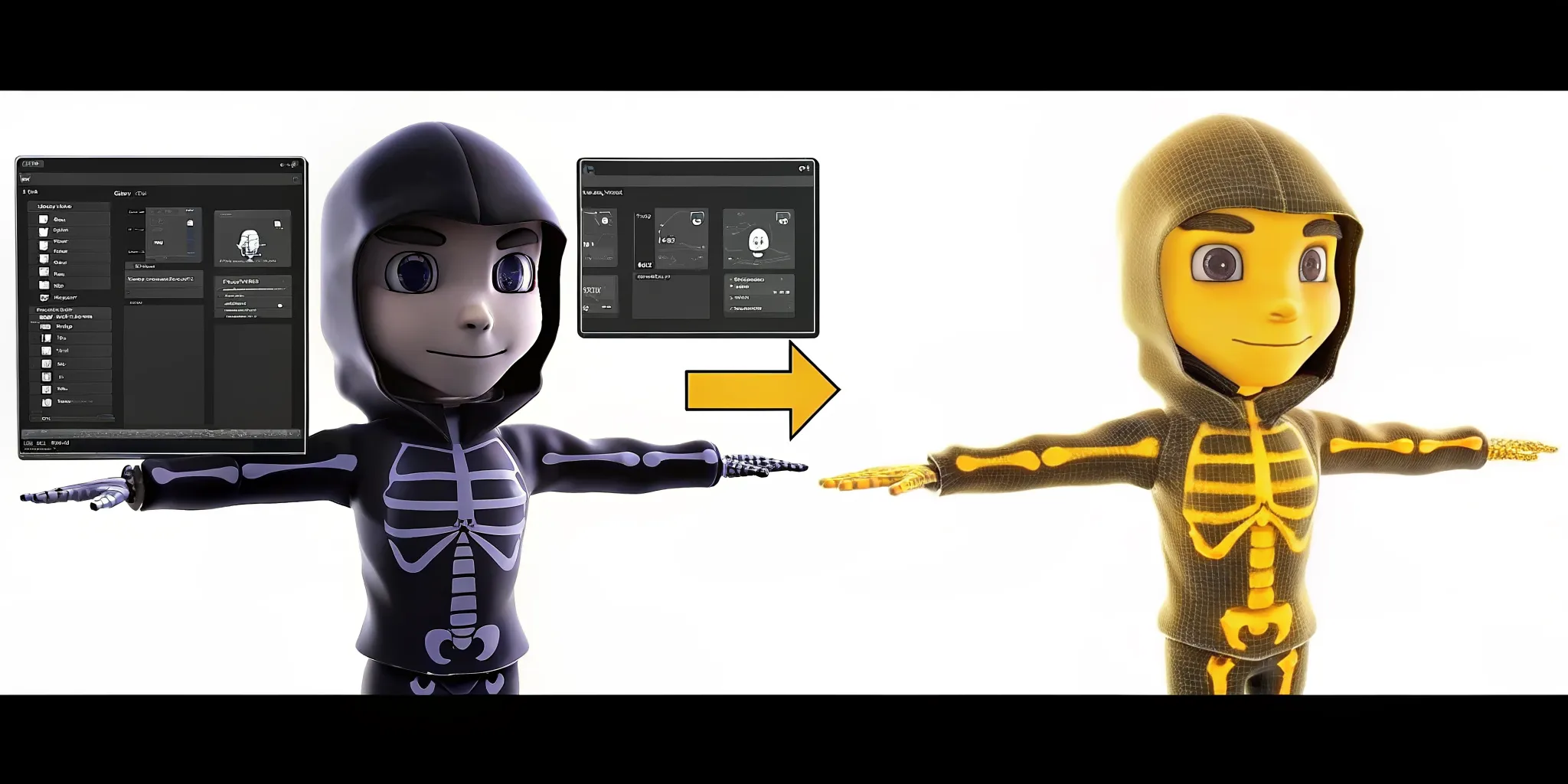
A static 3D mesh is just digital stone until it has a skeleton. This tech allows Genies Chat characters to come to life with real-time expression. Instead of trading text with a box, users interact with animated identities that match tone and behavior.
Modern game-ready 3D characters need a working skeleton, exact bone weighting, and optimized file sizes to work well inside a Unity or Unreal engine. AutoRigging technology automates this complex task by making a custom animation rig in seconds, which removes the slow manual weight painting that often took many days. This tech allows characters to react with personality and expression, turning a static mesh into a living identity that matches the tone of the game. Based on research from the University of Washington, automated tools can adapt a skeleton to a character mesh and attach it to the surface almost instantly. This shift allows developers to focus on game logic and stories instead of spending forty hours a week hand-painting weights on thousands of character vertices.
The Genies Avatar SDK provides a full system for adding game-ready characters to Unity projects. While the speed of automation is great, developers must first understand the technical baseline for a high-quality asset. You should start by looking at What Does "Game-Ready" Actually Mean for 3D Characters? because these rules set how your rig will perform. The checklist begins with.
What Does "Game-Ready" Actually Mean for 3D Characters?
In the world of 3D art, a model is not a character until it can move. A static mesh is just a digital statue. To become one of the game-ready 3D characters seen in modern titles, a model must meet strict technical rules. These rules ensure the character works inside a game engine like Unity or Unreal without breaking. Genies' core character technology focuses on these standards to make sure every asset is ready for play.
Skeletons and skin weights
A game-ready model needs a skeleton, or a rig, to guide its motion. Creating this rig by hand is a slow and hard task. Artists often spend days hand-crafting these structures, which can slow down the whole project. This manual character rigging requires a lot of work within complex 3D tools. It involves placing bones and defining how they move the digital skin.
Skin weights tell the game how much each bone affects the mesh. Good weights ensure that a character's arm bends naturally rather than stretching like taffy. AutoRigging technology helps by automating the creation of these skeletons and weights. This tech takes a static mesh and fits it with a working skeleton in just a few seconds. It turns a simple shape into a character that can run, jump, and wave.
Optimization and LODs
High quality is great, but speed is king in games. Game-ready characters must be lean to keep frame rates high. This means having clean geometry and optimized textures. Large image files can slow down a game, so textures must be packed well. Artists also use Levels of Detail, or LODs, to save power. An LOD is a simpler version of the model used when the character is far away from the camera.
Efficient models use fewer polygons without losing their look. This balance is key for any studio building a large world. When a model is optimized, it loads fast and stays smooth on any screen. This technical polish is what separates a portfolio piece from a true game asset. It ensures the character fits the performance budget of the target hardware.
Animation and interoperability
A true game-ready asset is built for motion. It must use a bone structure that fits standard animation sets. This allows developers to use the same walk cycles or poses across many different characters. Standard rigs make it easy to swap outfits or gear without new code. This ease of use is a big win for teams who want to build fast and scale their worlds.
New tools allow for the quick conversion of static models into assets that work across many platforms. This tech creates characters that are ready to go as soon as they are made. By following these rules, developers can skip the boring setup and focus on the fun parts of their game. The result is a character that looks good and moves even better.
The AutoRigging Breakthrough: From Hours to Seconds
For a long time, rigging was the hardest part of making game characters. It was a slow and dull task. Artists had to build bones and set how skin moved by hand. This process often took days for a single model. Today, auto-rigging tech has changed the game. It turns static models into game-ready 3D characters in just a few seconds. This shift has removed a huge block for small and large studios alike.
The End of Manual Weight Painting
In the past, manual rigging was a chore. Artists had to craft bones by hand. This work was hard and took a lot of time. Many technical artists spent one to three days on a single rig. They had to paint skin weights for every joint. This step is what makes the mesh bend right when the character moves. Without it, the model looks stiff or broken. Using Genies' core tech, this work now happens at once.
New tools like Meshy can rig a character in less than 30 seconds. The whole flow from start to finish takes about five minutes. This replaces what used to be a 24-hour job. Manual weight painting can take two to eight hours on its own. By using tools, teams can skip this grind. They can focus on the art and the story instead of the math. This boost in speed lets studios build more in less time.
Academic Roots and Modern Speed
This speed did not come from nowhere. It started in school labs years ago. In 2007, experts built a tool called Pinocchio. It could find joints and attach skin in under a minute on a normal PC. This was a huge step at the time. You can read more about it in the first paper. Early methods paved the way for the deep neural models we use now. These modern tools predict skeletons directly from a 3D mesh.
Today, tools use deep learning to learn from thousands of rigs. They know where an elbow should be on a human or a dog. They even work on toys and strange creatures. This makes the tech useful for all kinds of work. It is no longer just for basic human shapes. The math has grown to handle complex meshes with ease. This means your characters look better and move more like real life.
Scaling Production for Every Developer
High speed means high output. Small teams can now act like big ones. One indie team can rig 50 characters in a single afternoon. AAA studios use this tech to try new ideas fast. They do not have to wait days to see a character walk in the game. This saves time and money. Genies can help reduce the time to build a character by 50% to 70%. This makes it easier for everyone to ship top-level assets.
The tech also helps with cross-game use. Once a character is rigged, it can move into different worlds. It works with standard file types like FBX and GLB. This makes the assets truly game-ready. Developers no longer need a huge staff of technical artists. A single person can now handle the work that used to need a whole team. This is why auto-rigging is a true breakthrough for the field.
How Genies AutoRigging Converts Static Models Instantly
Genies AutoRigging turns static 3D meshes into game-ready 3D characters in seconds. This tool helps artists skip days of hard work. It takes a flat model and gives it a bone structure. This allows the character to move and react in a digital world. Genies uses Genies' core tools to make making characters fast for all teams. The process is near-instant. You no longer need to spend days on one asset.
Modern games need characters that can scale. Genies helps you build at a high volume. You can take any static sculpt and bring it to life. This is great for teams that want to build many characters at once. It also helps small teams stay fast. You can focus on the art while Genies handles the tech. This shift allows for more creative freedom in your project.
Smart format support
The system works with many file types. You can use FBX, OBJ, or GLTF files. These are the top formats for 3D art today. The tool reads your mesh and finds the best way to rig it. This means you do not have to change your tools. You can build in your favorite app and upload to Genies. It handles the hard part of file prep for you.
Many teams face blocks when they try to move files between apps. Genies solves this. It takes standard outputs and preps them for the game engine. You get clean files that work in Unity or Unreal. This makes the move from art to play very fast. It keeps your team on task and cuts down on errors. You can trust that your files will import correctly every time.
Fast bone placement and skin weighting
One big task in 3D art is skin weighting. This tells the mesh how to bend. Genies uses deep learning to find joints and bones. This tech adapts a skeleton to fit your unique model. Research shows that quick rigging tools can attach a skeleton to a mesh in under one minute. Genies makes this even faster. It removes the need for manual work that used to take hours.
Manually painting weights is a slow job. It can take a whole day for one complex model. Genies uses a Universal Skeleton System to fix this. It finds the right spots for knees, elbows, and necks. Then it maps the mesh to these spots with high care. This ensures that the character moves in a natural way. You will not see weird stretches or mesh breaks. The system learns from thousands of models to get the best result.
Polished models and textures
The tool does more than just rig. It also builds LODs for your model. LOD stands for level of detail. These help your game run smooth on all devices. You need low-poly models for mobile and high-poly for PC. Genies builds these for you. This helps with speed without losing the look of your art. It creates a smooth scale for all users.
The system also keeps your textures safe. Your art will look the same as it did in your editor. It preserves UV maps and materials during the rig process. This full pipeline saves time on the many steps required to build 3D characters. You get a model that is ready for any game world right away. It is an end-to-end way to turn art into assets for your next big title.
Skeleton Detection and Intelligent Weight Painting
Rigging a model used to be a big block for game studios. In an old studio, an artist spends days setting up one model. They must place every bone and paint skin weights by hand. This work is slow and full of errors.
New tools change this by using AI to do the hard work. You can now turn a model into one of many steps required to build 3D characters in minutes. This speed lets indie teams compete with large studios.
Auto Skeleton Mapping
The first step is finding where the bones go. Genies uses a Universal Skeleton System to keep bones the same for all models. This system lets you use the same moves on different characters. It works for humans, pets, and even toys.
Research shows that AI tools like RigNet can find a skeleton for a 3D shape without any help. The tool looks at your mesh and knows exactly where the joints go. This means you do not have to map every bone yourself.
These systems do more than just find a spine or arms. They change to fit the exact shape of your character. If your model is tall, short, or has four legs, the AI finds a fit. In the past, artists had to fix these joint spots for each new model.
Now, tools can find the right bone setup for diverse character types with ease. This allows for fast work and fewer mistakes during the rigging phase. You can now build high-quality rigs without a large technical team.
Smart Weight Painting
Once the bones are set, the AI must decide how the skin moves. This is called weight painting. It tells the game which parts of the mesh move with each bone. If you get it wrong, the skin will stretch or look like it is breaking.
Manual weight painting can take two to eight hours for one model. But new tools can find these weights in under 30 seconds. This tech uses math to make sure the character moves like a real object. It handles complex joints like shoulders and hips with high care.
Work that used to take days now finishes in seconds. Systems can rig a character on a standard PC in less than one minute. By using Genies' core technology, you skip the dull parts of art.
Building AI Personas
Genies takes this further with the Smart Avatar SDK. This tool adds more than just bones and skin. It adds an AI layer for how characters act and think. Your game-ready 3D characters can then remember and talk to players.
While the Avatar SDK handles the rigging, the Smart Avatar SDK gives the character a brain. This makes your avatars feel like living beings instead of just puppets. This blend of tech and art is how the next age of games will be built.
Manual Rigging vs. AutoRigging: Which Pipeline Wins?
Rigging has long been the slowest part of building game-ready 3D characters. Old ways force artists to build bones and paint weights by hand. This work is slow and costs a lot of money. As games get hard to make, teams need a fast way to turn models into living skins. Using tech tools to rig saves time for new tasks.
The Cost of Manual Labor
Manual rigging is a hard task that slows down character work for game worlds. Artists must hand-craft bone frames and skin mesh parts for every model. For a skilled artist, a single rig can take one to three days. This time sink makes it hard to add many new models to a game fast. Small firms often find this step stops their progress.
When you rig by hand, every small change takes hours. If a model looks wrong in motion, the artist must redo the weights. This loop eats up the budget and delays the game launch. Artists must check every joint and bend to ensure the mesh does not break. This manual labor is the main reason why game art costs so much today.
Most teams struggle to keep up with the need for more content. When a game needs a crowd of people, manual work is too slow. Each character needs its own rig and skin weights. This leads to a block that kills the speed of the whole team. Without new tools, the cost of making game assets will keep rising.
Feature | Manual Rigging | AutoRigging |
|---|---|---|
Time per character | 1 to 3 days | Under 5 minutes |
Skill level | High artist skill | Tech tools |
Iteration speed | Slow and hard | Fast updates |
Daily output | 1 character | 50+ characters |
Same look | Varies by person | Same standards |
Cost basis | High labor cost | Low compute cost |
Speed and Work Gains
AutoRigging flips the script on character making. Tools like those from Genies reduce character work time by 50-70%. This tech handles the steps required to build 3D characters without the wait. A process that used to take days now takes less than a minute. This allows teams to ship games much faster than before.
This shift lets indie teams rig 50 or more models in one day. Devs can test new ideas and fix bugs in real time. By cutting out manual labor, firms can focus on making the game fun. The same look also improves as the software follows the same rules for every model. This means less time spent fixing broken rigs after they go live.
New tech makes it easy to create huge worlds with many special folks. In place of spending weeks on a few rigs, artists can build whole armies in days. This scale was once only for large firms with big budgets. Now, anyone can use these tools to build top grade games. This speed is why more teams choose tech tools for their 3D characters.
Beyond the Rig: Building a Complete Character Pipeline
Rigging is only one part of the job. Even a perfect rig will not work in a game without a way to load, skin, and control the mesh. Moving from a static model to game-ready 3D characters needs a full set of tools. These tools must handle everything from gear to brains. Genies gives you this through a suite of SDKs. These kits turn a simple model into a living identity.
The Genies Avatar SDK for Unity
The Genies Avatar SDK is a drop-in system for Unity. It handles the hard tasks that often stall a project for weeks. Instead of building a custom system, you get a modular framework for characters. It includes a full UI for players to change their looks. It also has a clothing system that works across different body types. This toolkit uses Genies' core technology to make sure every asset is ready for real-time play.
One of the biggest hurdles in game dev is making assets work across different titles. The SDK solves this with cross-game item use. When you build with these tools available for creating 3D AI-driven avatars, your characters are not locked to one world. They can carry their gear and identity to any app that uses the SDK. This makes work faster and gives players more value for their items.
Adding Brains with the Smart Avatar SDK
A rig makes a character move, but a brain makes them act. The Smart Avatar SDK adds a behavior layer to your NPCs and player characters. It gives them a unique persona and memory. Research on automated character rigging shows that the goal is to map bone motion to meshes. Genies takes this further by adding real-time expression and logic. The character responds to player input in a way that feels real.
This SDK layer turns a hollow shell into a smart agent. Your characters do not just stand around with an idle pose. They react to the world and remember past chats. This level of depth used to take a team of coders and writers. Now, it is a part of the standard pipeline. It lets developers focus on the story instead of the messy parts of character AI.
The SDK Ecosystem vs Simple Rigging
Auto-rigging alone gives you a skeleton. A full SDK pipeline gives you a product. Manual rigging can take 2 to 8 hours per character, while auto-rigging takes seconds. But even after the rig is done, a dev still needs to build shaders and UI. Genies cuts the total development time by 50% to 70% by giving you these parts out of the box. You can see how this tech works in practice by checking out Genies Chat.
The full ecosystem lets you put characters in games right away. You do not have to worry about bone names or weight errors. The system is built to be strong and easy to repeat. This means you can scale from one character to a thousand with ease. You will not need a huge team of tech artists. It is the best way to build a scalable character system.
Frequently Asked Questions
Can AI tools rig non-humanoid characters like animals?
Modern AI tools handle more than just human shapes. As shown in college research, systems like RigNet can rig many types of characters like animals and toys. These tools find the bones and skin weights right from the 3D mesh. This means you can rig birds, dogs, or even robots without building a custom rig from scratch. It saves time for studios that need many assets for their games.
What 3D file formats work best for auto-rigging software?
Most auto-rigging tools support the most common 3D file types. You can upload models in FBX, OBJ, or GLB formats. As shown by AutoRig.online, these formats are field standards that keep your model and texture data safe. Once the rigging job ends, you can export the file back to the type you need. This makes it easy to move models between tools like Blender and game engines like Unity or Unreal Engine.
Are auto-rigged characters compatible with both Unity and Unreal Engine?
Yes, models made by AI rigging tools are ready for major game engines. Tools like Meshy produce files that work in Unity and Unreal Engine. These files include the bones and skin weights needed for animation. This means developers can drop characters into their projects and start moving them right away. It stops the need for manual work that takes days for artists to finish.
How long does it take to process a model with auto-rigging?
AI auto-rigging is much faster than doing the work by hand. Manual rigging can take up to three days for just one character. But Genies says its tech allows for the fast change of static models into game-ready assets. Most tools finish the whole job in under five minutes. This speed lets small teams rig many characters in a single afternoon. It helps developers move fast from a flat model to a moving character.
Ready to build game-ready 3D characters in seconds?
Manual rigging is a slow task that eats up your studio's time and money. Every hour your artists spend painting weights is an hour they are not building new worlds. If you stick with old ways, your team will fall behind. Other studios will ship faster and more often. You risk missing your launch dates and losing your players to teams that work at a faster pace. New auto-rigging tech gives you a big lead in the market. You can cut your character dev time by more than half. This lets you get your assets into Unity in a flash. The sooner you start, the sooner you can focus on the parts of your game that make it fun.
Ready to scale your production? Contact Genies to explore Genies Avatar SDK and start building game-ready 3D characters.