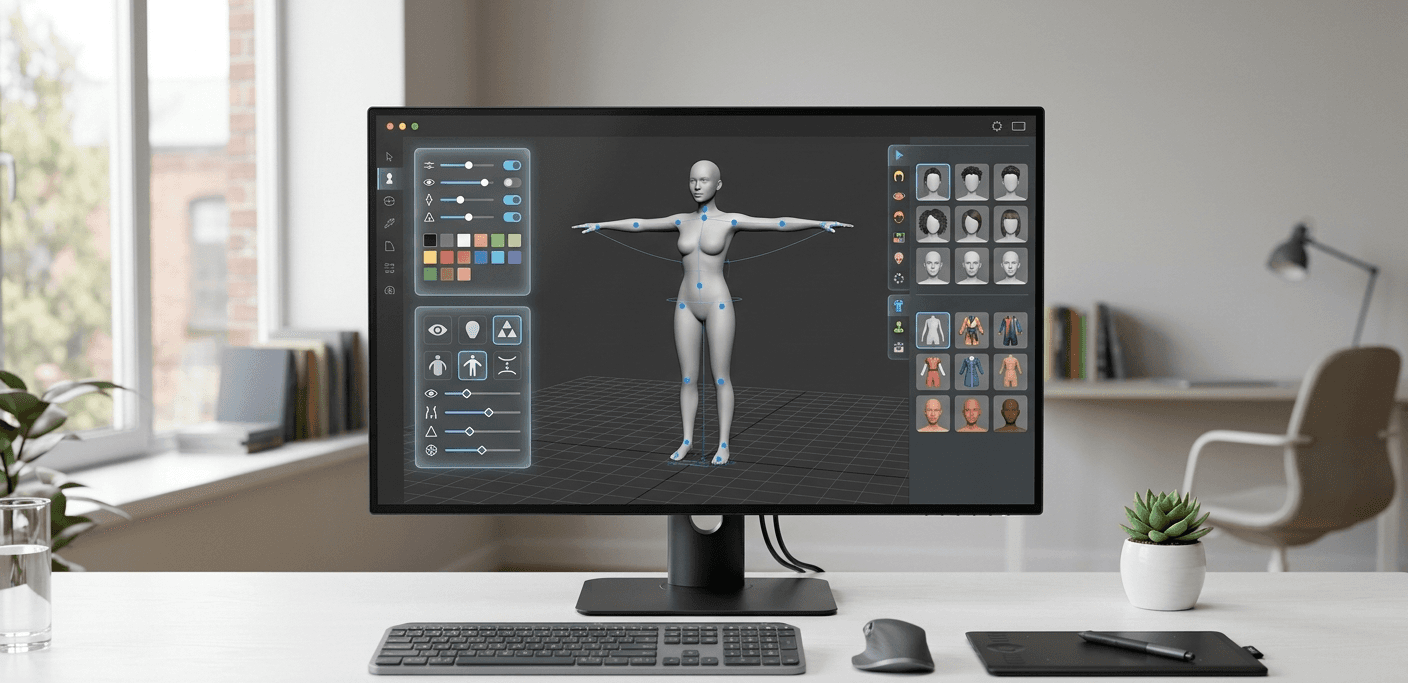
The standard character creator is familiar to every gamer: a series of sliders and preset options. But the future of digital identity is far more dynamic. AI is changing the game for Unity avatar customization, making it faster, more accessible, and infinitely more creative. This technology allows you to generate new 3D assets automatically based on simple user inputs, opening the door to true user-generated content. Tools like Genies' Imagine empower players to dream up and create their own interoperable assets, offering a nearly limitless canvas for personalization. This guide explores how you can leverage these advanced tools to build next-generation avatar experiences.
Key Takeaways
Prioritize player expression to build connection: Let players create a unique AI character using modular assets, blend shapes, and textures, as this sense of ownership makes them more invested in your game's world.
Accelerate development with an SDK: Instead of building an avatar system from scratch, integrate a tool like the Genies Avatar SDK to handle the technical heavy lifting, including performance and asset management, so you can focus on creating great gameplay.
Design for a smooth user experience: A powerful customization system needs an intuitive UI and strong performance to succeed, so implement real-time visual feedback and use optimization techniques like dynamic loading to keep the creation process fun and responsive.
What is Unity Avatar Customization?
At its core, Unity avatar customization is the framework that lets you build experiences where players can create and modify their in-game characters. It’s about giving players the tools to express themselves, whether that means changing hairstyles, swapping outfits, or designing a completely unique AI avatar from the ground up. On a technical level, this is often managed by the Unity Avatar system, which acts as a universal skeleton. This system allows different character models and animations to work together seamlessly, giving you a flexible foundation for building rich customization options.
Instead of locking players into a predefined character, you’re handing them the creative keys. This process transforms a generic player model into a personal statement, a digital representation that feels truly their own. For developers, this isn’t just a feature; it’s a powerful way to deepen the connection between the player and the game world you’ve built. It’s the difference between a player simply controlling a character and truly becoming one. By offering robust customization, you invite players to invest a piece of themselves into the game, making their journey through it all the more meaningful.
Why Prioritize Avatar Customization in Your Game?
Giving players control over their appearance is more than just a fun feature; it’s a strategic move that directly impacts player satisfaction. When someone can design a character that reflects their personality or creative vision, they develop a stronger sense of ownership. This isn't just their game character anymore, it's their creation. This level of personalization fosters a much deeper connection to the game and its narrative.
Games that provide a flexible and intuitive interface for building a virtual identity stand out. It shows you value player expression and individuality, which can lead to higher retention rates. When players feel seen and represented in a game, they’re more likely to stick around, invest in their character’s progress, and become active members of your community.
How Customization Keeps Players Engaged
A great customization system is a powerful tool for long-term engagement. When players spend time creating a unique AI character, they build an emotional connection that keeps them coming back. This digital identity becomes their anchor in your game world, a constant that evolves with them. It’s not just about the initial creation process; it’s about the ongoing journey of collecting new outfits, accessories, and styles that further define their avatar.
Building these systems can be complex, but the payoff is a more vibrant and invested player base. A unique identity makes every achievement feel more personal and every social interaction more genuine. Tools like the Genies Avatar SDK are designed to simplify this process, allowing you to implement deep customization features without having to build every component from scratch. This lets you focus on creating a compelling world where players and their unique avatars can thrive.
The Core Components of a Custom Avatar System
Building a truly dynamic AI avatar system from the ground up is a major undertaking. It involves several distinct, yet interconnected, technical layers that work together to bring a character to life. Think of it as building a digital puppet; you need the puppet’s body, the internal skeleton and strings to make it move, a flexible skin that bends correctly, and a way to change its facial expressions. Understanding these core components is the first step toward creating compelling and customizable AI characters for your game or app.
Each piece of this puzzle, from the initial 3D model to the subtle nuances of a facial expression, requires specialized skills and a significant amount of development time. The main steps in any character creation pipeline include modeling the character's appearance, building an internal skeleton to control movement, attaching the model's "skin" to that skeleton, and creating a system for detailed customizations like facial expressions. Getting these elements right is crucial for creating a believable and engaging user experience. While you can certainly build all of this yourself, knowing the fundamentals will also help you appreciate how much time you can save by integrating a ready-made solution like an SDK.
3D Models and Character Assets
Everything starts with the 3D model. This is the static, visual shell of your avatar, often referred to as the "mesh." It’s the digital sculpture that defines the character's shape, from their hairstyle to the tips of their shoes. These assets are typically created in external 3D modeling software like Blender, Maya, or ZBrush before being imported into a game engine like Unity. The quality and complexity of this base model will directly impact the final look of your AI avatar and set the foundation for all the customization and animation that follows. A well-designed model is optimized for performance while still having enough detail to look great.
Rigging and Bone Structure
A 3D model on its own is just a statue. To give it the ability to move, you need to go through a process called rigging. This is where you build a skeleton of digital joints and bones inside the character mesh. This internal framework acts just like a real skeleton, defining the pivot points for every possible movement, whether it's a wave of the hand or a complex dance move. For a character to be compatible with Unity’s animation system, its skeleton needs a specific structure, typically with the hip joint serving as the root of the entire bone hierarchy. This rig is what animators (or animation systems) manipulate to bring the character to life.
Skinning and Weight Painting
Once you have a 3D model and a skeleton, you need to connect them. This process is called skinning, and it involves binding the vertices of the character's mesh (the "skin") to the nearby bones of the rig. But you can’t just attach them randomly. That’s where weight painting comes in. Weight painting is the art of defining exactly how much influence each bone has on the surrounding mesh. For example, the elbow joint will have a strong influence on the vertices of the forearm and bicep, allowing the arm to bend naturally. This ensures that when a bone moves, the skin deforms smoothly and realistically instead of creasing or stretching in odd ways.
Blend Shapes for Facial Expressions
While a rig is great for body movement, it’s not ideal for the subtle changes needed for facial expressions or fine-tuning a character’s features. That’s where blend shapes come in. A blend shape is a deformed version of the base mesh that represents a specific expression or feature, like a smile, a raised eyebrow, or more muscular arms. By blending these different shapes together in varying amounts, you can create an almost infinite range of expressions and body types. For instance, you can mix 50% of a "smile" shape with 20% of a "surprise" shape to create a unique look. This technique is the key to giving your AI characters personality and enabling deep appearance customization.
How Can You Create Customizable Avatars?
Giving players the power to create a character that truly represents them is one of the most effective ways to build a connection with your game. But how do you actually build that system? In Unity, there are several powerful methods for creating customizable avatars, each offering different levels of control and creativity. You can let players build their character piece by piece, fine-tune facial features with subtle sliders, change colors and patterns with a click, or even use AI to generate entirely new assets.
Most robust character creators use a combination of these techniques to deliver a rich and satisfying experience. By understanding the fundamentals of each approach, you can decide which methods make the most sense for your project and start building a system that lets your players express themselves. Let’s look at four of the most common ways to build customizable AI avatars in Unity.
The Modular Asset Approach
The modular approach is a cornerstone of character customization. Instead of using a single, unchangeable character model, you break the character down into interchangeable parts. Think of it like a digital dress-up doll: you have separate 3D models for heads, hairstyles, torsos, legs, and accessories. Players can then mix and match these pieces to assemble a unique combination. This method gives players a tangible sense of creation and ownership over their AI character. As Kotaku noted when reviewing the Genies Avatar SDK, this gives players "a digital identity that’s entirely theirs, not one that feels like a generic character creator pulled from a dropdown menu."
Customizing with Blend Shapes
While modular assets are great for swapping outfits and hairstyles, blend shapes are perfect for adjusting the underlying physical form of your character. Blend shapes are variations of a model's geometry that you can blend between, typically controlled by simple UI sliders. They are created in 3D modeling programs and allow for subtle, organic changes. For example, you can use blend shapes to let players adjust body type, change the shape of a nose, define cheekbones, or control the thickness of their eyebrows. They are also essential for creating nuanced facial expressions, allowing your AI avatar to smile, frown, or show surprise.
Swapping Textures
Texture swapping is a simple yet highly effective technique for adding variety without needing multiple 3D models. A texture is the 2D image file that wraps around a 3D model to give it color, detail, and the appearance of a specific material. By swapping this texture, you can change a character’s appearance instantly. This is perfect for offering different skin tones, eye colors, makeup styles, or fabric patterns on clothing. Since you’re only changing a 2D image instead of a complex 3D mesh, it’s a very performance-friendly way to offer players a massive number of cosmetic options.
Using AI for Procedural Generation
AI is changing the game for asset creation, making it faster and more accessible than ever. Using AI for procedural generation allows you to create new 3D assets automatically based on specific rules or user inputs. This can be a massive time-saver for developers, who can generate countless variations of clothing, accessories, or even character features in minutes. For players, this technology opens the door to true user-generated content. Tools like Genies' Imagine empower users to dream up and create their own interoperable assets, offering a nearly infinite canvas for personalization and bringing unique AI characters to life.
Top Tools and SDKs for Building Avatars in Unity
Building a robust avatar customization system from the ground up is a massive undertaking. Luckily, you don’t have to start from scratch. The Unity ecosystem is filled with powerful tools and SDKs that can handle the heavy lifting, letting you focus on creating a unique experience for your players. Whether you need a free, open-source framework to get started or a comprehensive SDK to power a complex social game, there’s a solution that fits your project.
Using a pre-built tool can save you hundreds of development hours. These systems often come with ready-made UIs, asset management pipelines, and optimized performance features that streamline the entire process. From modular character assembly to advanced facial expressions, the right tool provides a solid foundation for your game’s customization features. Let’s look at some of the top options available to Unity developers for creating compelling AI avatars.
Unity's Multipurpose Avatar (UMA) System
If you’re looking for a flexible and free solution, the Unity Multipurpose Avatar (UMA) system is an excellent place to start. As a community-supported tool available on the Unity Asset Store, UMA gives you a powerful framework for creating modular characters. It handles many of the tricky parts of customization, including dynamic adjustments to face and body shapes, clothing management, and skin tones.
UMA is particularly useful for developers who want deep control without building everything themselves. It helps manage how clothing fits on different body types and even hides parts of the body mesh that are covered by clothes, which is great for performance. It’s a fantastic way to learn the principles of modular character design while building a fully functional system.
Integrating the Genies Avatar SDK
For developers who want to give players a truly personal and portable digital identity, the Genies Avatar SDK is a game-changer. This SDK is designed to help you quickly integrate highly expressive AI characters into your Unity game. Instead of offering a generic creator, Genies lets players build an AI avatar that is uniquely theirs, with an identity that can travel with them across different experiences.
The SDK comes packed with features that simplify development, including a robust customization API, support for a wide range of wearables, and optimizations for fast loading times. It’s also built to be multiplayer-ready, so you can create rich, social worlds where players can show off their custom avatars. You can explore the technical details to see how it all works.
Finding Packages and Plugins on the Asset Store
Beyond specific SDKs, the Unity Asset Store is your best friend for finding specialized tools. A quick search for "character customization" will reveal dozens of packages designed to solve specific problems. You can find everything from complete systems with ready-to-use UI to smaller plugins that handle things like modular equipment or color adjustments.
These assets are perfect when you have a specific need that a larger framework doesn’t cover. For example, you might find a package that’s perfectly suited for the art style of your fantasy RPG or one that specializes in creating anime-style characters. Reading reviews and checking the documentation will help you find a high-quality plugin that saves you time and integrates smoothly into your project.
Using Unity's Built-in Animation Tools
If your customization needs are straightforward or you prefer to build your own system, don’t overlook Unity’s native tools. You can create a perfectly functional customization system by combining your own 3D models with Unity’s animation and scripting capabilities. This approach gives you complete control over every aspect of the system, from the UI to the asset pipeline.
Using Unity’s Mecanim animation system, you can manage different character states and expressions. You can write scripts to swap out modular assets like hairstyles, clothing, and accessories. While this path requires more hands-on work, the Unity Manual provides extensive documentation to guide you. It’s a great option for developers who want a lightweight, fully custom solution tailored exactly to their game’s needs.
How to Design a User-Friendly Customization UI
Your avatar system can have thousands of assets and features, but it won’t matter if the interface is clunky and confusing. The user interface (UI) is the bridge between your player’s imagination and the AI character they want to create. A great UI feels less like a series of menus and more like a digital workshop where players can sculpt their identity. Games with a flexible, user-friendly interface for customizing an avatar stand out and have a lasting impact on their community of players. By focusing on intuitive controls, instant feedback, and a wide range of options, you can build an experience that makes the creation process fun and rewarding.
Design Intuitive Controls
The best customization controls feel natural and disappear into the background, letting the player focus on their creation. Instead of confusing menus, use familiar tools like sliders for adjusting proportions, color wheels for selecting hues, and direct on-model manipulation for sculpting facial features. Clear labels and simple icons are your best friends here; they guide the player without cluttering the screen.
Your goal is to remove any friction that pulls a player out of the creative flow. A clean, organized layout prevents them from feeling overwhelmed by too many choices at once. Group related options together, like putting all facial features in one section and all clothing in another. This structured approach makes the process straightforward and lets players build their AI avatar step-by-step.
Provide Real-Time Visual Feedback
Players need to see the results of their choices instantly. When a player makes an adjustment, the avatar should update in real time, creating a seamless feedback loop that makes the process feel dynamic and interactive. A great example of this is when hovering over a part of the avatar, like the nose or eyes, causes that specific area to glow, indicating that it’s editable.
This immediate visual confirmation helps players understand the impact of each change and make more confident decisions. It’s also essential to give them a 360-degree view of their character. Let them rotate, pan, and zoom freely so they can inspect their creation from every angle. This ensures there are no surprises when they finally take their new AI character into the game world.
Offer Diverse and Flexible Options
A truly great avatar system gives players the tools to create a digital identity that is entirely their own, not just a character picked from a dropdown menu. While presets are a good starting point, the real magic happens when you offer deep customization. The Genies Avatar SDK is built to provide this level of freedom, letting players move beyond generic templates.
Give players a rich palette of options, from a wide spectrum of skin tones and hairstyles to unique clothing and accessories. The more detailed control you provide, the more players can express their individuality. This flexibility is what transforms a simple character creator into a powerful tool for self-expression, making each AI avatar feel genuinely unique to the person who created it.
Implement Save and Load Features
Players invest significant time and effort into perfecting their avatars, and the last thing they want is to lose their progress. A reliable save and load feature is non-negotiable. It gives players the peace of mind to experiment freely, knowing they can always revert to a previous version or save multiple looks for different occasions. This is especially important for multiplayer-ready experiences where identity is key.
Modern tools offer robust APIs and pre-caching to make this process fast and seamless. You can explore the technical side of how Genies handles this on our tech page. Consider allowing players to save their own presets or even share them with others. This not only improves the user experience but also fosters a sense of community around the creative possibilities within your game.
Common Challenges in Avatar Customization (And How to Solve Them)
Building a rich avatar customization system is one of the most rewarding parts of game development, but it comes with its own set of technical hurdles. While giving players the freedom to express themselves is the goal, developers often run into challenges with performance, complex integrations, cross-platform consistency, and the sheer volume of assets. It’s easy to get stuck on the technical side instead of focusing on the creative experience.
The good news is that these problems are solvable. With the right tools and strategies, you can build a system that is both powerful for players and manageable for your team. Instead of reinventing the wheel, you can lean on specialized tools designed to handle the heavy lifting. Let's break down some of the most common challenges and walk through how to address them effectively, so you can spend more time building amazing gameplay around your AI characters.
Overcoming Performance Bottlenecks
One of the biggest challenges is performance. A detailed AI avatar with tons of customizable parts can slow down your game, leading to long load times and frustrating lag for players. Every new outfit, accessory, and texture adds to the memory and processing load. If your system isn't optimized, it can quickly become a bottleneck that harms the player experience.
The key is to use a system designed for efficiency. For example, the Genies Avatar SDK is built to deliver faster avatar load times by optimizing how assets are loaded and managed. Techniques like pre-caching popular items and dynamically loading assets only when they’re needed can make a huge difference. This approach ensures your game remains responsive and smooth, even with highly detailed AI avatars.
Simplifying Complex Integrations
Integrating a full-featured avatar system from scratch can be a massive undertaking. It requires building everything from the UI to the backend logic for managing assets, which can take months of development time away from core gameplay features. This complexity can stall projects and make it difficult to test new ideas quickly.
This is where a dedicated SDK becomes a game-changer. A well-designed SDK is "designed to accelerate prototyping and iteration," allowing you to plug a complete avatar system directly into your Unity project. Instead of building foundational tech, your team can immediately start exploring identity-driven gameplay and character designs. This not only saves time but also empowers you to be more creative and responsive to player feedback.
Ensuring Cross-Platform Compatibility
Players expect their custom avatars to look and feel the same whether they’re playing on a PC, a console, or a mobile device. However, ensuring this consistency across different hardware and operating systems is a significant technical challenge. Each platform has unique rendering capabilities and performance constraints that can affect how your AI avatars appear and behave.
A robust avatar system should be built with interoperability in mind from the ground up. Look for solutions that offer features like "multiplayer-ready avatar support" and a flexible API. These tools handle the platform-specific adjustments behind the scenes, so you can deliver a seamless and consistent experience everywhere. This allows a player’s digital identity to travel with them, strengthening their connection to your game and its community. You can learn more about our approach to interoperable tech on our website.
Managing the Asset Pipeline
As your customization options grow, so does the complexity of your asset pipeline. Managing thousands of individual clothing items, accessories, and textures can become a logistical headache. This is especially true if you plan to support user-generated content (UGC), which introduces a whole new layer of content moderation and management.
To solve this, you need a streamlined pipeline with "tools for developers and artists to upload custom outfits, manage content, grant items to players, and distribute UGC." An integrated system that works with creative tools like Imagine allows you and your community to create and add new assets seamlessly. This keeps your content fresh and organized without overwhelming your team, making it possible to scale your customization offerings infinitely.
Key Strategies for Optimizing Performance
A detailed avatar customization system is a fantastic feature, but it can also be a performance hog if you’re not careful. Every piece of clothing, every texture, and every blend shape adds to the data your game has to process. The goal is to give players endless creative freedom without making your game slow, laggy, or prone to crashing. A smooth, responsive experience is just as important as a cool-looking AI avatar.
Fortunately, you don’t have to choose between customization and performance. With a few smart strategies, you can build a system that handles a massive library of assets while running efficiently. It’s all about being intentional with how you load, display, and manage your character assets. By focusing on optimization from the start, you ensure your game remains playable and fun, even as you add more customization options. Let’s walk through four key techniques that will help you keep your game running smoothly.
Use Dynamic Loading for Assets
Instead of loading every single hairstyle, outfit, and accessory when the game starts, load them only when a player needs them. This is called dynamic or asynchronous loading. Think about it: if your game has thousands of potential clothing items, loading them all into memory at once would create a huge initial load time and consume a lot of RAM. By loading assets on demand, you can get players into the game faster and keep your memory footprint low. For example, you can load wearables only when the player opens the customization menu. The Genies Avatar SDK uses techniques like pre-caching and faster loading to help create these kinds of rich, responsive experiences for players without the long wait.
Implement Level of Detail (LOD)
Level of Detail, or LOD, is a classic game optimization technique that’s perfect for AI characters. The idea is simple: you use different versions of a 3D model depending on how far it is from the camera. An avatar that’s right in front of the player needs a high-resolution model with lots of detail. But an AI character way off in the distance? A much simpler, low-polygon model will look just fine and save a ton of rendering power. Setting up LOD groups in Unity is a straightforward way to automatically switch between these models, ensuring your game isn’t wasting resources rendering details no one can even see. This is especially important in scenes with many characters on screen at once.
Optimize Your Memory Usage
Every asset in your game takes up memory, and custom avatars can come with a lot of them. High-resolution textures are often the biggest culprits. You can manage this by using texture compression to reduce file sizes without a noticeable drop in quality. Another great technique is creating texture atlases, which combine multiple smaller textures into a single large one. This reduces the number of draw calls your game has to make, which is a big performance win. When you allow players to create their own assets with tools like Imagine, managing this content becomes even more important. A good asset pipeline ensures that all content, whether created by you or your players, is optimized before it ever makes it into the game.
Streamline Your Rendering Pipeline
The rendering pipeline is the process Unity uses to take all your 3D data and draw it on the screen. Optimizing this process can lead to significant performance gains. Start by choosing the right pipeline for your project, like the Universal Render Pipeline (URP), which is designed for performance across a wide range of platforms. From there, you can focus on reducing draw calls through techniques like static and dynamic batching. You should also pay close attention to your shaders, as complex shaders can be very demanding. By keeping your rendering process as lean as possible, you ensure that even complex AI avatars can be drawn quickly, keeping your frame rate high and consistent. You can learn more about how Genies approaches its full technology stack on the Our Tech page.
How to Add Advanced Customization Features
Once you’ve mastered the basics of avatar customization, you can start exploring more advanced features that make your game truly stand out. These additions go beyond simple color pickers and preset hairstyles, creating a deeply personal and dynamic experience for your players. By integrating features like AI-driven personalization, cross-platform portability, and user-generated content, you can build a system that not only engages players but also empowers them to express their unique identities. These advanced layers transform a standard character creator into a core part of your game’s appeal, encouraging long-term investment and community involvement.
Integrate AI-Driven Personalization
AI can transform customization from a static menu into a dynamic, responsive system. You can use AI to generate unique, game-ready 3D assets on the fly, offering players nearly infinite creative possibilities. Imagine a system where a player can describe an outfit and have it generated for them in minutes. Beyond aesthetics, AI can also breathe life into non-player characters (NPCs), turning them into intelligent AI characters that learn from and adapt to player interactions. This creates a more immersive world where every character feels distinct and alive. Exploring an AI-powered tech stack can give you the tools to build these kinds of adaptive experiences right into your game.
Enable Cross-Platform Avatar Portability
Players invest a lot of time and effort into personalizing their avatars. That identity shouldn't be trapped in a single game. By enabling cross-platform portability, you allow players to take their customized avatars and digital items with them across different games and experiences. This is typically managed by tying the avatar and its inventory to a user's account, creating a persistent digital identity that travels with them. The Genies Avatar SDK, for example, is built to support this, ensuring that a player’s look and owned wearables remain consistent wherever they go. This feature adds immense value for players and encourages them to engage with any game in your ecosystem.
Build Support for User-Generated Content
Empowering your players to become creators is one of the most effective ways to build a thriving community. When you build support for user-generated content (UGC), you give players the tools to design and share their own clothing, accessories, and other assets. This not only provides a constant stream of new content for your game but also fosters a deep sense of ownership and creativity among your audience. You can facilitate this by providing tools that allow artists and players to upload custom outfits and manage their creations. Creative engines like Imagine work with SDKs to help bring these interoperable, user-generated assets to life.
Create Real-Time Feedback Loops
A great user interface is crucial for an advanced customization system. As players make changes, they should see the results instantly. This real-time feedback loop makes the creative process feel fluid and intuitive. When a player adjusts a slider to change a facial feature or selects a new color for an outfit, the 3D model should update immediately. You can enhance this experience further by adding subtle animations, UI sounds, and visual cues that confirm their selections. Building a fully functional in-game avatar editor with responsive feedback makes the customization process itself a fun and engaging part of the game.
Best Practices for a Smooth Implementation
Building a great avatar system is one part of the job; the other is making sure it's stable and easy to manage long-term. A bit of planning up front can save you from major headaches later. Think of it like building a strong foundation for a house, where everything you add on top will be more secure. These practices will help you create a system that’s not only fun for players but also manageable for your team as your game evolves. By focusing on scalability, organization, and quality, you can ensure your AI avatar system remains a highlight of your game, not a source of technical debt.
Design a Scalable Code Architecture
When you first start building, it’s tempting to just get things working. But taking the time to design a scalable code architecture will pay off immensely. Your goal is to create a system that can easily handle new features, assets, and even user-generated content without requiring a complete rewrite. A robust foundation allows you to add new outfits or customization options with minimal effort. Using a tool like the Genies Avatar SDK can give you a head start, as it provides a complete framework for managing content, granting items to players, and distributing assets across different experiences, letting you focus on the creative side of things.
Keep Your Assets Organized
An avatar system relies on a huge number of assets: 3D models, textures, materials, and more. Without a clear organization system, your project files can quickly become a tangled mess. Establish a consistent naming convention and folder structure from day one. For example, you could organize assets by type (like hats, shirts, and shoes) and then by individual item. This makes it easier for your team to find what they need, reduces the chance of errors, and helps streamline the entire workflow. Good organization is also key for performance, as it can contribute to faster loading times and more efficient asset management.
Establish a Solid QA Process
With so many moving parts, avatar customization systems are prone to bugs like clipping issues, broken textures, or UI glitches. A solid quality assurance (QA) process is essential to catch these problems before they reach your players. Make sure to test every new asset on different AI character body types and in various animations. Your QA checklist should also include testing the user interface for usability and checking performance on all your target platforms. When you integrate tools that receive regular updates, a strong QA process ensures that new features are implemented smoothly and don't disrupt the player experience.
Use Version Control for All Avatar Assets
Version control isn't just for code. Systems like Git or Perforce are incredibly valuable for managing all your avatar-related assets, including 3D models, textures, and configuration files. Using version control allows you to track every change, making it easy to see who modified an asset and why. If a new piece of clothing introduces a bug, you can quickly revert to a previous version. It’s also crucial for team collaboration, as it prevents artists and developers from accidentally overwriting each other's work. This becomes especially important as you continuously add new content to keep your game fresh and engaging for players.
Related Articles
Frequently Asked Questions
Should I build my own avatar system from scratch or use an SDK? Building your own system gives you complete control, which can be great if your game has very specific needs. However, it's a significant investment of time and resources that could be spent on core gameplay. Using an SDK, like the Genies Avatar SDK, handles the complex foundation for you. This includes the asset pipeline, performance optimizations, and UI framework, letting you implement a powerful customization system much faster.
What's the difference between using modular assets and blend shapes for customization? Think of modular assets as interchangeable parts, like swapping out different hairstyles, shirts, or shoes. It's a direct way to change the components of an AI character. Blend shapes, on the other hand, are for subtle adjustments to the character's underlying form. They are perfect for things like changing the shape of a nose, adjusting body proportions, or creating detailed facial expressions, which are often controlled by sliders.
My game is slowing down with all the custom assets. What's the quickest way to improve performance? The most effective first step is to implement dynamic loading. Instead of loading every single customization item when the game starts, only load assets when the player actually needs to see them, like when they open the customization menu. Another key technique is using Level of Detail (LOD) models, which automatically switch to simpler character models when they are far from the camera, saving significant rendering power.
How can I support user-generated content (UGC) without creating a huge management problem? The key is to establish a streamlined asset pipeline from the beginning. This involves having clear guidelines and tools for creators to use. Integrating a creative engine like Imagine can help by providing a structured way for users to design and upload their own interoperable assets. This ensures that all UGC is optimized and compatible with your system before it ever goes live, which simplifies the entire management and moderation process.
How do I make sure a player's AI avatar works across different games or platforms? To achieve this, you need a system where the avatar's identity is tied to a user account, not just saved locally within one game. This allows a player's appearance, clothing, and inventory to be stored centrally and accessed by any game that integrates with the same system. An SDK built for interoperability handles this backend work, ensuring a player's unique AI character can travel with them consistently across various experiences.
Mar 23, 2026
The standard character creator is familiar to every gamer: a series of sliders and preset options. But the future of digital identity is far more dynamic. AI is changing the game for Unity avatar customization, making it faster, more accessible, and infinitely more creative. This technology allows you to generate new 3D assets automatically based on simple user inputs, opening the door to true user-generated content. Tools like Genies' Imagine empower players to dream up and create their own interoperable assets, offering a nearly limitless canvas for personalization. This guide explores how you can leverage these advanced tools to build next-generation avatar experiences.
Key Takeaways
Prioritize player expression to build connection: Let players create a unique AI character using modular assets, blend shapes, and textures, as this sense of ownership makes them more invested in your game's world.
Accelerate development with an SDK: Instead of building an avatar system from scratch, integrate a tool like the Genies Avatar SDK to handle the technical heavy lifting, including performance and asset management, so you can focus on creating great gameplay.
Design for a smooth user experience: A powerful customization system needs an intuitive UI and strong performance to succeed, so implement real-time visual feedback and use optimization techniques like dynamic loading to keep the creation process fun and responsive.
What is Unity Avatar Customization?
At its core, Unity avatar customization is the framework that lets you build experiences where players can create and modify their in-game characters. It’s about giving players the tools to express themselves, whether that means changing hairstyles, swapping outfits, or designing a completely unique AI avatar from the ground up. On a technical level, this is often managed by the Unity Avatar system, which acts as a universal skeleton. This system allows different character models and animations to work together seamlessly, giving you a flexible foundation for building rich customization options.
Instead of locking players into a predefined character, you’re handing them the creative keys. This process transforms a generic player model into a personal statement, a digital representation that feels truly their own. For developers, this isn’t just a feature; it’s a powerful way to deepen the connection between the player and the game world you’ve built. It’s the difference between a player simply controlling a character and truly becoming one. By offering robust customization, you invite players to invest a piece of themselves into the game, making their journey through it all the more meaningful.
Why Prioritize Avatar Customization in Your Game?
Giving players control over their appearance is more than just a fun feature; it’s a strategic move that directly impacts player satisfaction. When someone can design a character that reflects their personality or creative vision, they develop a stronger sense of ownership. This isn't just their game character anymore, it's their creation. This level of personalization fosters a much deeper connection to the game and its narrative.
Games that provide a flexible and intuitive interface for building a virtual identity stand out. It shows you value player expression and individuality, which can lead to higher retention rates. When players feel seen and represented in a game, they’re more likely to stick around, invest in their character’s progress, and become active members of your community.
How Customization Keeps Players Engaged
A great customization system is a powerful tool for long-term engagement. When players spend time creating a unique AI character, they build an emotional connection that keeps them coming back. This digital identity becomes their anchor in your game world, a constant that evolves with them. It’s not just about the initial creation process; it’s about the ongoing journey of collecting new outfits, accessories, and styles that further define their avatar.
Building these systems can be complex, but the payoff is a more vibrant and invested player base. A unique identity makes every achievement feel more personal and every social interaction more genuine. Tools like the Genies Avatar SDK are designed to simplify this process, allowing you to implement deep customization features without having to build every component from scratch. This lets you focus on creating a compelling world where players and their unique avatars can thrive.
The Core Components of a Custom Avatar System
Building a truly dynamic AI avatar system from the ground up is a major undertaking. It involves several distinct, yet interconnected, technical layers that work together to bring a character to life. Think of it as building a digital puppet; you need the puppet’s body, the internal skeleton and strings to make it move, a flexible skin that bends correctly, and a way to change its facial expressions. Understanding these core components is the first step toward creating compelling and customizable AI characters for your game or app.
Each piece of this puzzle, from the initial 3D model to the subtle nuances of a facial expression, requires specialized skills and a significant amount of development time. The main steps in any character creation pipeline include modeling the character's appearance, building an internal skeleton to control movement, attaching the model's "skin" to that skeleton, and creating a system for detailed customizations like facial expressions. Getting these elements right is crucial for creating a believable and engaging user experience. While you can certainly build all of this yourself, knowing the fundamentals will also help you appreciate how much time you can save by integrating a ready-made solution like an SDK.
3D Models and Character Assets
Everything starts with the 3D model. This is the static, visual shell of your avatar, often referred to as the "mesh." It’s the digital sculpture that defines the character's shape, from their hairstyle to the tips of their shoes. These assets are typically created in external 3D modeling software like Blender, Maya, or ZBrush before being imported into a game engine like Unity. The quality and complexity of this base model will directly impact the final look of your AI avatar and set the foundation for all the customization and animation that follows. A well-designed model is optimized for performance while still having enough detail to look great.
Rigging and Bone Structure
A 3D model on its own is just a statue. To give it the ability to move, you need to go through a process called rigging. This is where you build a skeleton of digital joints and bones inside the character mesh. This internal framework acts just like a real skeleton, defining the pivot points for every possible movement, whether it's a wave of the hand or a complex dance move. For a character to be compatible with Unity’s animation system, its skeleton needs a specific structure, typically with the hip joint serving as the root of the entire bone hierarchy. This rig is what animators (or animation systems) manipulate to bring the character to life.
Skinning and Weight Painting
Once you have a 3D model and a skeleton, you need to connect them. This process is called skinning, and it involves binding the vertices of the character's mesh (the "skin") to the nearby bones of the rig. But you can’t just attach them randomly. That’s where weight painting comes in. Weight painting is the art of defining exactly how much influence each bone has on the surrounding mesh. For example, the elbow joint will have a strong influence on the vertices of the forearm and bicep, allowing the arm to bend naturally. This ensures that when a bone moves, the skin deforms smoothly and realistically instead of creasing or stretching in odd ways.
Blend Shapes for Facial Expressions
While a rig is great for body movement, it’s not ideal for the subtle changes needed for facial expressions or fine-tuning a character’s features. That’s where blend shapes come in. A blend shape is a deformed version of the base mesh that represents a specific expression or feature, like a smile, a raised eyebrow, or more muscular arms. By blending these different shapes together in varying amounts, you can create an almost infinite range of expressions and body types. For instance, you can mix 50% of a "smile" shape with 20% of a "surprise" shape to create a unique look. This technique is the key to giving your AI characters personality and enabling deep appearance customization.
How Can You Create Customizable Avatars?
Giving players the power to create a character that truly represents them is one of the most effective ways to build a connection with your game. But how do you actually build that system? In Unity, there are several powerful methods for creating customizable avatars, each offering different levels of control and creativity. You can let players build their character piece by piece, fine-tune facial features with subtle sliders, change colors and patterns with a click, or even use AI to generate entirely new assets.
Most robust character creators use a combination of these techniques to deliver a rich and satisfying experience. By understanding the fundamentals of each approach, you can decide which methods make the most sense for your project and start building a system that lets your players express themselves. Let’s look at four of the most common ways to build customizable AI avatars in Unity.
The Modular Asset Approach
The modular approach is a cornerstone of character customization. Instead of using a single, unchangeable character model, you break the character down into interchangeable parts. Think of it like a digital dress-up doll: you have separate 3D models for heads, hairstyles, torsos, legs, and accessories. Players can then mix and match these pieces to assemble a unique combination. This method gives players a tangible sense of creation and ownership over their AI character. As Kotaku noted when reviewing the Genies Avatar SDK, this gives players "a digital identity that’s entirely theirs, not one that feels like a generic character creator pulled from a dropdown menu."
Customizing with Blend Shapes
While modular assets are great for swapping outfits and hairstyles, blend shapes are perfect for adjusting the underlying physical form of your character. Blend shapes are variations of a model's geometry that you can blend between, typically controlled by simple UI sliders. They are created in 3D modeling programs and allow for subtle, organic changes. For example, you can use blend shapes to let players adjust body type, change the shape of a nose, define cheekbones, or control the thickness of their eyebrows. They are also essential for creating nuanced facial expressions, allowing your AI avatar to smile, frown, or show surprise.
Swapping Textures
Texture swapping is a simple yet highly effective technique for adding variety without needing multiple 3D models. A texture is the 2D image file that wraps around a 3D model to give it color, detail, and the appearance of a specific material. By swapping this texture, you can change a character’s appearance instantly. This is perfect for offering different skin tones, eye colors, makeup styles, or fabric patterns on clothing. Since you’re only changing a 2D image instead of a complex 3D mesh, it’s a very performance-friendly way to offer players a massive number of cosmetic options.
Using AI for Procedural Generation
AI is changing the game for asset creation, making it faster and more accessible than ever. Using AI for procedural generation allows you to create new 3D assets automatically based on specific rules or user inputs. This can be a massive time-saver for developers, who can generate countless variations of clothing, accessories, or even character features in minutes. For players, this technology opens the door to true user-generated content. Tools like Genies' Imagine empower users to dream up and create their own interoperable assets, offering a nearly infinite canvas for personalization and bringing unique AI characters to life.
Top Tools and SDKs for Building Avatars in Unity
Building a robust avatar customization system from the ground up is a massive undertaking. Luckily, you don’t have to start from scratch. The Unity ecosystem is filled with powerful tools and SDKs that can handle the heavy lifting, letting you focus on creating a unique experience for your players. Whether you need a free, open-source framework to get started or a comprehensive SDK to power a complex social game, there’s a solution that fits your project.
Using a pre-built tool can save you hundreds of development hours. These systems often come with ready-made UIs, asset management pipelines, and optimized performance features that streamline the entire process. From modular character assembly to advanced facial expressions, the right tool provides a solid foundation for your game’s customization features. Let’s look at some of the top options available to Unity developers for creating compelling AI avatars.
Unity's Multipurpose Avatar (UMA) System
If you’re looking for a flexible and free solution, the Unity Multipurpose Avatar (UMA) system is an excellent place to start. As a community-supported tool available on the Unity Asset Store, UMA gives you a powerful framework for creating modular characters. It handles many of the tricky parts of customization, including dynamic adjustments to face and body shapes, clothing management, and skin tones.
UMA is particularly useful for developers who want deep control without building everything themselves. It helps manage how clothing fits on different body types and even hides parts of the body mesh that are covered by clothes, which is great for performance. It’s a fantastic way to learn the principles of modular character design while building a fully functional system.
Integrating the Genies Avatar SDK
For developers who want to give players a truly personal and portable digital identity, the Genies Avatar SDK is a game-changer. This SDK is designed to help you quickly integrate highly expressive AI characters into your Unity game. Instead of offering a generic creator, Genies lets players build an AI avatar that is uniquely theirs, with an identity that can travel with them across different experiences.
The SDK comes packed with features that simplify development, including a robust customization API, support for a wide range of wearables, and optimizations for fast loading times. It’s also built to be multiplayer-ready, so you can create rich, social worlds where players can show off their custom avatars. You can explore the technical details to see how it all works.
Finding Packages and Plugins on the Asset Store
Beyond specific SDKs, the Unity Asset Store is your best friend for finding specialized tools. A quick search for "character customization" will reveal dozens of packages designed to solve specific problems. You can find everything from complete systems with ready-to-use UI to smaller plugins that handle things like modular equipment or color adjustments.
These assets are perfect when you have a specific need that a larger framework doesn’t cover. For example, you might find a package that’s perfectly suited for the art style of your fantasy RPG or one that specializes in creating anime-style characters. Reading reviews and checking the documentation will help you find a high-quality plugin that saves you time and integrates smoothly into your project.
Using Unity's Built-in Animation Tools
If your customization needs are straightforward or you prefer to build your own system, don’t overlook Unity’s native tools. You can create a perfectly functional customization system by combining your own 3D models with Unity’s animation and scripting capabilities. This approach gives you complete control over every aspect of the system, from the UI to the asset pipeline.
Using Unity’s Mecanim animation system, you can manage different character states and expressions. You can write scripts to swap out modular assets like hairstyles, clothing, and accessories. While this path requires more hands-on work, the Unity Manual provides extensive documentation to guide you. It’s a great option for developers who want a lightweight, fully custom solution tailored exactly to their game’s needs.
How to Design a User-Friendly Customization UI
Your avatar system can have thousands of assets and features, but it won’t matter if the interface is clunky and confusing. The user interface (UI) is the bridge between your player’s imagination and the AI character they want to create. A great UI feels less like a series of menus and more like a digital workshop where players can sculpt their identity. Games with a flexible, user-friendly interface for customizing an avatar stand out and have a lasting impact on their community of players. By focusing on intuitive controls, instant feedback, and a wide range of options, you can build an experience that makes the creation process fun and rewarding.
Design Intuitive Controls
The best customization controls feel natural and disappear into the background, letting the player focus on their creation. Instead of confusing menus, use familiar tools like sliders for adjusting proportions, color wheels for selecting hues, and direct on-model manipulation for sculpting facial features. Clear labels and simple icons are your best friends here; they guide the player without cluttering the screen.
Your goal is to remove any friction that pulls a player out of the creative flow. A clean, organized layout prevents them from feeling overwhelmed by too many choices at once. Group related options together, like putting all facial features in one section and all clothing in another. This structured approach makes the process straightforward and lets players build their AI avatar step-by-step.
Provide Real-Time Visual Feedback
Players need to see the results of their choices instantly. When a player makes an adjustment, the avatar should update in real time, creating a seamless feedback loop that makes the process feel dynamic and interactive. A great example of this is when hovering over a part of the avatar, like the nose or eyes, causes that specific area to glow, indicating that it’s editable.
This immediate visual confirmation helps players understand the impact of each change and make more confident decisions. It’s also essential to give them a 360-degree view of their character. Let them rotate, pan, and zoom freely so they can inspect their creation from every angle. This ensures there are no surprises when they finally take their new AI character into the game world.
Offer Diverse and Flexible Options
A truly great avatar system gives players the tools to create a digital identity that is entirely their own, not just a character picked from a dropdown menu. While presets are a good starting point, the real magic happens when you offer deep customization. The Genies Avatar SDK is built to provide this level of freedom, letting players move beyond generic templates.
Give players a rich palette of options, from a wide spectrum of skin tones and hairstyles to unique clothing and accessories. The more detailed control you provide, the more players can express their individuality. This flexibility is what transforms a simple character creator into a powerful tool for self-expression, making each AI avatar feel genuinely unique to the person who created it.
Implement Save and Load Features
Players invest significant time and effort into perfecting their avatars, and the last thing they want is to lose their progress. A reliable save and load feature is non-negotiable. It gives players the peace of mind to experiment freely, knowing they can always revert to a previous version or save multiple looks for different occasions. This is especially important for multiplayer-ready experiences where identity is key.
Modern tools offer robust APIs and pre-caching to make this process fast and seamless. You can explore the technical side of how Genies handles this on our tech page. Consider allowing players to save their own presets or even share them with others. This not only improves the user experience but also fosters a sense of community around the creative possibilities within your game.
Common Challenges in Avatar Customization (And How to Solve Them)
Building a rich avatar customization system is one of the most rewarding parts of game development, but it comes with its own set of technical hurdles. While giving players the freedom to express themselves is the goal, developers often run into challenges with performance, complex integrations, cross-platform consistency, and the sheer volume of assets. It’s easy to get stuck on the technical side instead of focusing on the creative experience.
The good news is that these problems are solvable. With the right tools and strategies, you can build a system that is both powerful for players and manageable for your team. Instead of reinventing the wheel, you can lean on specialized tools designed to handle the heavy lifting. Let's break down some of the most common challenges and walk through how to address them effectively, so you can spend more time building amazing gameplay around your AI characters.
Overcoming Performance Bottlenecks
One of the biggest challenges is performance. A detailed AI avatar with tons of customizable parts can slow down your game, leading to long load times and frustrating lag for players. Every new outfit, accessory, and texture adds to the memory and processing load. If your system isn't optimized, it can quickly become a bottleneck that harms the player experience.
The key is to use a system designed for efficiency. For example, the Genies Avatar SDK is built to deliver faster avatar load times by optimizing how assets are loaded and managed. Techniques like pre-caching popular items and dynamically loading assets only when they’re needed can make a huge difference. This approach ensures your game remains responsive and smooth, even with highly detailed AI avatars.
Simplifying Complex Integrations
Integrating a full-featured avatar system from scratch can be a massive undertaking. It requires building everything from the UI to the backend logic for managing assets, which can take months of development time away from core gameplay features. This complexity can stall projects and make it difficult to test new ideas quickly.
This is where a dedicated SDK becomes a game-changer. A well-designed SDK is "designed to accelerate prototyping and iteration," allowing you to plug a complete avatar system directly into your Unity project. Instead of building foundational tech, your team can immediately start exploring identity-driven gameplay and character designs. This not only saves time but also empowers you to be more creative and responsive to player feedback.
Ensuring Cross-Platform Compatibility
Players expect their custom avatars to look and feel the same whether they’re playing on a PC, a console, or a mobile device. However, ensuring this consistency across different hardware and operating systems is a significant technical challenge. Each platform has unique rendering capabilities and performance constraints that can affect how your AI avatars appear and behave.
A robust avatar system should be built with interoperability in mind from the ground up. Look for solutions that offer features like "multiplayer-ready avatar support" and a flexible API. These tools handle the platform-specific adjustments behind the scenes, so you can deliver a seamless and consistent experience everywhere. This allows a player’s digital identity to travel with them, strengthening their connection to your game and its community. You can learn more about our approach to interoperable tech on our website.
Managing the Asset Pipeline
As your customization options grow, so does the complexity of your asset pipeline. Managing thousands of individual clothing items, accessories, and textures can become a logistical headache. This is especially true if you plan to support user-generated content (UGC), which introduces a whole new layer of content moderation and management.
To solve this, you need a streamlined pipeline with "tools for developers and artists to upload custom outfits, manage content, grant items to players, and distribute UGC." An integrated system that works with creative tools like Imagine allows you and your community to create and add new assets seamlessly. This keeps your content fresh and organized without overwhelming your team, making it possible to scale your customization offerings infinitely.
Key Strategies for Optimizing Performance
A detailed avatar customization system is a fantastic feature, but it can also be a performance hog if you’re not careful. Every piece of clothing, every texture, and every blend shape adds to the data your game has to process. The goal is to give players endless creative freedom without making your game slow, laggy, or prone to crashing. A smooth, responsive experience is just as important as a cool-looking AI avatar.
Fortunately, you don’t have to choose between customization and performance. With a few smart strategies, you can build a system that handles a massive library of assets while running efficiently. It’s all about being intentional with how you load, display, and manage your character assets. By focusing on optimization from the start, you ensure your game remains playable and fun, even as you add more customization options. Let’s walk through four key techniques that will help you keep your game running smoothly.
Use Dynamic Loading for Assets
Instead of loading every single hairstyle, outfit, and accessory when the game starts, load them only when a player needs them. This is called dynamic or asynchronous loading. Think about it: if your game has thousands of potential clothing items, loading them all into memory at once would create a huge initial load time and consume a lot of RAM. By loading assets on demand, you can get players into the game faster and keep your memory footprint low. For example, you can load wearables only when the player opens the customization menu. The Genies Avatar SDK uses techniques like pre-caching and faster loading to help create these kinds of rich, responsive experiences for players without the long wait.
Implement Level of Detail (LOD)
Level of Detail, or LOD, is a classic game optimization technique that’s perfect for AI characters. The idea is simple: you use different versions of a 3D model depending on how far it is from the camera. An avatar that’s right in front of the player needs a high-resolution model with lots of detail. But an AI character way off in the distance? A much simpler, low-polygon model will look just fine and save a ton of rendering power. Setting up LOD groups in Unity is a straightforward way to automatically switch between these models, ensuring your game isn’t wasting resources rendering details no one can even see. This is especially important in scenes with many characters on screen at once.
Optimize Your Memory Usage
Every asset in your game takes up memory, and custom avatars can come with a lot of them. High-resolution textures are often the biggest culprits. You can manage this by using texture compression to reduce file sizes without a noticeable drop in quality. Another great technique is creating texture atlases, which combine multiple smaller textures into a single large one. This reduces the number of draw calls your game has to make, which is a big performance win. When you allow players to create their own assets with tools like Imagine, managing this content becomes even more important. A good asset pipeline ensures that all content, whether created by you or your players, is optimized before it ever makes it into the game.
Streamline Your Rendering Pipeline
The rendering pipeline is the process Unity uses to take all your 3D data and draw it on the screen. Optimizing this process can lead to significant performance gains. Start by choosing the right pipeline for your project, like the Universal Render Pipeline (URP), which is designed for performance across a wide range of platforms. From there, you can focus on reducing draw calls through techniques like static and dynamic batching. You should also pay close attention to your shaders, as complex shaders can be very demanding. By keeping your rendering process as lean as possible, you ensure that even complex AI avatars can be drawn quickly, keeping your frame rate high and consistent. You can learn more about how Genies approaches its full technology stack on the Our Tech page.
How to Add Advanced Customization Features
Once you’ve mastered the basics of avatar customization, you can start exploring more advanced features that make your game truly stand out. These additions go beyond simple color pickers and preset hairstyles, creating a deeply personal and dynamic experience for your players. By integrating features like AI-driven personalization, cross-platform portability, and user-generated content, you can build a system that not only engages players but also empowers them to express their unique identities. These advanced layers transform a standard character creator into a core part of your game’s appeal, encouraging long-term investment and community involvement.
Integrate AI-Driven Personalization
AI can transform customization from a static menu into a dynamic, responsive system. You can use AI to generate unique, game-ready 3D assets on the fly, offering players nearly infinite creative possibilities. Imagine a system where a player can describe an outfit and have it generated for them in minutes. Beyond aesthetics, AI can also breathe life into non-player characters (NPCs), turning them into intelligent AI characters that learn from and adapt to player interactions. This creates a more immersive world where every character feels distinct and alive. Exploring an AI-powered tech stack can give you the tools to build these kinds of adaptive experiences right into your game.
Enable Cross-Platform Avatar Portability
Players invest a lot of time and effort into personalizing their avatars. That identity shouldn't be trapped in a single game. By enabling cross-platform portability, you allow players to take their customized avatars and digital items with them across different games and experiences. This is typically managed by tying the avatar and its inventory to a user's account, creating a persistent digital identity that travels with them. The Genies Avatar SDK, for example, is built to support this, ensuring that a player’s look and owned wearables remain consistent wherever they go. This feature adds immense value for players and encourages them to engage with any game in your ecosystem.
Build Support for User-Generated Content
Empowering your players to become creators is one of the most effective ways to build a thriving community. When you build support for user-generated content (UGC), you give players the tools to design and share their own clothing, accessories, and other assets. This not only provides a constant stream of new content for your game but also fosters a deep sense of ownership and creativity among your audience. You can facilitate this by providing tools that allow artists and players to upload custom outfits and manage their creations. Creative engines like Imagine work with SDKs to help bring these interoperable, user-generated assets to life.
Create Real-Time Feedback Loops
A great user interface is crucial for an advanced customization system. As players make changes, they should see the results instantly. This real-time feedback loop makes the creative process feel fluid and intuitive. When a player adjusts a slider to change a facial feature or selects a new color for an outfit, the 3D model should update immediately. You can enhance this experience further by adding subtle animations, UI sounds, and visual cues that confirm their selections. Building a fully functional in-game avatar editor with responsive feedback makes the customization process itself a fun and engaging part of the game.
Best Practices for a Smooth Implementation
Building a great avatar system is one part of the job; the other is making sure it's stable and easy to manage long-term. A bit of planning up front can save you from major headaches later. Think of it like building a strong foundation for a house, where everything you add on top will be more secure. These practices will help you create a system that’s not only fun for players but also manageable for your team as your game evolves. By focusing on scalability, organization, and quality, you can ensure your AI avatar system remains a highlight of your game, not a source of technical debt.
Design a Scalable Code Architecture
When you first start building, it’s tempting to just get things working. But taking the time to design a scalable code architecture will pay off immensely. Your goal is to create a system that can easily handle new features, assets, and even user-generated content without requiring a complete rewrite. A robust foundation allows you to add new outfits or customization options with minimal effort. Using a tool like the Genies Avatar SDK can give you a head start, as it provides a complete framework for managing content, granting items to players, and distributing assets across different experiences, letting you focus on the creative side of things.
Keep Your Assets Organized
An avatar system relies on a huge number of assets: 3D models, textures, materials, and more. Without a clear organization system, your project files can quickly become a tangled mess. Establish a consistent naming convention and folder structure from day one. For example, you could organize assets by type (like hats, shirts, and shoes) and then by individual item. This makes it easier for your team to find what they need, reduces the chance of errors, and helps streamline the entire workflow. Good organization is also key for performance, as it can contribute to faster loading times and more efficient asset management.
Establish a Solid QA Process
With so many moving parts, avatar customization systems are prone to bugs like clipping issues, broken textures, or UI glitches. A solid quality assurance (QA) process is essential to catch these problems before they reach your players. Make sure to test every new asset on different AI character body types and in various animations. Your QA checklist should also include testing the user interface for usability and checking performance on all your target platforms. When you integrate tools that receive regular updates, a strong QA process ensures that new features are implemented smoothly and don't disrupt the player experience.
Use Version Control for All Avatar Assets
Version control isn't just for code. Systems like Git or Perforce are incredibly valuable for managing all your avatar-related assets, including 3D models, textures, and configuration files. Using version control allows you to track every change, making it easy to see who modified an asset and why. If a new piece of clothing introduces a bug, you can quickly revert to a previous version. It’s also crucial for team collaboration, as it prevents artists and developers from accidentally overwriting each other's work. This becomes especially important as you continuously add new content to keep your game fresh and engaging for players.
Related Articles
Frequently Asked Questions
Should I build my own avatar system from scratch or use an SDK? Building your own system gives you complete control, which can be great if your game has very specific needs. However, it's a significant investment of time and resources that could be spent on core gameplay. Using an SDK, like the Genies Avatar SDK, handles the complex foundation for you. This includes the asset pipeline, performance optimizations, and UI framework, letting you implement a powerful customization system much faster.
What's the difference between using modular assets and blend shapes for customization? Think of modular assets as interchangeable parts, like swapping out different hairstyles, shirts, or shoes. It's a direct way to change the components of an AI character. Blend shapes, on the other hand, are for subtle adjustments to the character's underlying form. They are perfect for things like changing the shape of a nose, adjusting body proportions, or creating detailed facial expressions, which are often controlled by sliders.
My game is slowing down with all the custom assets. What's the quickest way to improve performance? The most effective first step is to implement dynamic loading. Instead of loading every single customization item when the game starts, only load assets when the player actually needs to see them, like when they open the customization menu. Another key technique is using Level of Detail (LOD) models, which automatically switch to simpler character models when they are far from the camera, saving significant rendering power.
How can I support user-generated content (UGC) without creating a huge management problem? The key is to establish a streamlined asset pipeline from the beginning. This involves having clear guidelines and tools for creators to use. Integrating a creative engine like Imagine can help by providing a structured way for users to design and upload their own interoperable assets. This ensures that all UGC is optimized and compatible with your system before it ever goes live, which simplifies the entire management and moderation process.
How do I make sure a player's AI avatar works across different games or platforms? To achieve this, you need a system where the avatar's identity is tied to a user account, not just saved locally within one game. This allows a player's appearance, clothing, and inventory to be stored centrally and accessed by any game that integrates with the same system. An SDK built for interoperability handles this backend work, ensuring a player's unique AI character can travel with them consistently across various experiences.