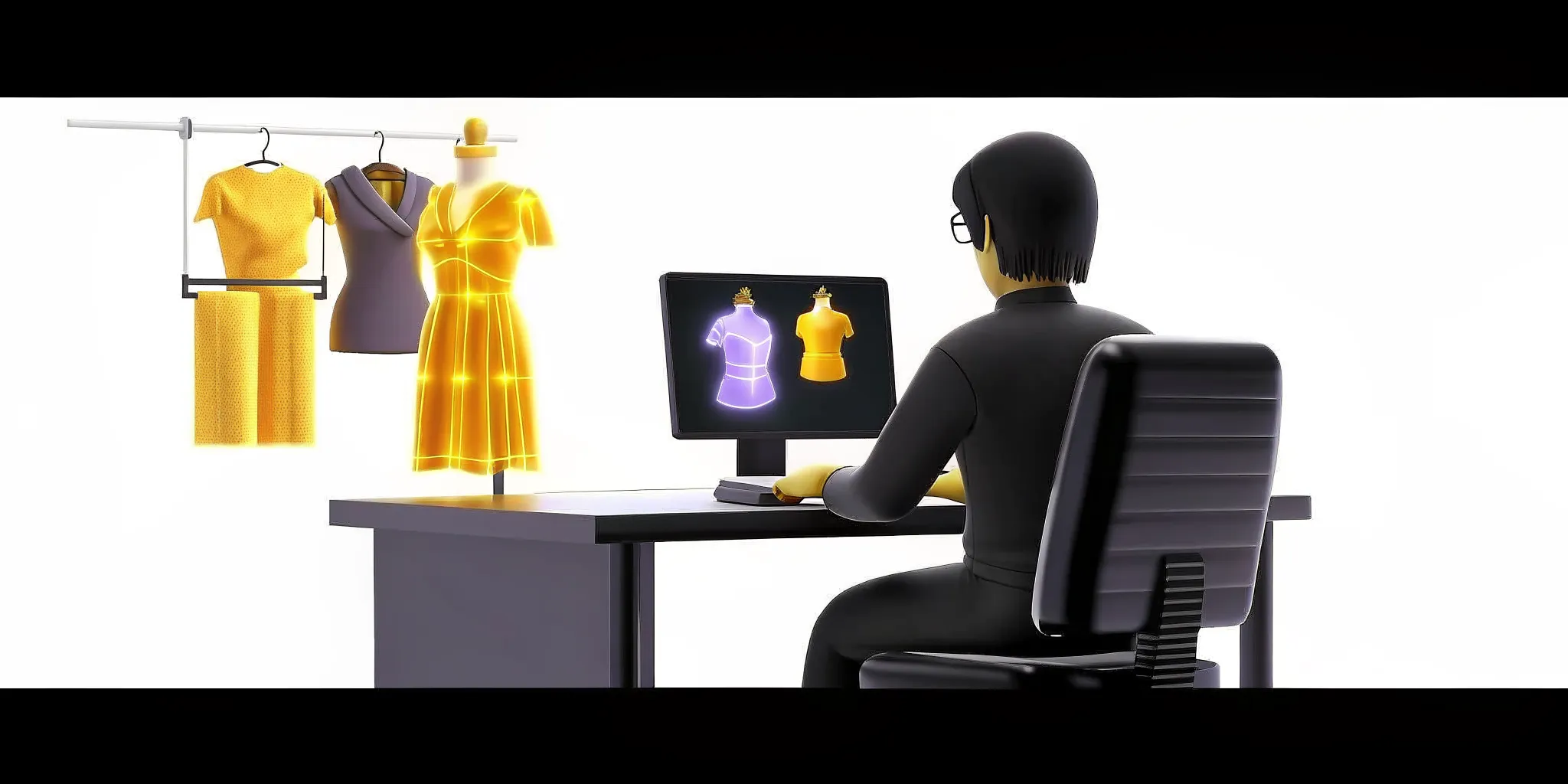
3D Clothing Creator: Build Outfits for AI Avatars and Games
Dresses and handbags collapse or clip the moment an AI character starts to move on screen. Old design tools simply cannot handle the fluid movement of modern digital fashion.
A 3d clothing creator is a digital design application used to build, customize, and simulate three-dimensional garments for virtual avatars and game characters. This technology replaces slow and rigid flat design systems with interactive, digital-native modeling tools. Research on virtual garment fitting informs this workflow. By streamlining the entire workflow, these specialized applications help developers and digital artists quickly produce game-ready wearables. These digital outfits move naturally with characters across different platforms, games, and virtual environments without requiring hours of manual adjustment. The finished clothes are fully flexible, so they look and behave perfectly wherever the character goes.
How do these digital systems work, and why are they becoming so vital to modern virtual fashion pipelines? To see their true value, we need to define exactly what a 3d clothing creator is. Then walk through how it fits into designing clothing for AI avatars and game characters. That is where we head next.
Ready to start building your own 3d clothing creator wearables today
What Is a 3D Clothing Creator?
A 3d clothing creator is a tool used to design, test, and export 3D digital clothes. It works for virtual characters and online games. This software swaps flat paper sketches with moving models that react to gravity, movement, and fabric weight in real time.
Making clothes for digital spaces has changed. In the past, artists drew outfits on flat paper or screens. This process took too much time and did not show how cloth moves. Today, creators use a virtual character creator to build assets that work in 3D. This new approach makes it easy to see fabric movement. You can watch clothes fold, bend, and drape on a moving model.
The shift from flat design
Old methods struggle when artists try to model complex items. For example, old template methods have a hard time with non-rigid objects like dresses and handbags. These shapes are highly dynamic. A research paper in Nature shows that classic design paths are held back by the loose, shifting nature of fabric. Because of this, they cannot easily predict how a long dress will bend when an avatar runs.
A 3D clothing creator solves this problem. The software uses math to build the shape. Artists do not have to guess how a skirt will look from the side. Now, they can rotate the virtual dress to inspect every seam. This smart approach cuts down on errors and speeds up the work flow.
Fitting and movement in space
Making clothes is only half the job. The garments must also fit and move with the avatar. To do this, modern design tools use smart networks. These networks match virtual clothes to the body shape and predict how a shirt fits any arm length.

Virtual fitting tools help designers evaluate how digital garments sit on an avatar before export. Artists can inspect the result on a virtual model without sewing a physical dress.
Exporting to games and virtual worlds
Once the outfit looks right, the artist must move it to its final home. A 3D clothing creator makes this easy. It exports files in formats that modern games can read. These files store the shape, texture, and fold physics of the cloth. This lets the finished clothing work in many worlds.
This step is key for building online games and virtual worlds. Players can buy and wear these digital items. Instead of making a new shirt for each game, design teams can build one file that works across platforms. This process saves time. It allows creators to build vast wardrobes of style choices.
Why 3D Clothing Design Beats Flat 2D Fashion
Garment design has changed. Creators once drew flat plans on paper. But modern game worlds need something better. Flat sketches cannot show texture or movement on 3D models.
Faster development workflows
Old flat ways to design garments are too slow. They do not meet the need for fast and low cost work in modern product development. In fact, a study shows that the traditional two-dimensional fashion design method cannot meet the high-efficiency and low-cost needs of modern firms.
If you make a mistake in a 2D sketch, you must start over. With a 3D workflow, you change the digital cloth in seconds. This saves time and keeps costs low.
A 3D design workflow helps teams in several ways:
It cuts down on physical waste by using virtual cloth.
It lets designers share styles across teams instantly.
It speeds up approval times for new designs.
Real fabric simulation
Flat sketches cannot show how cloth really moves. Real fabric bends, folds, and sags on a body in motion. Traditional modeling tools have a hard time with these soft, changing items. In fact, research in Nature notes that conventional template-based methods are limited in modeling non-rigid objects like dresses and handbags.
With 3D cloth design, you see the true fit. The digital garment responds to gravity and wind in real time. This means you know how a dress will look on an avatar before you build the final asset. You can test the fit on different body shapes in a few clicks.
Reusable digital assets
When you design in 3D, your garments become digital assets. You do not just use them once. You can save, change, and reuse them for different virtual characters. This lets designers build a huge library of virtual clothes over time.
This shift to digital-first work makes it easy to build large collections. If you use a virtual character creator, you can dress many different avatars in the same 3D outfit. You can adjust the size, change the color, or add new textures without starting from scratch. You can also use these outfits to build game-ready 3D characters that are ready to move.
How to Use a 3D Clothing Creator for AI Avatars and Game Characters
Making outfits for game characters can feel like a chore. In the past, you had to build every piece of fabric from scratch. Today, using a smart 3D clothing creator makes the job fast and easy. You can turn flat ideas into rich assets in just a few steps.
The Character Asset Pipeline
Modern software streamlines how you build digital outfits. Developers no longer need complex 3D meshes to start. Instead, new models use self-supervised learning to reconstruct clothing directly. Researchers have shown that self-supervised 3D clothing reconstruction can recover shape and texture from a single 2D image. This lets you form a solid base without manual mesh editing.
Define the character body. You must start with a clean human body model. The software uses these body dimensions to shape your digital patterns.
Build the base garment. Draw your flat sewing patterns directly onto the 3D space. You can trace lines around the limbs and torso to draft the main panels.
Simulate and fit the fabric. Run a physics simulation to drape the cloth. To prevent clipping, the garment parts must match the body model closely. A close garment-body fit helps support stable movement.
Add modular items and props. Customize your outfits with layers like jackets, shoes, and hats. Using a modular system lets you swap pieces and mix styles easily.
Optimize and export the assets. Reduce the polygon count to keep your game running fast. Then, export your outfits so they can work with Unity character assets and other game engines.
After you finish the design, you should test the garment in active scenes. Watch how the fabric moves when the character runs or jumps. If the cloth folds look unnatural, you can adjust the fabric weight. Testing early ensures that your 3D clothes look great in any setting.
Modular Clothing and Unity Integration
Once you have the base clothes, you can add extra items. Many creators use modular tools to layer different styles. This lets you build a vast closet of designs. A good clothing system should support fast swaps in real time. This keeps the game fun for users who want to change their look on the fly. If you are building for Unity, check out our guide on how to create 3D avatars for Unity games to pair your outfits with a solid character foundation.
Using modular clothing also helps with cross-game use. This means that a shirt designed for one character can fit another body without issues. To make this work, the clothing system must adjust the fabrics on its own. This process helps you build game-ready 3D characters that can wear any style without manual rigging.
What to Look For in a 3D Clothing Creator Tool
When you search for a virtual character creator or a clothing tool, match your choice to your goals. Some design suites focus on physical gear, while others build digital items. The best software must handle cloth weight, fit, and movement. Choosing the wrong system can lead to stiff garments that fail to sit well on a moving body. A good 3D clothing creator should also export clean file formats that work in other engines.
Pattern sewing and virtual fit
Virtual drape and fitting are key factors for any digital designer. To make stable garments, your tool needs to align virtual cloth parts with the target body shape. Classic pattern sewing techniques help you design custom seams that match real-world tailoring rules.
In fact, research shows that virtual garment fitting depends on precise matching data between virtual parts and the body model. A close match between virtual parts and the body model supports a stable fit. Look for tools that let you sew flat 2D patterns directly onto a 3D avatar.
Simulating non-rigid materials
Dresses, coats, and bags are non-rigid objects. They present tough challenges for basic design software. Basic template tools often struggle to model these items due to their dynamic nature, as noted in a Nature article. Your chosen software must use active physics to handle these materials during movement.
With a high-quality physics engine, cloth will react to gravity, wind, and body contact. This keeps the outfit from clipping through limbs or floating in mid-air. When you build game-ready 3D characters, having stable cloth physics prevents visual glitches during gameplay. This real-time response is crucial for game design, where player movement is fast and free.
Comparing top design systems
To help you choose, we have compared five top design options. Each system fits its own stage of the digital fashion pipeline. For instance, some tools are best for custom pattern drafting, while others excel at fast online edits or gaming use cases. Choosing the right fit can save hours of rework in your design process.
Tool | Best For | Key Strength |
|---|---|---|
CLO 3D | Real-time garment design | High-fidelity cloth simulation |
Marvelous Designer | Pattern sewing and draft work | Virtual sewing and pattern drafting |
Style3D | Deformable material simulation | AI-backed simulation engine |
Genies Art Forge SDK | Cross-game avatar wearables | Unified avatar interoperability |
Pacdora | Quick online customization | Simple three-step editing interface |
For game and app creators, cross-game use is the most vital factor. You do not want custom clothes locked to one single game. Tools that support standard files and unified formats make it easy to export your designs to other engines. This ensures your custom gear works well with different 3D character assets across other virtual worlds.
How Genies Art Forge SDK Fits Into the AI Avatar Clothing Pipeline
Building custom digital fashion starts with the right tools. Genies spent five years and 100 million dollars on research to build its visual layer. Backed by 200 million dollars from Silver Lake, BOND, and Bob Iger, this tech helps teams at every stage. In the avatar pipeline, the Genies Art Forge SDK serves as the main creation layer for 3D wearables, props, and custom styles.
The creation layer for wearables
Designing 3D clothing is a complex task. In 3D design, fitting stability depends on how closely virtual clothing parts align with the body mesh. This fact comes from a study on virtual garment modeling. The Art Forge SDK eases this work by acting as the tool to make assets that fit avatars. It handles the shape and style of each item before it goes to the game engine.
Teams can use this tool to build many types of digital fashion:
Custom shoes, shirts, and pants that match the character style.
Fun props and hand-held items for different games.
Unique hats and gear that work with the core avatar model.

Distinguishing the core avatar systems
Teams should not confuse the Art Forge SDK with the other tools in the suite. While Art Forge handles the clothing looks, the Genies Avatar SDK is the core system for Unity. This SDK helps with making avatars and includes a modular in-game editor. Thousands of creators are already building with this system, using it as a virtual character creator.
To add mind and soul to these characters, teams can use the Smart Avatar SDK. This behavior layer adds AI traits like memory and real-time expression. It allows NPCs to act with unique minds. These tools match the vision of Genies Studio, which lets creators design and train characters across Looks, Brain, Behavior, and Play.
The interoperability advantage
A key pillar of the Genies system is complete interoperability. The core rule is that everything works with everything. When you design a wearable in the creation layer, it is not locked to one app. It can travel with the avatar across different digital worlds.
This shared system is what makes Genies Chat unique. Genies Chat is where AI personas come to life. Instead of trading messages with a text box, users talk to 3D characters who react with voice, style, and expression. Teams who want to build their own assets can find useful tools in our list of Unity character assets.
Common 3D Clothing Design Challenges (and How to Solve Them)
Designing digital garments is not always simple. Artists face real hurdles when they make outfits for games and virtual worlds. From fabric drape to body mesh fit, these issues can slow down your work flow. Finding a smart path to fix these issues helps you build better assets.
Designing loose and soft garments
Standard tools use fixed templates to build digital clothing. But these standard paths struggle when you design loose or soft items. A paper in Nature shows that template methods fail to model non-rigid objects like dresses and handbags. Because fabric bends and shifts, a simple template cannot capture how a skirt folds.
To solve this, modern systems use dynamic mesh models. Instead of starting with a stiff shape, these tools show how cloth folds under gravity. This lets you design complex, flowing garments with real folds. It helps when you want to build game-ready 3D characters with moving clothes.
Reconstructing clothes from flat data
Creating 3D clothes from a single 2D photo is another big challenge. Flat photos lack depth data. This causes a major problem with 2D data. There is an inherent ambiguity among camera position, shape, texture, and illumination in flat data.
Without a clear way to sort these details, the software cannot tell if a fold is a dark shadow or a change in texture. This issue is shown in the same study in Nature. To solve this, new tools use causal maps. These maps use smart rules to split shape from light. The software can then find the true camera position and build the texture from the available visual data. This allows the tool to turn a single flat sketch into a full 3D asset.
Getting a stable garment fit
Even when you have a great 3D model, fitting the garment to a moving avatar is hard. The digital clothes must stretch and move with the model without clipping or tearing. If the clothes do not match the body data, the fabric will look stiff or glitch.
To solve this, match each garment part directly to the body model. A study on virtual garment fitting shows that you must match garment parts to body parts. With the right data, the garment and body model should align closely to support stability. This alignment helps the clothes move with the character.
If you want to speed up your work flow, you can also use ready-made Unity character assets to test your clothes. Here are some best tips for getting a stable fit:
Use a 3D clothing creator that supports smart fitting systems.
Ensure the avatar body mesh has clean lines before draping fabric.
Adjust fabric settings like weight, stretch, and bend to match real cloth.

How to Get Started With Your Own 3D Clothing Creator
Starting to build digital clothes does not need to feel hard. Even if you are a beginner, you can quickly build and test your own designs. Traditional 2D methods often fail to meet the high speed and low cost needed for modern game design. This issue is shown in virtual garment research. Using a good 3D clothing creator helps you bypass these limits and start making items right away.
Character Silhouette and Body Rig Setup
Before you make any fabric, you need a body to put it on. You must define your character silhouette and target rig. Your clothes must fit the human body model tightly to stay stable. Research on garment draping shows that virtual meshes need about a 90% match rate to stay stable. Once your base model is ready, you can start to build clothes.
The Right Creator Software
Next, choose a tool that fits your skill level. Beginners can start with simple web tools like Pacdora, which lets you design styles in three easy steps. For more detail, you can use advanced tools like CLO 3D or Marvelous Designer to sew realistic seams. If you are building a full game, you can use a suite like the Genies Avatar SDK. This tool helps you build and share game-ready 3D characters with built-in clothing systems.
Template Workflows and Iteration
Once you pick your software, do not start from zero. Use template workflows to save time. Here are the core steps to build your first wearable outfit:
Pick a pre-made template that matches your character type.
Import a 2D image to guide the shape and texture.
Run cloth physics to see how the fabric moves.
Export the mesh for your engine and test it with Unity character assets.
You can even use modern tools that recover shapes from a single photo. New research on 3D clothing reconstruction shows how tools can build meshes from 2D images. This makes starting your first design project much faster.
Get started with your 3d clothing creator and dress your AI avatars today
Frequently Asked Questions
How can I design 3D clothing for game characters?
To design virtual clothing, you start by making a 3D mesh model that matches your avatar's shape. This process needs a precise fit. An academic study in PMC shows that matching fabric parts to the virtual body needs a close fit. Once matched, you can apply texture maps to add real color, fabric details, and depth before you load the files into a game.
Is it easy to use 3D clothing creator tools for beginners?
Some tools have a learning curve, but modern software makes the process much simpler than old methods. Traditional fashion workflows often fail to meet the fast pace of modern digital design. Many new applications offer templates, simple drag-and-drop options, and automatic sewing functions to help you start. These features let beginners design, preview, and test outfits on virtual characters without needing years of expert training.
Can I export 3D clothing designs to Blender?
Yes, almost all modern creation tools let you export files in standard formats like FBX or OBJ. These file types are fully compatible with Blender, where you can refine the mesh, adjust materials, or add custom animations. When you export, make sure to keep the scale and vertex groups intact. This practice ensures your clothing fits perfectly on your character model once you import the asset back into your preferred game engine.
How do 3D clothing creators simulate fabric movement?
Software programs simulate fabric movement using physics engines that track gravity, wind, and contact. Traditional methods often struggle with non-rigid objects like long dresses. According to a study published in Nature, these complex shapes need fluid systems to capture flow. Modern systems apply material properties like weight, stretch, and bending strength directly to the mesh polygons. This setup lets the software compute how the fabric folds and sways in real time as the avatar moves.
Start Building With a 3D Clothing Creator Today
You do not need a heavy 3D fashion studio or a team of technical artists to start designing wearables for AI avatars. A modern 3d clothing creator puts the whole pipeline in your hands: sketch a look. Shape it in 3D, watch the fabric drape, and drop it into your game or experience ready to wear.
Genies is built to make that leap simple. The Genies Art Forge SDK handles the creation layer for wearables, props, and custom styles. While the Avatar SDK carries your characters into Unity with game-ready performance and cross-game interoperability. And when you want to see what a fully dressed, fully alive AI persona feels like. Genies Chat is where AI personas come to life, letting you interact with animated characters who match tone, expression, and behavior in real time.
Whether you are a solo creator testing ideas or a studio shipping a living cast of characters, the fastest way to learn is to build. Start today, then take those looks into your own projects.
Ready to start building your 3D clothing and AI avatars today.